Have any questions? Contact us!
Join our team!
Request a free quote or consultation

Picture this: you’re an architect sketching out a sleek new office tower, or maybe an engineer figuring out how to fit HVAC systems into a tight retrofit. The old way – endless 2D drawings, constant revisions, and miscommunications – feels like a slog. Enter Revit Architecture, Autodesk’s powerhouse software that’s been flipping the script on how buildings come to life. It’s not just about lines on a screen; it’s a Building Information Modeling (BIM) tool that creates intelligent 3D models packed with data, making your work faster, sharper, and more collaborative. I’ve seen teams go from frustrated to fired up once they get the hang of it. Let’s unpack what Revit Architecture is, why it’s a game-changer, and how it’s shaping the architecture, engineering, and construction (AEC) world.
The Heart of Revit: What Makes It Tick

Revit Architecture is all about BIM, which means it builds a digital version of your project that’s more than just pretty visuals. Every element – walls, doors, beams – carries information like material types, costs, or thermal properties. Change one part, and the whole model updates automatically, from floor plans to schedules. I remember talking to a designer who said this saved her team weeks of rework on a hospital project when the client shifted a wing’s layout.
Unlike traditional CAD, which is like drawing with a digital pencil, Revit’s parametric approach lets you define relationships between elements. For example, set a rule that a window stays centered on a wall, and it’ll adjust if the wall moves. This intelligence cuts errors and keeps everything consistent. Plus, the database behind it means you can pull reports – like a list of all doors or a cost estimate – without manual number-crunching.
Why BIM Matters
- Data-Driven Design: Every model element holds info, so you’re not just designing but managing a project’s lifecycle.
- Error Reduction: Automatic updates catch inconsistencies before they hit the construction site.
- Versatility: From sketches to construction docs, it’s a one-stop shop for architects, engineers, and contractors.
The Evolution of Revit: From Drafting to Digital Twin
Revit’s story starts in the late 1990s when 2D drafting was king, but coordination was a nightmare. Autodesk acquired the software in 2002 and turned it into a BIM leader. Back then, architects and engineers worked in silos, passing drawings back and forth. Revit changed that by creating a shared model where everyone could work together, seeing updates in real time.
Fast forward to 2025, and Revit has kept up with the times. Cloud collaboration came in the 2010s, letting teams work from anywhere. Now, it’s tackling sustainability with tools for carbon analysis and integrating with AI for smarter design suggestions. It’s not just a tool; it’s a partner that grows with the industry’s needs, from green building mandates to remote workflows.
Key Milestones in Revit’s Journey
- Early 2000s: Introduced parametric modeling, linking design elements dynamically.
- 2010s: Added cloud-based collaboration for global team sync.
- 2020s: Focused on sustainability, with energy and carbon analysis tools.
- 2025: New features like enhanced topography and AI-driven insights keep it cutting-edge.
Powerkh’s Revit Architecture Expertise: Building Smarter Designs

Powerkh is a UK-based company that specializes in Building Information Modeling (BIM) services, with a focus on Revit architecture. We work with architects, engineers, and construction professionals to create and manage BIM content, helping streamline design processes and improve project collaboration. In addition to our headquarters in the UK, we have offices in Ukraine and the USA, allowing us to serve clients across different regions.
Our BIM content creation services include developing families, templates, and custom components for use within Revit. This ensures clients have the right tools to meet their specific project needs, while maintaining consistency and compliance with industry standards.
Along with BIM content creation, we also offer BIM consulting and project coordination services. These services help ensure that all team members are aligned and working with the most up-to-date information, reducing risks and supporting better decision-making throughout the project. Our goal is to help clients successfully implement BIM, providing practical solutions that work in real-world projects.
Key Highlights:
- UK-based company with offices in Ukraine and the USA
- Specializes in Revit architecture and BIM services
- Provides BIM content creation, including families, templates, and custom components
- Offers BIM consulting and project coordination services
- Focus on improving project efficiency, reducing errors, and enhancing collaboration
- Serves a wide range of industries, including architecture, engineering, and construction
Core Features That Power Your Projects
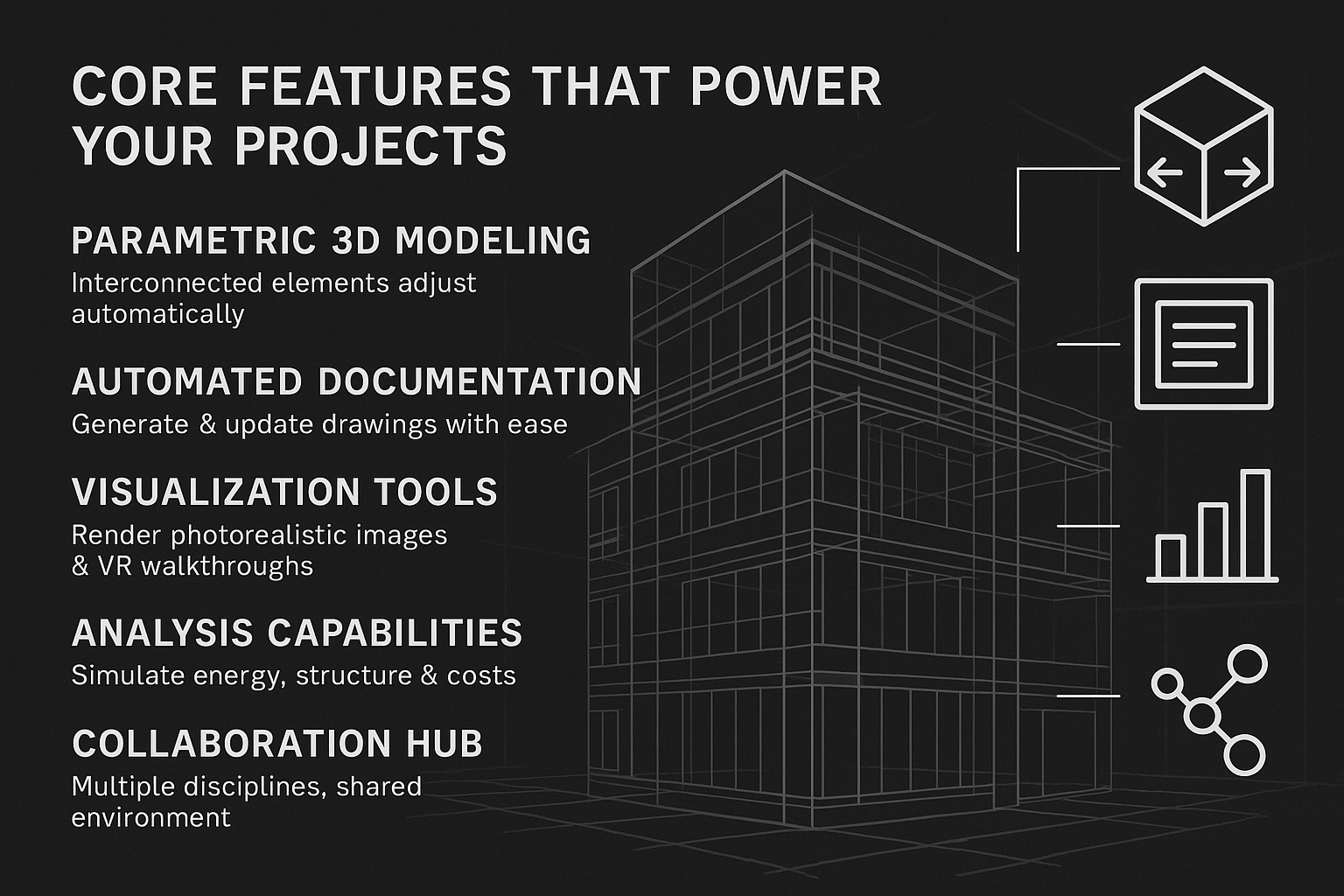
Revit Architecture is loaded with tools that make designing, documenting, and collaborating feel seamless. Here’s what stands out:
Parametric 3D Modeling
You can build detailed 3D models where every piece is interconnected. Adjust a wall’s height, and windows, doors, even rooflines shift automatically. This parametric setup means less time fixing errors and more time refining your vision.
Automated Documentation
From your 3D model, Revit generates floor plans, sections, elevations, and schedules instantly. Update the model, and every document stays in sync. I’ve seen architects breathe a sigh of relief when they realized they didn’t have to redraw a section after a late design tweak.
Visualization Tools
Want to wow a client? Revit’s rendering engine creates photorealistic images, or you can export to VR for immersive walkthroughs. It’s like giving clients a tour of their building before a single brick is laid.
Analysis Capabilities
Run simulations for energy use, structural integrity, or cost estimates early in the design phase. This helps catch inefficiencies – like a poorly insulated facade – before they become costly fixes.
Collaboration Hub
Revit’s shared model lets architects, engineers, and contractors work in one environment. Cloud tools mean updates are instant, whether your team’s in the same office or across continents.
What’s New in Revit 2025: Tools to Stay Ahead
The 2025 release brings fresh tricks to keep Revit at the forefront. Here’s a closer look at what’s exciting:
- Toposolids: Topography now behaves like system families (walls, floors, etc.), giving you more control over site designs. Think seamless integration of terrain with building elements.
- Dark Theme: Easier on the eyes, especially for late-night work. It’s a small change but a big win for comfort, especially if you’re used to darker interfaces.
- Textures Visual Style: A new rendering option that balances simplicity and realism, showing material textures without the heavy processing of full renders.
- Search in Project Browser: Finding elements in complex projects is now as easy as typing a keyword. No more scrolling through endless lists.
- My Insights: A dashboard that learns your habits and offers tailored tips, though it might need some use to fully shine.
- Carbon Analysis: Built-in tools to track a project’s environmental impact, aligning with global sustainability goals.
- Dynamo 3.2.1: Upgraded automation for scripting repetitive tasks, like generating complex geometries or updating parameters in bulk.
These updates show Revit’s focus on usability, sustainability, and speed, keeping it relevant for today’s fast-paced projects.
Collaboration: Building Better Together
One of Revit’s biggest strengths is how it brings teams together. In the past, architects might design a building, only for engineers to find structural issues later. Revit’s unified model stops that chaos. Everyone works on the same file, with changes tracked and clashes flagged early – like spotting a duct running through a beam before construction starts.
Cloud-based collaboration means a designer in New York can tweak a model, and a contractor in London sees it instantly. This real-time sync cuts miscommunication and keeps projects on track. I’ve heard from project managers who say this feature alone slashed their coordination time by half.
How Collaboration Works in Revit
- Shared Models: All disciplines access one model, reducing version conflicts.
- Clash Detection: Built-in tools identify conflicts between architectural, structural, and MEP elements.
- Cloud Sync: Updates are instant, supporting remote and global teams.
- Annotations and Feedback: Teams can mark up models directly, streamlining reviews.
Real-World Applications: Where Revit Shines
Revit’s versatility makes it a fit for projects big and small. Here’s how it’s used across scenarios:
High-Rise Buildings
Architects model towers with parametric elements, ensuring changes – like adjusting floor heights – update across plans and schedules. MEP teams add systems, using clash detection to avoid conflicts with structural beams.
Renovations and Retrofits
Scan to BIM converts laser-scanned point clouds into accurate models, perfect for updating old buildings. I’ve seen firms use this to modernize historic structures without losing their character.
Industrial Projects
Revit’s prefabrication tools generate shop drawings for offsite manufacturing, speeding up construction of factories or warehouses. Detailed rebar and steel models ensure precision.
Sustainable Design
Energy analysis tools simulate performance, helping design buildings that use less energy. This is huge for meeting green certifications like LEED.
Infrastructure and Landscapes
With 2025’s Toposolids, site designs integrate better with buildings, making it easier to model complex terrains or urban layouts.
Role-Specific Benefits: Who Gets the Most Out of Revit
Revit tailors its power to different AEC roles, making everyone’s job easier:
- Architects: Create and refine designs with parametric freedom, visualizing concepts in 3D to pitch clients confidently.
- Structural Engineers: Run load analyses and detail rebar or steel, ensuring designs meet code without overengineering.
- MEP Engineers: Design complex systems with tools like Split with Gap, coordinating with other disciplines seamlessly.
- Contractors: Use models for accurate quantity takeoffs and shop drawings, minimizing onsite errors.
- Facility Managers: Access model data post-construction for maintenance, like tracking HVAC specs or replacement schedules.
- Interior Designers: Build custom families for furniture or fixtures, reusing them across projects for consistency.
This role-specific focus means Revit isn’t just a tool – it’s a workflow enhancer, no matter your specialty.
Integration with Other Tools: A Connected Ecosystem
Revit doesn’t work alone; it plays well with other software to boost your workflow:
- Forma: Streamlines early design, moving from concepts to schematics with automation.
- Insight: Runs detailed energy and performance simulations for sustainable choices.
- Dynamo: Automates repetitive tasks, like generating complex patterns or updating hundreds of elements at once.
- Twinmotion: Creates stunning, client-ready renderings or VR experiences in minutes.
- Navisworks: Enhances clash detection for large-scale coordination.
- AutoCAD and Rhino: Imports 2D or complex geometries, bridging traditional and BIM workflows.
Cloud tools like BIM Collaborate Pro make sharing effortless, connecting global teams in real time. This ecosystem approach ensures Revit fits into your existing toolkit without forcing a complete overhaul.
Getting Started: Tips for Newbies
Jumping into Revit can feel daunting, but it’s worth the effort. Here’s how to ease in:
- Start with Basics: Download a trial from Autodesk and follow beginner tutorials on modeling walls, doors, and simple plans.
- Learn Families: Master creating custom components – like unique windows or furniture – to build reusable libraries.
- Explore Parametrics: Experiment with rules, like locking a door’s position, to understand how changes ripple through.
- Join Communities: Forums and user groups share shortcuts and real-world tips you won’t find in manuals.
- Practice Small: Try a simple house or office before tackling a skyscraper to build confidence.
- Understand the Database: Get comfy with how data drives schedules and reports – it’s Revit’s secret sauce.
Expect a learning curve, but stick with it. I’ve seen new users go from overwhelmed to obsessed once they see how much time it saves.
The Future of Revit: What’s Next for Design
Revit’s future is tied to where the AEC industry is headed. With sustainability mandates growing, tools like carbon analysis will become standard, helping designers meet net-zero goals. AI is creeping in, with generative design suggesting layouts based on your constraints – think optimized floor plans in seconds.
Cloud collaboration will get even tighter, making global projects feel local. Virtual reality and augmented reality are also on the horizon, letting clients walk through models or contractors visualize builds onsite. As BIM becomes mandatory in more countries, Revit’s role as a compliance and innovation hub will only grow.
Conclusion
Revit Architecture isn’t just software – it’s a shift in how we design and build. It blends creativity with precision, letting teams dream big while keeping projects grounded in data. From reducing errors to enabling greener buildings, it’s a tool that delivers real results. If you’re in AEC, diving into Revit could be the move that sets you apart. Try it, play with it, and watch your projects come to life in ways you didn’t expect.
Frequently Asked Questions
What exactly is Revit Architecture used for?
Revit Architecture is used for designing, modeling, and documenting building projects in 3D. It supports architectural design, structural engineering, MEP systems, and construction coordination, creating intelligent models that integrate data for plans, schedules, and analyses.
How does Revit differ from AutoCAD?
AutoCAD is a general-purpose drafting tool for 2D and 3D drawings, while Revit is a BIM-focused software for building design. Revit’s parametric models and data integration enable automatic updates and collaboration, unlike AutoCAD’s more manual approach.
Who should use Revit Architecture?
It’s ideal for architects, structural and MEP engineers, contractors, interior designers, and facility managers. Anyone in the AEC industry needing collaborative, data-driven design benefits from Revit’s capabilities.
Can beginners learn Revit easily?
Revit has a learning curve due to its BIM complexity, but beginners can start with Autodesk’s tutorials and small projects. Hands-on practice and community resources help make it approachable over time.
Our Case Studies
We have handled 200+ BIM & VDC projects for commercial, industrial, and residential sectors.
Our work includes:
Formwork design automation
Our client from
California, USA
Suspended ceiling design automation
Our client from
New York, USA
Wall framing design automation
Our client from
California, USA


