Have any questions? Contact us!
Join our team!
Request a free quote or consultation

Picture this: you’re planning a construction project, and everyone’s raving about Building Information Modeling (BIM). It’s the tech that promises to streamline your design and build process, but there’s one question nagging at you – how much is this going to cost? I’ve been around the block with construction projects, big and small, and I know that nailing down BIM costs can feel like chasing a moving target. In 2026, with tech evolving and project demands shifting, the price tag depends on a mix of factors. From software subscriptions to team training, I’m going to break it all down based on real industry data, with a few lessons I’ve picked up along the way. My goal? To give you a clear, no-nonsense guide so you can budget with confidence and make BIM work for you.
The Big Picture: What Goes Into BIM Engineering Costs?
BIM isn’t just a tool; it’s a whole system that reshapes how you plan, design, and build. I’ve seen projects where overlooking one piece of the puzzle led to budget headaches. To get it right, you need to understand the core components that drive costs.
Software: The Heart of BIM
BIM software is where it all starts. These tools let you create 3D models, extract 2D drawings, and collaborate across teams. Costs vary depending on features and licensing models.
- Authoring Tools: These are for building and editing models. A popular option starts at about $380 monthly or $3,005 yearly for a subscription. Usage-based subscriptions exist too, scaling with your needs, while high-end structural software can range from $3,000 to $20,000 depending on modules.
- Collaboration Platforms: These enable real-time model sharing and clash detection. Basic plans are approximately $77 per user per month. Some even offer free tiers for limited use, which I’ve found handy for smaller teams testing the waters.
Hardware: Powering Your Models
BIM software demands serious computing power, especially for complex models or rendering. I’ve learned the hard way that underpowered machines lead to crashes and delays.
- Desktops and Laptops: A solid setup for BIM work costs $2,000 to $5,000. These handle most models but might struggle with massive datasets.
- Enterprise Workstations: For large-scale projects, expect to spend $10,000 or more. These are built for heavy lifting, like rendering detailed hospital models.
- Cloud Solutions: Cloud-based rendering and storage run $50 to $500 monthly, depending on usage. They’re great for flexibility, especially if your team works remotely.
Training: Getting Your Team Up to Speed
You can have the best tools, but without a trained team, you’re stuck. Training costs add up, but they’re critical for avoiding costly mistakes.
- Online Courses: These range from $200 to $1,500 per course, covering basics to advanced workflows. They’re flexible but require self-discipline.
- In-Person Workshops: Expect $500 to $3,000 per person. These are great for hands-on learning but can strain budgets for larger teams.
- Team-Wide Onboarding: For full adoption, costs can exceed $10,000, especially for big crews needing tailored programs. I’ve seen teams cut corners here, only to waste time fixing errors later.
Implementation: Setting Up for Success
BIM isn’t plug-and-play. It requires a strategy to integrate into your workflow, and that comes with its own price.
- Consultants: Hiring experts to guide setup runs $5,000 to $50,000, depending on project scope. They help align tools with your goals.
- BIM Execution Plans (BEPs): Developing a detailed plan costs $3,000 to $15,000. It’s like a roadmap for your BIM process.
- Software Integration: Linking BIM tools with existing systems can cost $5,000 to $100,000, especially for complex setups with multiple platforms.
Ongoing Expenses: The Long-Term View
Once BIM is up and running, you’re not done with costs. These recurring expenses keep things humming.
- Software Subscriptions: Annual renewals range from $1,000 to $5,000 per tool, depending on licenses.
- Cloud Collaboration: Monthly fees for platforms run $100 to $1,000, based on team size and usage.
- Maintenance and Support: Contracts for updates and tech support cost $2,000 to $20,000 yearly. I always budget for these to avoid disruptions.
Powerkh's Proven BIM & VDC Solutions

Powerkh is a UK-based company providing comprehensive Building Information Modeling (BIM) services, focused on enhancing the design, planning, and construction phases of building and infrastructure projects. With offices in the UK, Ukraine, and the USA, we leverage our global presence to offer tailored BIM solutions that foster seamless collaboration across international teams. Our services include 3D modeling, clash detection, and data integration, all aimed at ensuring projects are completed with precision, efficiency, and minimal risk.
At Powerkh, we are committed to driving digital transformation within the construction industry. Our BIM solutions help clients streamline workflows, improve project outcomes, and enhance decision-making. By ensuring that all project data is up-to-date and easily accessible, we enable project teams to work more collaboratively and avoid costly errors throughout the project lifecycle.
With a focus on meeting diverse client needs across different regions, we are equipped to reduce delays, manage costs, and ensure successful project completion, no matter the scale or location.
Key Highlights:
- UK-based company with offices in Ukraine and the USA
- Specializes in Building Information Modeling (BIM) services
- Expertise in 3D modeling, clash detection, and data integration
- Supports digital transformation in the construction industry
- Focus on improving project accuracy, efficiency, and collaboration
- Tailored solutions for both small-scale and large, complex projects
- Dedicated to reducing costs, delays, and risks throughout the project lifecycle
What Shapes BIM Costs? Key Drivers to Watch
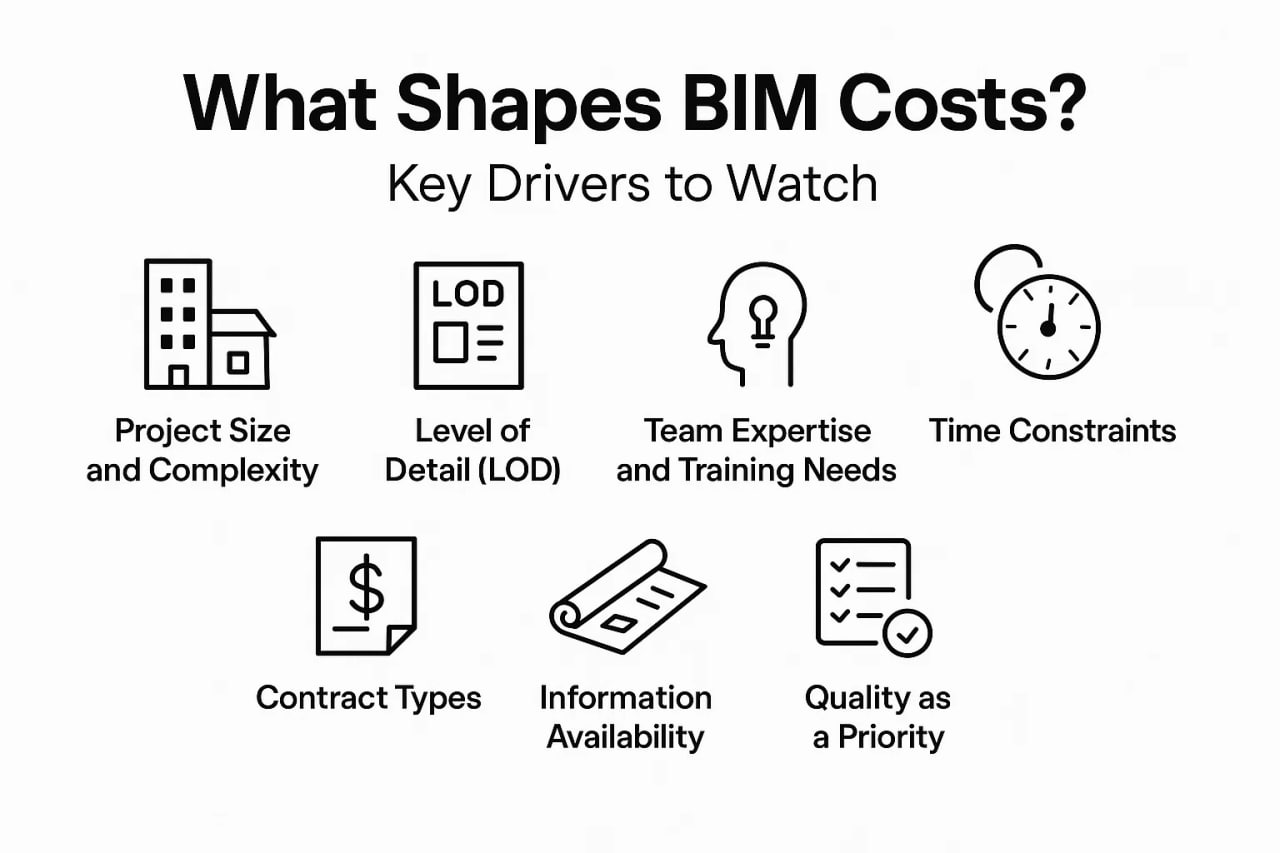
No two projects have the same BIM price tag. I’ve managed everything from cozy residential builds to sprawling infrastructure jobs, and the variables always shake things up. Here’s what drives costs.
Project Size and Complexity
Bigger projects with intricate systems demand more resources. A simple residential remodel needs less modeling than a commercial high-rise with MEP coordination.
- Small Projects: Think homes or small offices. These require basic models, keeping costs manageable.
- Large Projects: Infrastructure like bridges or airports involves multiple trades and high-detail models, pushing budgets higher.
Level of Detail (LOD)
The detail level in your BIM model directly impacts costs. Higher LOD means more work and higher expenses.
- LOD 200: Basic geometry for early design. It’s cost-effective but limited for detailed planning.
- LOD 300: Detailed models with specific systems, ideal for construction. Costs rise due to added complexity.
- LOD 400/500: Fabrication or as-built models, like precise duct layouts or final conditions. These can increase planning costs by up to 20%, especially for service-heavy projects like hospitals.
Team Expertise and Training Needs
Your team’s BIM skills matter. If they’re green, you’ll spend more on training. Over half of firms report a lack of in-house expertise as a cost driver. Seasoned teams, though, can turn training costs into long-term profits by catching issues early.
Time Constraints
Tight deadlines mean higher costs. Rushing a model might require overtime, which I’ve seen inflate budgets by 10-15%. Clear schedules with clients help avoid this pinch.
Contract Types
The way you structure payment affects costs:
- Lump Sum: Includes buffers for risks, often making it pricier. You might pay for potential issues that never arise.
- Time and Materials: More flexible but risks cost overruns if revisions pile up. I prefer discussing who covers rework upfront.
Information Availability
Quoting with full drawings is easier than working off sketches. Limited info leads to wider cost ranges, as you’re guessing at scope. I always push for as much detail as possible early on.
Quality as a Priority
Skimping on quality checks is a trap. A solid QA/QC process, budgeted at 5-10% of project costs, ensures models are reliable, saving you from costly fixes during construction.
How Are BIM Costs Priced? Common Methods
Pricing BIM services isn’t a one-size-fits-all deal. I’ve used different approaches depending on the project, and each has its strengths.
- Square Footage Metrics: Costs are tied to building size, typically $0.30 to $0.90 per square foot. Basic models hit the low end, while detailed ones climb higher. It’s great for quick comparisons.
- Percentage of Construction Costs: BIM fees are set as a percentage of the total budget, often around 0.8% of annual sales for firms. This scales well for large projects.
- Linear Feet for MEP: Used for piping or ductwork, priced per foot. It’s precise for trade-specific tasks.
- Per Deliverable: Charge for specific outputs like shop drawings or clash reports. Ideal for projects with clear deliverables.
- Phase-Based Pricing: Divide costs by project stages, like design or as-builts. This helps track spending over time.
- Trade-Specific Pricing: Assign costs per discipline, such as structural or electrical modeling. It’s tailored to multi-trade projects.
Early estimates often include buffers for uncertainty, which you can refine as details emerge. Cost calculators are popping up in 2026 to help with tailored quotes.
Cost Ranges by Project Type
In 2026, BIM costs vary widely by project scale and type. Here’s what you might expect based on industry trends.
Small-Scale Projects
Residential projects or small renovations typically cost $5,000 to $20,000. These involve basic modeling and minimal coordination, like for a home addition or small retail space.
Medium-Sized Projects
Commercial buildings, like offices or mid-sized complexes, range from $20,000 to $100,000. You’re adding layers like MEP integration and clash detection, especially for multi-team setups.
Large Infrastructure Projects
Big jobs like airports, bridges, or hospitals often exceed $100,000. They demand high LOD, extensive coordination, and ongoing management across multiple trades.
Scan-to-BIM Specifics
For projects using laser scanning to create models:
- Small Projects: $2,500 to $15,000 for basic scans and modeling.
- Medium Projects: $15,000 to $40,000 for more complex structures.
- Large Projects: Over $40,000, especially for intricate or historical sites.
Hourly consultant rates average around $54 but can climb with specialized skills.
Hidden Costs: Training and Implementation Challenges
It’s easy to focus on software and hardware, but the “soft” costs can sneak up on you. Training and implementation are where I’ve seen projects stumble if not planned well.
The Training Imperative
Over half of firms say software costs are a hurdle, with training close behind at 56%. Online courses and workshops are just the start; the real cost is the time it takes for teams to shift from traditional methods to BIM workflows. Exploratory time to understand the process, not just tools, is critical. I’ve seen untrained teams waste weeks on rework, so budget for learning.
Implementation Hurdles
Setting up BIM requires strategy. Consultants guide you through workflows, costing $5,000 to $50,000. A BIM Execution Plan, at $3,000 to $15,000, maps out your approach. Integration with existing systems can hit $100,000 for complex setups. Small firms often struggle here, as hardware upgrades add another layer, especially for resource-heavy software.
The Subscription Shift
Software-as-a-service models mean ongoing payments, not one-time buys. This keeps tools updated but locks you into yearly costs, which can feel relentless. Planning for these is a must.
In-House vs. Outsourcing: Which Saves More?
One big decision is whether to build an in-house BIM team or outsource. Both have trade-offs, and I’ve tried both depending on project needs.
In-House BIM Teams
Building your own team gives control and long-term value but demands upfront investment:
- Pros: Tailored workflows, deep project knowledge, and no reliance on external schedules.
- Cons: High initial costs for tools, training, and salaries. Smaller firms might struggle.
Outsourcing BIM Services
Outsourcing to specialists can be a lifesaver for short-term or complex needs:
- Pros: Access to experts, no full-time salaries, and focus on core tasks. Ideal for one-off projects or peak workloads.
- Cons: Less control and potential communication gaps. Long-term outsourcing may cost more than building in-house.
Hybrid approaches work well – keep core modeling in-house and outsource specialized tasks like scan-to-BIM. It’s about balancing budget and goals.
Why BIM’s Cost is a Smart Investment
BIM’s price tag can sting, but the returns are hard to ignore. Here’s why it’s worth it, based on what I’ve seen in the field.
- Efficiency Gains: BIM cuts project timelines by streamlining coordination. Real-time 3D data keeps everyone aligned, reducing errors.
- Risk Reduction: Early clash detection catches issues before construction, saving on rework. Studies show up to 20% time savings and 15% cost reductions.
- Better Collaboration: Remote teams work better with shared models, boosting decision-making.
- Higher Profits: Accurate cost and labor predictions lead to tighter budgets and happier clients. In markets with high BIM adoption, firms skipping it risk falling behind.
In 2026, with over 70% of firms using BIM in mature markets, it’s becoming a must-have to stay competitive.
Strategies to Keep BIM Costs in Check
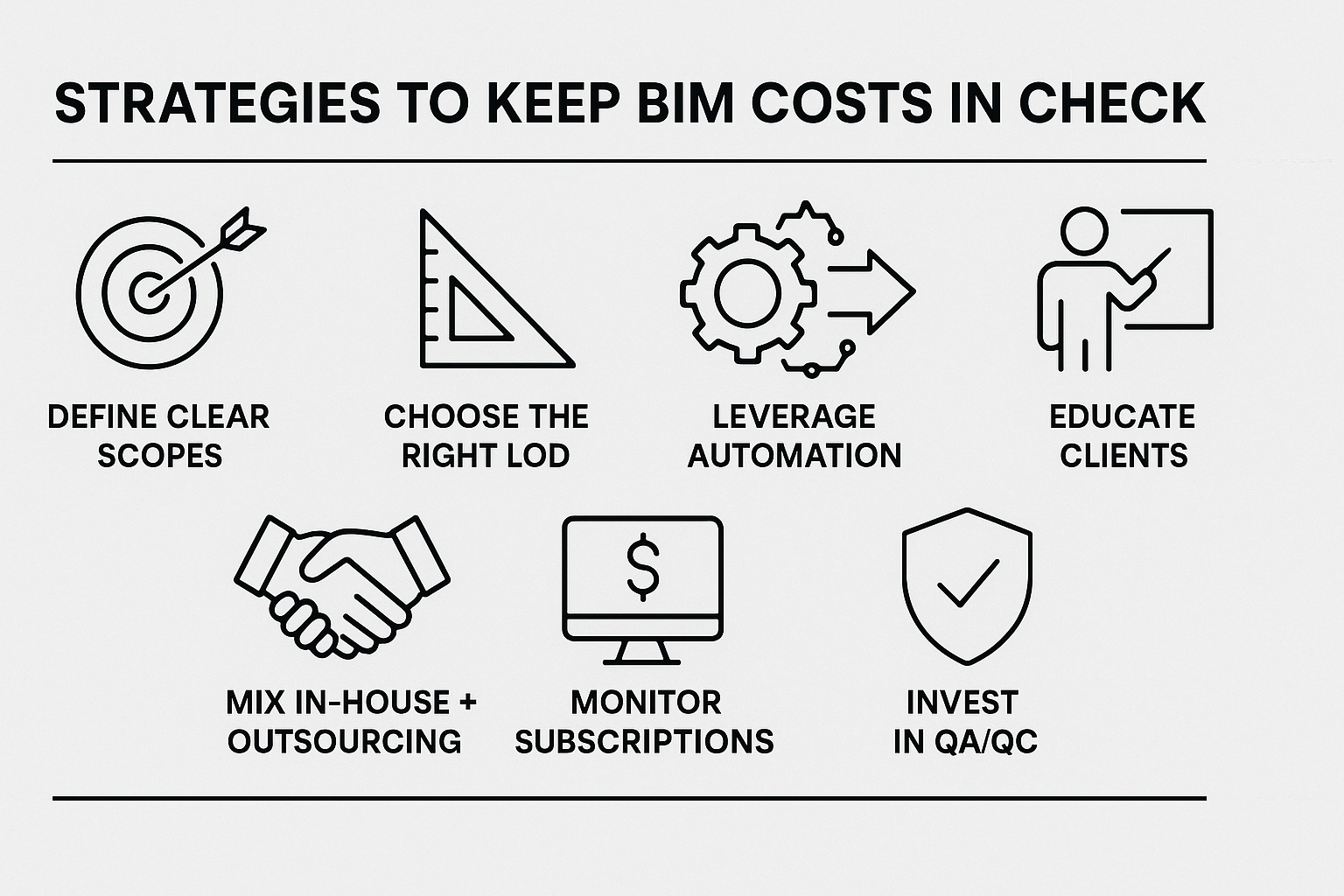
Nobody wants to blow their budget. Here are practical tips I’ve used to make BIM affordable without cutting corners.
- Define Clear Scopes: Nail down deliverables early to avoid scope creep, which can inflate costs by 10-20%.
- Choose the Right LOD: Don’t over-detail. LOD 200 is fine for early stages; save LOD 400 for fabrication.
- Leverage Automation: Tools like scripting can speed up routine tasks, cutting modeling time significantly.
- Educate Clients: Show them BIM’s value to justify costs. It helps secure buy-in and budget.
- Mix In-House and Outsourcing: Use specialists for complex tasks while building internal skills for long-term savings.
- Monitor Subscriptions: Track ongoing fees to avoid surprises. Free tiers of collaboration tools can help for small projects.
- Invest in QA/QC: A small budget for quality checks prevents costly errors down the line.
Regular audits and cost calculators can further refine your estimates, keeping you on track.
Wrapping It Up: Plan Smart for BIM Success
So, how much does BIM engineering cost in 2026? It ranges from $5,000 for small residential jobs to over $100,000 for massive infrastructure projects, driven by software, hardware, training, and project specifics. It’s not cheap, but the efficiency, risk reduction, and collaboration benefits make it a no-brainer for most. My advice? Start with a clear scope, pick the right tools, and don’t skimp on training. Whether you’re an architect sketching a new office or a contractor tackling a bridge, BIM can transform your workflow – if you budget wisely. Got a project in mind? Crunch the numbers, talk to experts, and make it work for you.
Frequently Asked Questions
What factors most influence BIM engineering costs?
BIM costs hinge on project size, complexity, and level of detail (LOD). Software subscriptions ($1,000-$5,000 yearly), hardware ($2,000-$10,000+), training ($200-$10,000+), and implementation ($5,000-$100,000) are key drivers. Tight deadlines and limited initial information can also push costs up.
How much does BIM software typically cost?
Authoring tools range from $2,500 to $3,005 yearly for subscriptions. Collaboration platforms start at $77 per user monthly. High-end tools for structural work can hit $20,000, depending on features and licensing.
Is outsourcing BIM cheaper than in-house teams?
Outsourcing can save on short-term projects by avoiding salaries and training costs, starting at $2,500-$40,000 depending on scope. In-house teams require higher upfront investment but offer long-term control and savings, especially for frequent BIM users.
Why is BIM worth the investment?
BIM boosts efficiency, cutting project times by up to 20% and costs by 15%. It reduces errors through clash detection, improves team collaboration with 3D models, and enhances cost predictions, leading to higher profits and happier clients.
Our Case Studies
We have handled 200+ BIM & VDC projects for commercial, industrial, and residential sectors.
Our work includes:
Formwork design automation
Our client from
California, USA
Suspended ceiling design automation
Our client from
New York, USA
Wall framing design automation
Our client from
California, USA


