Have any questions? Contact us!
Join our team!
Request a free quote or consultation

What Is 3D Architectural Visualization and How It’s Used in Design Projects
3D architectural visualization is the process of creating realistic digital models of buildings before they’re constructed. It helps architects, clients, and developers see what a space will look like in real life from the exterior shape to interior materials and lighting. This visual approach makes it easier to explore ideas, spot problems, and communicate the design clearly before anything is built.
What Is 3D Architectural Visualization?
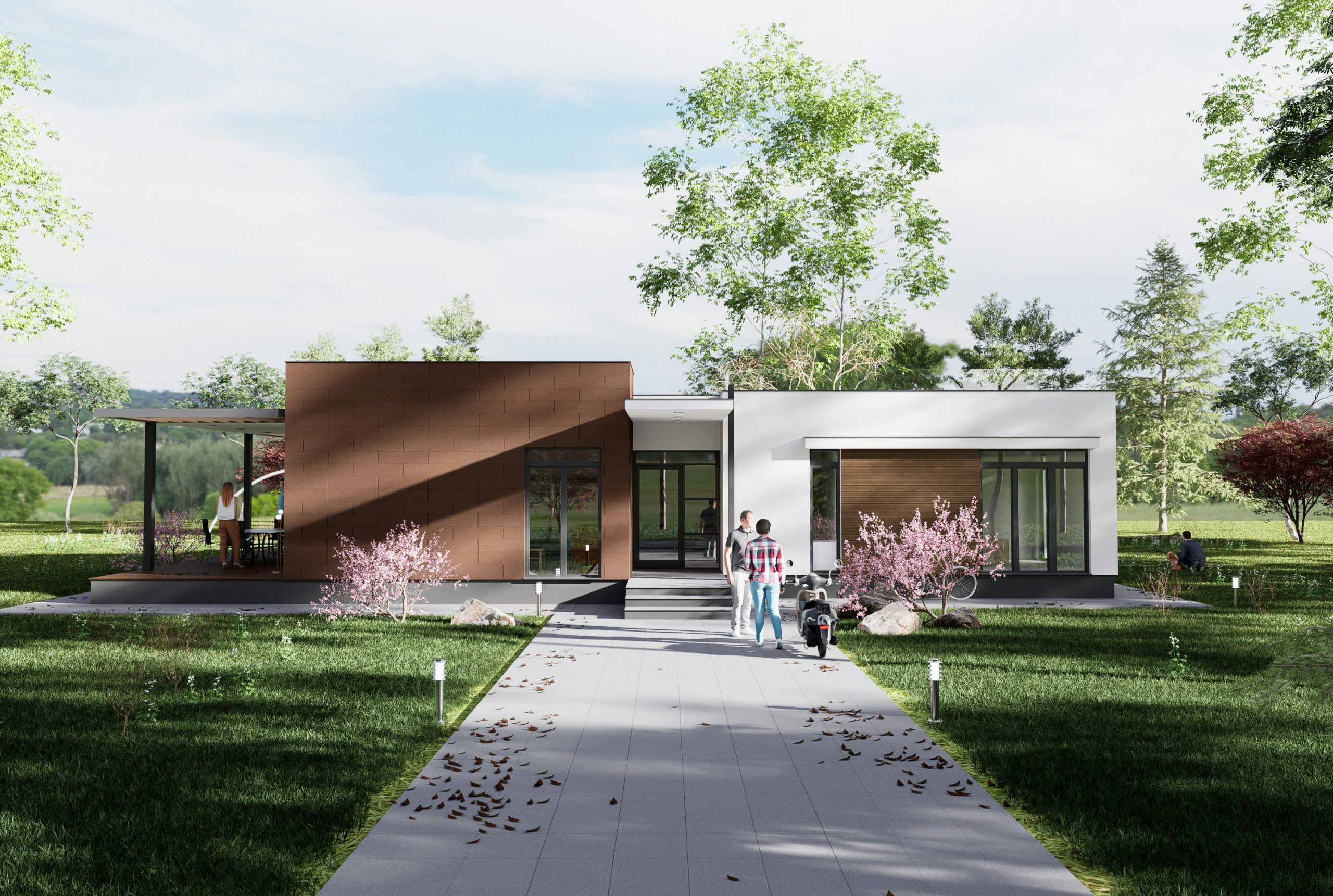
3D architectural visualization is the process of creating digital three-dimensional representations of architectural designs before they are built. Using specialized software, designers transform 2D drawings or concepts into lifelike visual formats that simulate the appearance, materials, lighting, and spatial arrangement of buildings. These visuals can range from static images of exteriors and interiors to interactive walkthroughs and virtual tours. The main goal is to present a realistic preview of a proposed structure, allowing architects, developers, and clients to better understand the design, make informed decisions, and identify potential issues early in the project lifecycle.
Why 3D Architectural Visualization Matters
3D architectural visualization plays a critical role in improving how architectural projects are developed, presented, and approved. One of its main strengths lies in making complex design concepts easy to understand. Clients can see the proposed result in realistic detail without needing to interpret technical drawings. This clarity supports better collaboration between all parties involved and helps avoid misunderstandings. It also enables early detection of design flaws, allowing adjustments to be made before construction starts, which can save time and prevent costly errors.
Visualization also supports more accurate planning, helping estimate materials and resources more effectively. Additionally, high-quality 3D visuals are powerful tools in marketing and sales, allowing developers and architects to showcase unbuilt properties to potential investors, buyers, or stakeholders. Whether for planning, communication, or promotion, 3D visualization adds clarity, confidence, and efficiency to the design process.
Powerkh: Creating First Impressions That Build Value

Powerkh is a UK-based company with offices in the USA and Ukraine, delivering expert 3D architectural visualization services powered by BIM modeling.
We transform 2D plans and shop drawings into detailed and accurate 3D models that showcase architectural design, dimensions, materials, and systems. Our company specializes in creating powerful and memorable first impressions for future buildings by emphasizing exterior design, which is vital to a project’s overall aesthetic appeal. We incorporate architectural features, facades, and color schemes to highlight the unique character of each project.
With Powerkh’s high-quality 3D rendering services, every detail is captured to showcase the project’s full potential, attracting prospective buyers and investors. Additionally, our cloud-based tools enable real-time collaboration among architects, engineers, designers, and clients, ensuring efficient updates and decision-making.
How 3D Visualization Is Created
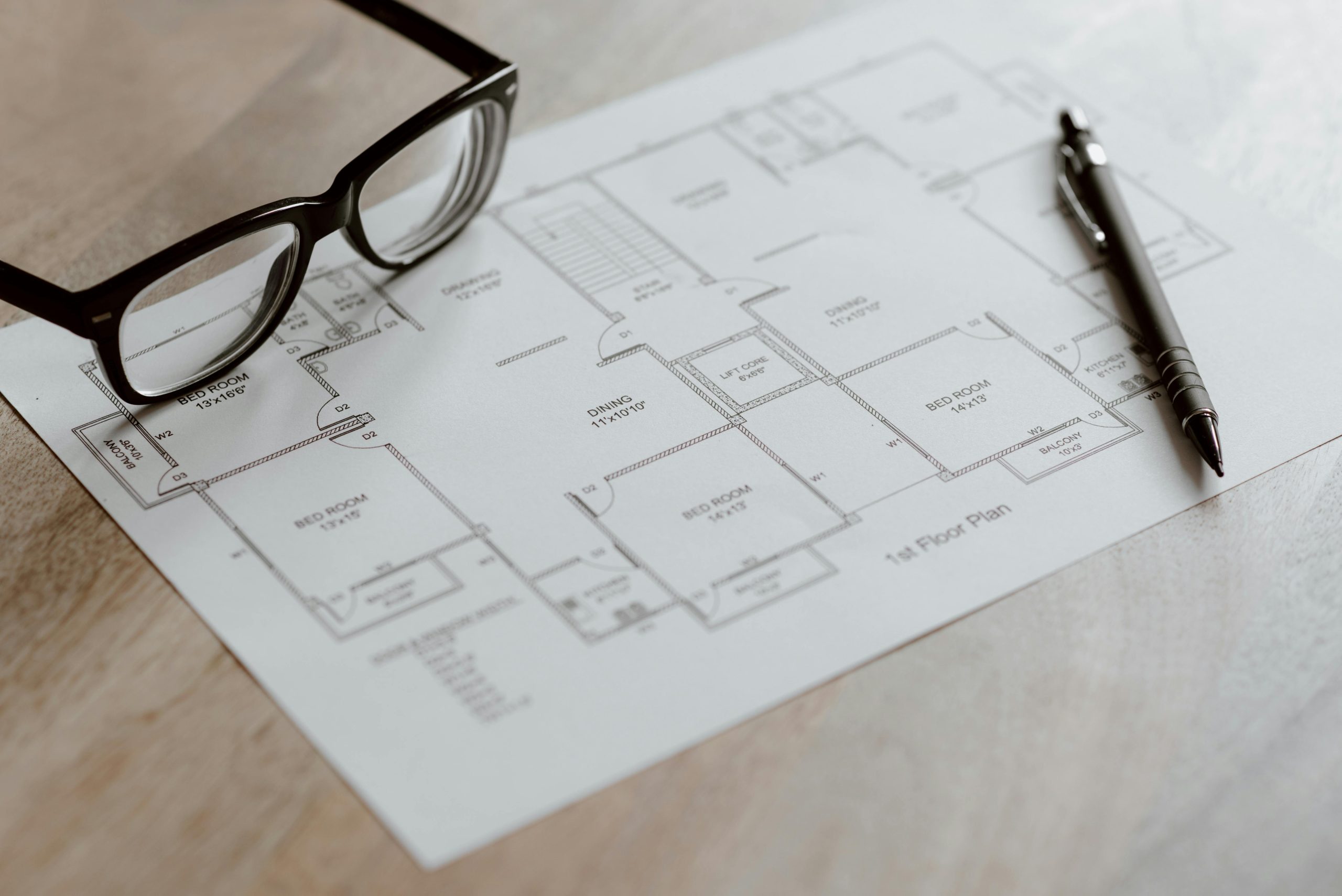
The creation of 3D architectural visualization begins with gathering reference materials such as 2D drawings, floor plans, elevations, and design specifications. Using modeling software like Autodesk Revit, SketchUp, or Rhino, a detailed three-dimensional model of the structure is built to represent its geometry, layout, and proportions. Once the model is complete, rendering tools such as 3ds Max, V-Ray, or Corona Renderer are used to apply materials, simulate lighting, and generate realistic shadows and reflections.
For added realism, post-production software like Adobe Photoshop or After Effects is often used to enhance images, adjust colors, and insert background elements like people, vegetation, or sky overlays. In more advanced workflows, real-time engines such as Unreal Engine or Unity may be used to create interactive experiences or VR-compatible environments. Throughout the process, designers may incorporate procedural modeling or parametric design to optimize complex structures and make revisions more efficient.
Types of 3D Architectural Visualizations
3D architectural visualization can take many forms, each designed to meet specific project needs, whether it’s for design development, client presentations, planning approvals, or marketing. Below are the most common types used in practice:
1. Exterior Visualization
Exterior visualization focuses on the outward appearance of a building. It shows architectural style, materials, façade elements, rooflines, and surrounding landscape features. These visuals often include environmental elements like lighting, weather effects, vegetation, streets, and neighboring buildings to give a realistic impression of how the structure will appear in its real-world context.
2. Interior Visualization
This type highlights the internal spaces of a building, such as living rooms, kitchens, office areas, or public interiors. It helps visualize layout, furniture placement, materials, lighting schemes, and decorative elements. Interior visualizations are widely used by architects and designers to explore design options and present finalized concepts to clients or stakeholders.
3. 360 Virtual Tours
360 virtual tours offer an immersive, panoramic viewing experience. Users can rotate the view in any direction and explore a space interactively, often with clickable hotspots for navigation. This format is commonly used for real estate presentations, pre-sales of residential developments, or digital showcases of commercial interiors.
4. 3D Walkthrough Animations
These are animated sequences that simulate movement through a building or space, often with cinematic camera transitions and motion paths. Walkthroughs are especially useful for large-scale projects, providing a dynamic way to highlight spatial relationships, key design features, and circulation flows within the architecture.
5. 3D Site and Floor Plan Renders
Site and floor plan visualizations give a top-down or isometric view of a building’s layout. They are useful for showing spatial organization, room functions, zoning, and access routes across the site or within a specific level. These visualizations often include furniture and landscape elements to enhance legibility and context.
Who Uses Architectural Visualization and Why

3D architectural visualization is widely used by professionals involved in planning, designing, constructing, and promoting buildings. Each group benefits from the technology in specific ways:
- Architects: Use visualization to clearly present design concepts, communicate ideas to clients, and support approval processes with planning authorities.
- Developers and Real Estate Investors: Rely on 3D visuals to promote properties before construction begins helping attract buyers, investors, and partners at early stages.
- Interior Designers: Apply visualization to test layouts, materials, colors, and lighting in realistic environments, making interior planning more precise and client-friendly.
- Engineers: Use visual models to coordinate technical elements with architectural designs, allowing early detection of design clashes or structural issues.
- Marketing Teams and Real Estate Agencies: Integrate photorealistic images and animations into brochures, online listings, and advertising campaigns to generate interest and engagement.
- Municipal and Planning Authorities: Evaluate how proposed buildings will look and fit into their surroundings, aiding in zoning decisions and environmental assessments.
- Clients and Stakeholders: Gain a realistic view of what the finished project will look like, allowing them to give feedback, request changes, and make informed decisions.
3D architectural visualization serves as a shared language between disciplines, helping bridge technical and creative communication across the entire project lifecycle.
Limitations and Challenges in Architectural Rendering
Even though 3D architectural visualization brings clarity and realism to design projects, it comes with technical and creative challenges that can affect workflow and final outcomes:
- Balancing realism and performance: High-quality visuals demand detailed models, complex lighting, and large textures, which can slow down rendering times and require powerful hardware.
- Managing client expectations: Clients may assume the final building will match the render exactly, which can lead to misunderstandings. Visualizations are conceptual tools, not guarantees of real-world results.
- Dealing with technical complexity: Integrating various software tools (e.g., Revit, 3ds Max, V-Ray, Unreal Engine) can introduce compatibility issues, slow performance, and render errors.
- Handling incomplete or changing inputs: Delays often occur when key information from architects or engineers arrives late or is revised frequently, forcing repeated updates to the 3D model.
- Navigating licensing and legal concerns: Using unlicensed assets, textures, or models can result in legal issues. Studios must ensure all content is properly sourced or created in-house.
- Working under tight deadlines: Fast turnaround times and multiple rounds of client revisions put pressure on visualization teams to maintain both quality and speed.
By being aware of these common issues, professionals can better plan their workflows, improve communication with clients, and produce visualizations that are both effective and reliable.
What Makes 3D Visualization Challenging: Key Obstacles in the Process
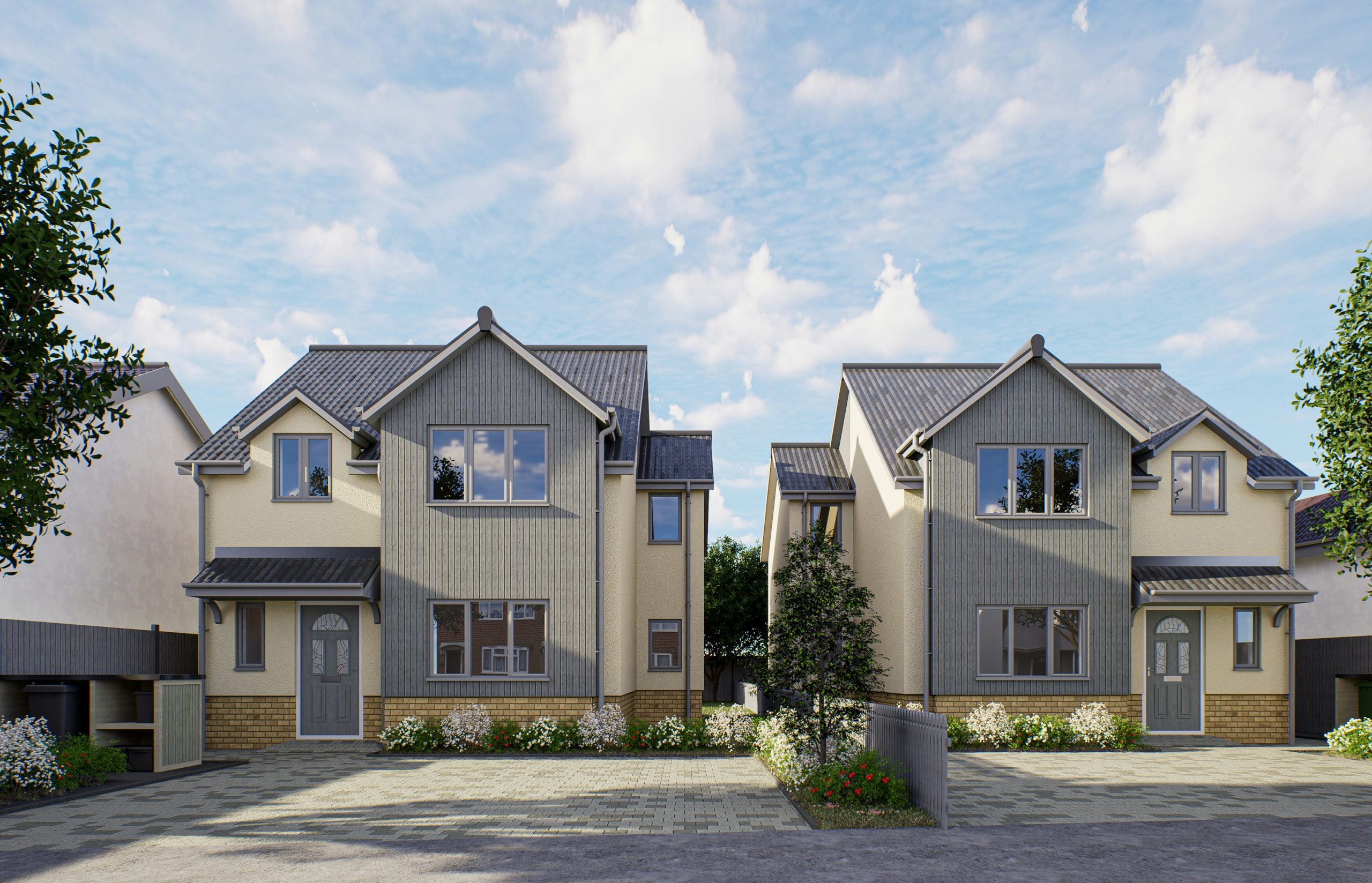
While 3D architectural visualization offers powerful advantages, the process also comes with its own set of challenges that professionals must navigate. Understanding these obstacles helps manage expectations and improves the overall workflow.
1. Balancing Realism and Performance
Achieving photorealistic quality often demands high-resolution textures, complex lighting setups, and detailed models all of which require significant computing power. Rendering these elements can be time-consuming, especially on tight deadlines or limited hardware setups.
2. Managing Client Expectations
Clients often expect the final building to match the render precisely. However, visualizations are based on design specifications and may not reflect on-site construction changes, budget limitations, or material availability. Ensuring clients understand the purpose and limits of visualization is crucial to avoiding disappointment.
3. Technical Complexity and Software Limitations
Combining various tools (modeling, rendering, post-production, real-time engines) into one workflow can be complex and prone to compatibility issues. Even experienced professionals face occasional crashes, bugs, or rendering errors that can delay delivery.
4. Collaboration with Multidisciplinary Teams
Visualization often depends on receiving finalized data from architects, engineers, or contractors. When information is incomplete or changes frequently, it disrupts the visualization process and may lead to costly revisions.
5. Legal and Licensing Issues
Using third-party assets, textures, or models without proper licensing can pose legal risks. Studios must carefully manage content rights, especially when working with commercial or published projects.
6. Tight Deadlines and Revision Loops
Clients frequently request multiple rounds of revisions, often with minimal turnaround time. Balancing speed with visual quality becomes a key challenge, especially in fast-paced commercial projects.
Where 3D Visualization Is Headed: Trends and Industry Outlook
The field of 3D architectural visualization is evolving rapidly as new technologies, such as advanced texturing tools and AI-driven workflows, alongside software capabilities and market demands, reshape how professionals design and present built environments. Below are the most notable trends and forward-looking developments shaping the industry today.
Real-Time Rendering and Interactive Design
Real-time rendering, powered by engines like Unreal Engine and Unity, is becoming a standard. These tools allow designers and clients to explore projects interactively, make adjustments on the fly, and receive instant visual feedback. This shift is transforming client presentations into live collaborative sessions rather than static image reviews.
Integration with Building Information Modeling (BIM)
BIM is being increasingly integrated with visualization workflows. Platforms like Revit allow architects to work in data-rich models while simultaneously generating high-quality visual outputs. This fusion helps maintain design consistency, improve documentation, and support better coordination between teams.
Wider Adoption of AR and VR Technologies
Augmented and virtual reality are no longer niche tools. They’re now widely adopted for immersive design reviews, virtual site visits, and marketing demos. Clients can “walk through” unbuilt properties or see how renovations would appear in real-world settings using just a headset or mobile device.
Procedural and Parametric Modeling
Complex architectural forms and repetitive elements are increasingly built using algorithm-driven design. Procedural tools like Houdini or parametric environments like Grasshopper for Rhino help automate model generation, test variations quickly, and ensure flexibility in design iterations.
Cloud-Based Collaboration and Remote Workflows
With global teams and remote projects becoming more common, cloud platforms are enabling collaborative visualization in real time. Files, renders, and models are stored and shared in centralized systems, allowing stakeholders to review and contribute from anywhere.
Expanding Commercial Use and Market Growth
3D visualization is no longer used only by architects and developers. It’s expanding into e-commerce, urban planning, and digital marketing. According to market projections, the global 3D rendering industry is expected to grow by over 20% annually between 2023 and 2032, driven by increased demand for visual content in both real estate and virtual environments.
Conclusion
3D architectural visualization has become a foundational tool in the design, planning, and marketing of architectural projects. By transforming drawings and ideas into lifelike visuals, it enables better decision-making, improves communication among teams, and enhances how projects are presented to clients, investors, and planning authorities. From static renders to immersive virtual tours, these visualizations help bring architectural concepts to life before a single brick is laid.
As the industry continues to adopt technologies like real-time rendering, VR/AR, and procedural modeling, 3D visualization is only becoming more critical both as a creative medium and as a practical necessity in modern architecture.
FAQ
1. What is 3D architectural visualization?
3D architectural visualization is the process of creating realistic, digital 3D models of buildings and spaces before construction begins. It helps visualize the design in detail, including lighting, textures, materials, and spatial layout.
2. How is architectural visualization different from traditional drawings?
Unlike 2D blueprints or sketches, 3D visualizations provide a photorealistic and spatially accurate view of a building, making it easier for non-technical clients to understand the design.
3. What software is commonly used in 3D architectural visualization?
Popular tools include Revit, SketchUp, Rhino, 3ds Max, V-Ray, Corona Renderer, Unreal Engine, and Adobe Photoshop.
4. Who uses 3D visualization?
Architects, interior designers, real estate developers, engineers, marketing agencies, and planning authorities use it for design development, client presentations, planning approvals, and promotional materials.
5. How long does it take to create a 3D visualization?
Simple static renders might take 2-5 days, while full walkthroughs or interactive tours can take 4-8 weeks or more, depending on project requirements.
6. What are the benefits of using 3D visualization in architecture?
It improves communication, helps detect design issues early, supports better planning, enhances marketing efforts, and saves time and resources during the construction process.
Our Case Studies
We have handled 200+ BIM & VDC projects for commercial, industrial, and residential sectors.
Our work includes:
Formwork design automation
Our client from
California, USA
Suspended ceiling design automation
Our client from
New York, USA
Wall framing design automation
Our client from
California, USA


