Have any questions? Contact us!
Join our team!
Request a free quote or consultation

BIM automation can speed up modeling, reduce errors, and streamline coordination but how much does it actually cost? Prices vary depending on the complexity of the project, the tools involved, and how much of the process is being automated. Whether you’re automating a few tasks in Revit or developing a full-scale Dynamo script library, this guide breaks down what goes into the cost and what you can expect to pay.
What Is BIM Automation and What Tasks Can It Replace?
BIM automation refers to the use of scripts, tools, or plugins to perform repetitive or time-consuming tasks within Building Information Modeling (BIM) software, such as Autodesk Revit, Navisworks, with limited automation capabilities in tools like ArchiCAD. Instead of completing processes manually like updating parameters, checking for clashes, or generating sheets, automation allows project teams to run predefined instructions that carry out these actions quickly and consistently.
The purpose of automation in BIM is to reduce the time spent on routine work, minimize the chance of human error, and allow engineers, modelers, and architects to focus more on design and decision-making rather than on repetitive technical tasks. Here are common tasks BIM automation can replace or significantly streamline:
- Parameter Management: Automatically assign, update, or validate parameters across model elements without needing to edit each one manually.
- Drawing Sheet Creation: Generate views, sheets, legends, and title blocks for documentation in bulk rather than placing them individually.
- Clash Detection and Reporting: Automate clash checks between disciplines (e.g., MEP vs. structural) and generate structured reports for review.
- Quantity Take-Offs and Scheduling: Extract quantities, schedules, and material lists directly from models and export them into consistent Excel or PDF formats.
- Model Coordination: Synchronize updates from different teams (e.g., architectural, structural, MEP) and run checks to detect conflicting model changes.
- Data Validation: Verify model naming conventions, element completeness, and other data standards automatically.
- Geometry and Object Placement: Generate repetitive design elements (e.g., beams, fixtures, supports) based on rule-based logic or project standards.
- Export Processes: Standardize the export of IFC files, DWGs, or other formats required for clients, fabricators, or contractors.
These tasks, when automated, reduce manual input and help project teams deliver higher-quality BIM outputs in less time. For large-scale or complex projects, automation also makes it easier to manage consistency across multiple phases or teams.
Powerkh BIM Automation: From Workflow Audits to Script Deployment

At Powerkh, a UK-based company with offices in the USA and Ukraine, we specialize in BIM automation solutions for the construction industry. Our work focuses on optimizing building information modeling (BIM) processes by addressing inefficiencies, automating repetitive tasks, and improving coordination between architectural, structural, and MEP disciplines.
We provide solutions using tools like Autodesk Revit and Dynamo, automating tasks such as modeling, reporting, clash detection, and generative design. Our team ensures standardization across Revit projects, creating consistent and efficient workflows. By developing custom scripts and templates, we help streamline processes and reduce the need for manual operations.
Our process includes auditing client workflows to identify gaps, creating and testing automation scripts, and delivering tailored solutions to meet project needs. We focus on providing practical and effective automation services for modern construction challenges.
What Determines the Cost of BIM Automation?

The cost of BIM automation isn’t fixed; it depends on several technical and project-related factors. Prices can vary significantly based on how much automation is needed, the tools being used, and the complexity of the tasks being automated. Whether you’re automating a single repetitive action in Revit or setting up an integrated workflow across multiple disciplines, understanding these factors can help estimate the overall investment more accurately.
Scope of Automation
Automating one task (e.g., sheet creation) is simpler and cheaper than building a fully integrated automation pipeline that spans modeling, clash detection, and reporting. Broader automation typically requires more custom scripting and testing, increasing overall cost.
Project Size and Complexity
Larger or more detailed models such as those used in hospitals, airports, or industrial plants require more advanced logic and data handling, which adds to development and implementation time.
Software and Plugins Used
Costs can include licenses for platforms like Autodesk Revit or Navisworks, as well as any third-party plugins or paid APIs used for automation. Some solutions require specific scripting environments tied to platforms, such as Dynamo for Revit or Python for various BIM tools.
Custom Scripting vs. Off-the-Shelf Tools
Tailored Dynamo or Python scripts are built around specific project requirements and often cost more due to development hours. Off-the-shelf add-ins or pre-built tools may lower upfront costs but offer less flexibility.
Integration With Other Systems
Connecting automation to project management tools (e.g., Primavera, MS Project), ERP systems, or cloud environments increases both the complexity and cost of implementation.
Training and Adoption
If the team is unfamiliar with automation workflows, time and resources must be allocated for training. This includes both technical skills and adjustment to new processes.
Maintenance and Support
Scripts and tools may need periodic updates to stay compatible with newer software versions or changing project standards. Ongoing support contracts or internal maintenance should be factored in.
Data Preparation and Cleanup
Poorly structured models or inconsistent data can delay automation setup and add extra time for validation, especially during the early stages of implementation.
Understanding these factors helps project teams decide where automation makes financial sense and where manual processes may still be more practical. It also provides a basis for evaluating vendor quotes or internal budget planning.
Typical Cost Ranges for BIM Automation Services
BIM automation pricing can vary widely depending on the complexity of the task, the number of processes involved, and whether the solution is custom-built or based on existing tools. The following cost ranges are approximate and may vary based on region, service provider, and project-specific requirements. Here’s a breakdown of typical pricing models and what they might include:
1. Basic Script Development (Single Task)
- $200-$1,000 per script
- Examples: Automating sheet naming, parameter assignment, or batch exporting files
- Often used for small, repeatable tasks in Revit or Navisworks
2. Mid-Level Automation Package
- $2,000-$8,000 per workflow
- Examples: Automating clash detection reports, model quality checks, quantity take-offs, or drawing generation
- May include multiple scripts or plugins, with limited customization
3. Custom Workflow Automation Solutions
- $10,000-$25,000+ per setup
- Examples: Full automation across modeling, coordination, and reporting; integration with PM software or databases
- Typically includes initial consultation, development, testing, training, and documentation
4. Monthly Maintenance and Support
- $500-$2,000/month depending on complexity
- Covers ongoing updates, troubleshooting, and modifications as project needs change
- May be bundled with long-term service contracts
5. Training and Onboarding
- $1,000-$5,000 for team-based training sessions
- Covers usage of custom tools, workflows, or automation environments like Dynamo
It’s also common for service providers to offer tiered pricing or project-based quotes, especially for firms requiring both automation and ongoing BIM support. Small firms may begin with low-cost scripts or plugins, while larger enterprises often invest in full-scale automation frameworks tailored to their internal standards and project types.
Overlooked Expenses in BIM Automation
While the upfront cost of BIM automation often focuses on script development or tool integration, there are additional costs that are less visible but still affect the overall budget. These hidden costs usually show up during implementation, adoption, or long-term use and they can slow down progress if not accounted for early on. Some of the most common hidden costs include:
Time Lost to Learning and Adjustment
Even experienced BIM teams need time to adjust to automated workflows. This includes testing scripts, understanding new processes, and adjusting existing habits all of which temporarily reduce productivity.
Workflow Disruptions
Introducing automation into an existing BIM workflow often requires rethinking how data flows between teams and tools. This can lead to temporary misalignments or duplicated effort until new systems are fully integrated.
Model Cleanup and Preparation
Automation works best when data is consistent. If models are poorly organized or use inconsistent parameters, additional time will be needed to clean and standardize the content before scripts can run effectively.
Change Management and Resistance
Adopting automation can meet internal resistance from teams used to manual methods. Overcoming this requires time, training, and often internal advocacy adding soft costs that are easy to overlook but necessary for success.
Ongoing Rework for Updates
Scripts may need to be revised when software updates, project requirements change, or models evolve in unexpected ways. These updates aren’t always included in the initial cost and can require additional work or external support.
Storage and File Handling
As automation increases the scale and frequency of data generation (e.g., automated reports, backups, exports), storage needs also grow. Firms may need to invest in additional cloud space, backups, or file management systems.
Where BIM Automation Saves You Money

Investing in BIM automation comes with upfront costs, but the long-term savings can be significant. By reducing manual labor, minimizing errors, and streamlining workflows, automation helps teams complete projects more efficiently and avoid unnecessary expenses. Here are key areas where BIM automation directly contributes to cost savings:
- Reduced Manual Work: Automating tasks like drawing generation, parameter updates, and data exports cuts down the number of hours spent on repetitive processes.
- Fewer Design Errors and Rework: Automated clash detection and model checks help identify issues early in the design phase, reducing expensive rework during construction.
- Faster Project Delivery: Automation speeds up tasks across design, coordination, and documentation, shortening timelines and reducing labor costs.
- Improved Accuracy in Quantity Take-Offs: Automatically extracting quantities from the model reduces estimation errors and leads to more accurate procurement and budgeting.
- Lower Coordination Costs: Automating model comparison and file syncing improves coordination between disciplines, minimizing miscommunication and delays.
- Efficient Document Management: Automating the creation and updating of drawing sheets ensures consistency and reduces time spent on document corrections and revisions.
- Scalable Processes Across Projects: Once built, automation scripts and templates can be reused across multiple projects, providing cost efficiencies over time.
- Better Use of Skilled Staff: With routine tasks handled by automation, skilled team members can focus on design decisions and problem-solving instead of data entry or formatting.
How to Estimate the Cost of BIM Automation for Your Project
To estimate the cost of BIM automation, start by listing the specific tasks you want to automate. Common examples include drawing sheet creation, clash detection, parameter updates, and quantity take-offs. The more complex or customized the task, the higher the cost especially if it requires custom scripting in Dynamo, Python, or integration with other systems.
You should also factor in project size, number of disciplines involved, and the quality of your existing models. Poorly organized models may require additional time for cleanup before automation can work properly. Add to this any costs for software licenses, plugin subscriptions, staff training, and ongoing script maintenance. Most automation costs fall into three categories: one-time development, software/tools, and ongoing updates.
Conclusion
BIM automation can significantly improve efficiency, accuracy, and coordination in construction projects, but it comes at a cost that varies depending on the scope, complexity, and tools involved. Basic automation tasks may only require a few hundred dollars, while fully customized workflows and multi-disciplinary integrations can cost several thousand.
Besides direct development costs, it’s important to account for hidden expenses like training, model preparation, and script maintenance. Despite the upfront investment, the long-term savings in time, rework, and resource use often justify the cost especially on large or repetitive projects.
FAQ
1. How much does it cost to automate a single BIM task?
Typical prices for a basic automation script range from $200 to $1,000, depending on the complexity and software involved.
2. What’s the cost of a full BIM automation workflow?
Custom automation solutions that cover modeling, clash detection, documentation, and coordination can range from $10,000 to $25,000 or more.
3. Are there any ongoing costs?
Yes. Ongoing costs may include software updates, script maintenance, training for new team members, and support. Monthly support can cost $500-$2,000.
4. What factors affect BIM automation pricing?
Main factors include the number and complexity of tasks, custom script requirements, integration with other systems, and the quality of your BIM models.
5. Is BIM automation cost-effective for small projects?
It depends. For small, one-off projects, manual work may be cheaper. But if you perform the same tasks repeatedly, even small-scale automation can offer savings over time.
6. Do I need to clean up my model before automating?
In most cases, yes. Inconsistent naming, missing parameters, or disorganized elements can prevent automation scripts from working correctly and may increase setup time.
Our Case Studies
We have handled 200+ BIM & VDC projects for commercial, industrial, and residential sectors.
Our work includes:
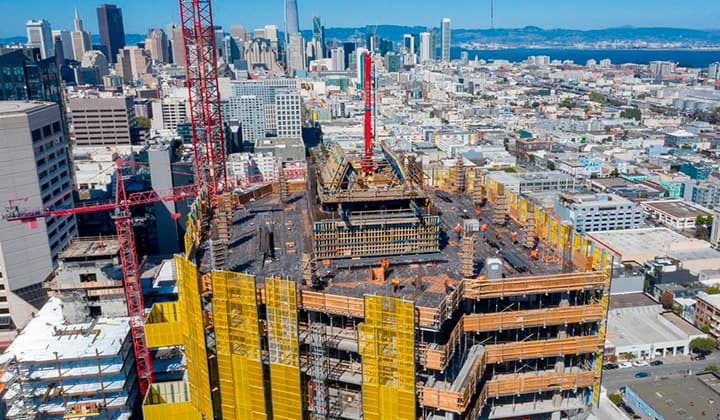
Formwork design automation
Our client from
California, USA
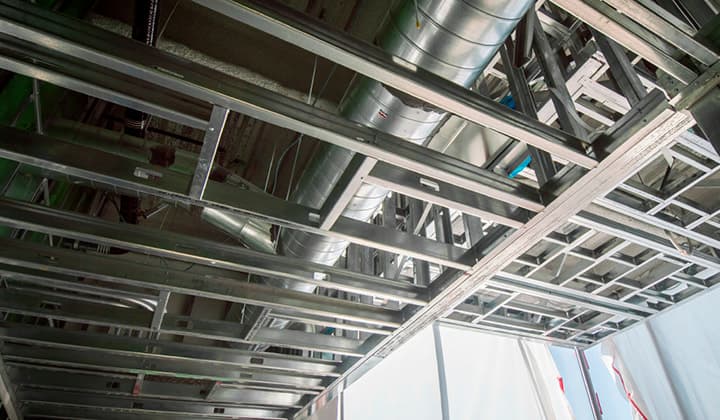
Suspended ceiling design automation
Our client from
New York, USA
Wall framing design automation
Our client from
California, USA