Have any questions? Contact us!
Join our team!
Request a free quote or consultation

Hey folks, if you’ve ever managed a construction project, you get it – budgets can slip away faster than sand through your fingers. Materials go up in price, delays creep in, and before you know it, you’re over budget. That’s where Building Information Modeling, or BIM, steps up as a game-changer. It’s more than just pretty 3D visuals; it’s a smart way to plan, coordinate, and execute builds that cuts down on waste and mistakes. But here’s the thing: BIM doesn’t have to cost an arm and a leg to implement. In fact, cost-effective BIM solutions are all about getting the most bang for your buck by focusing on long-term savings rather than flashy upfront spends. I’ll walk you through what these solutions really involve, from clever software picks to team strategies that keep things lean. Whether you’re a small contractor or part of a bigger firm, these ideas can help you trim costs without skimping on quality. Let’s dive in and make sense of it all.
Understanding the Foundation: What Makes BIM Cost-Effective?
At its heart, BIM is a digital process that creates a detailed model of a building, including its structure, systems, and even how it’ll perform over time. But cost-effectiveness comes from using this tech to spot problems early, streamline workflows, and avoid those pricey surprises on-site. Imagine catching a design flaw in the virtual world instead of tearing down walls later – that’s where the real money-saving magic happens.
Why does this matter? Construction errors and rework can eat up 5-10% of a project’s total cost, sometimes more on complex jobs. BIM helps by improving coordination among teams, optimizing resource use, and tightening schedules. For example, it reduces material waste by giving precise quantity takeoffs right from the model. Over the long haul, this leads to better financial outcomes, like lower insurance claims from fewer accidents or faster project delivery that beats deadlines.
To keep it cost-effective, think strategically. It’s not about buying the most expensive tools; it’s about choosing approaches that fit your scale. Small teams might start with basic features to test the waters, while larger ones layer in advanced analytics. The key is prioritizing benefits like error reduction and efficiency gains that compound over multiple projects. I’ve talked to builders who swear by this – they started small, saw quick wins, and scaled up without breaking the bank.
Powerkh’s Guide to Budget-Smart BIM Solutions

Powerkh is a UK-based company providing comprehensive Building Information Modeling (BIM) services, focused on enhancing the design, planning, and construction phases of building and infrastructure projects. With offices in the UK, Ukraine, and the USA, we leverage our global presence to offer tailored BIM solutions that foster seamless collaboration across international teams. Our services include 3D modeling, clash detection, and data integration, all aimed at ensuring projects are completed with precision, efficiency, and minimal risk.
At Powerkh, we are committed to driving digital transformation within the construction industry. Our BIM solutions help clients streamline workflows, improve project outcomes, and enhance decision-making. By ensuring that all project data is up-to-date and easily accessible, we enable project teams to work more collaboratively and avoid costly errors throughout the project lifecycle.
With a focus on meeting diverse client needs across different regions, we are equipped to reduce delays, manage costs, and ensure successful project completion, no matter the scale or location.
Key Highlights:
- UK-based company with offices in Ukraine and the USA
- Specializes in Building Information Modeling (BIM) services
- Expertise in 3D modeling, clash detection, and data integration
- Supports digital transformation in the construction industry
- Focus on improving project accuracy, efficiency, and collaboration
- Tailored solutions for both small-scale and large, complex projects
- Dedicated to reducing costs, delays, and risks throughout the project lifecycle
Breaking Down the Core Principles of Cost-Effective BIM
To really wrap your head around what makes BIM cost-effective, it helps to zero in on a few foundational ideas that guide the whole approach. These aren’t just buzzwords or vague concepts – they’re practical pillars that shape how you can use BIM to save money without sacrificing quality. Think of them as the guardrails keeping your project on track, ensuring every dollar spent on tech delivers real value. Here’s a closer look at what drives cost-effective BIM solutions, based on strategies that successful teams lean into.

Prioritize Return on Investment (ROI)
Every BIM tool or process you adopt needs to earn its keep. It’s not about splashing cash on the shiniest software; it’s about picking solutions that cut risks and boost efficiency in measurable ways. For example, a good BIM setup can reduce design revisions by up to 50%, saving hours of rework and costly change orders down the line. Imagine catching a structural flaw in a virtual model instead of on-site – that’s thousands in savings right there. Focus on tools that streamline coordination or automate repetitive tasks, like generating material takeoffs. The goal is clear: every investment should lead to tangible savings, whether that’s fewer errors, faster timelines, or lower labor costs. Teams I’ve talked to say tracking ROI early – like measuring reduced rework costs – helps justify the upfront spend and keeps budgets tight.
Build for Scalability
One size doesn’t fit all in BIM, especially when you’re watching costs. The trick is to start with affordable tools and processes that can grow with your projects. Locking into a rigid, expensive system upfront is a trap – it’s like buying a sports car when you just need a reliable truck. Instead, go for flexible solutions that let you add features as your needs evolve. For instance, a free open-source tool might handle basic modeling for a small renovation, but you can upgrade to a mid-tier platform for bigger jobs without starting over. Scalability also means choosing software with modular pricing or cloud-based options that don’t demand heavy hardware investments. This approach lets you test BIM on a small scale, learn what works, and expand without breaking the bank. I’ve seen small firms double their BIM use in a year by starting lean and scaling smart.
Make Collaboration the Heart of It
BIM’s real power shows up when everyone – architects, engineers, contractors – is on the same page, working off one model. But seamless collaboration doesn’t mean you need pricey custom servers or complex setups. Cost-effective BIM leans on cloud-based platforms that let teams share data in real time without the overhead. These tools cut down on miscommunication, which is a major culprit behind delays and budget overruns. For example, cloud sharing can eliminate the need for constant file exports or version conflicts, saving hours each week. The catch? Keep it simple and secure – use platforms with built-in access controls to protect sensitive data. Collaboration done right means fewer meetings, faster decisions, and a project that hums along efficiently. I’ve heard from site managers who say cloud-based BIM slashed their coordination time by a third, and that’s time they turned into profit.
These principles – ROI, scalability, collaboration – aren’t just theory. They’re the backbone of a BIM strategy that delivers smarter, cheaper building. By focusing on them, you’re not chasing tech for its own sake; you’re building a system that works for your budget and your goals.
Smart Software Selection: Affordable Tools That Deliver Results
Software is often the first hurdle in BIM adoption, and it’s easy to get sticker shock from high-end options. But there are plenty of budget-friendly alternatives that pack a punch without the premium price. The goal here is to match the tool to your project’s complexity – no need for overkill on a simple residential build.
Consider open-source or freemium options for starters. Free tools can handle basic 3D modeling and simple coordination, letting you experiment without commitment. For more robust needs, look at mid-tier software that offers perpetual licenses instead of endless subscriptions. These can include features like automated drawing generation or basic simulation, all at a lower entry point.
Here’s a closer look at some categories of affordable BIM software:
- Free and Open-Source Picks: These are ideal for beginners or small projects. They support core functions like creating models and exporting files, and they’re constantly updated by communities.
- Mid-Range Alternatives: Think software that’s compatible with industry standards but costs less. They often include AI-assisted features for quicker scans and edits, making them great for mechanical or architectural work.
- Specialized Add-Ons: For specific tasks, like structural analysis, choose tools that integrate easily without requiring a full suite overhaul.
By selecting wisely, you can cut software expenses by 30-50% compared to top-shelf brands. One builder I know switched to a cheaper alternative and recouped the cost in just two projects through faster design iterations. Just remember to check compatibility with your existing files to avoid conversion headaches.
Optimizing Your Team Setup: In-House, Blended, or Outsourced?
People power is crucial in BIM, but building a full team from scratch can be pricey. Salaries, training, and equipment add up fast. That’s why cost-effective strategies often involve mixing things up to balance control, expertise, and expenses.
Starting with an in-house team gives you direct oversight. You can customize workflows to your company’s style and keep data secure. However, the initial outlay is high – think recruiting specialists and ongoing certifications. It’s best for firms that use BIM daily and want to build internal knowledge.
A blended model is a sweet spot for many. Keep a core group of managers in-house for strategy and quality checks, then bring in external help for routine tasks. This leverages lower labor costs from global talent while maintaining your vision. For instance, offshore teams can handle data entry or basic modeling at rates much lower than local hires, often leading to 40% savings.
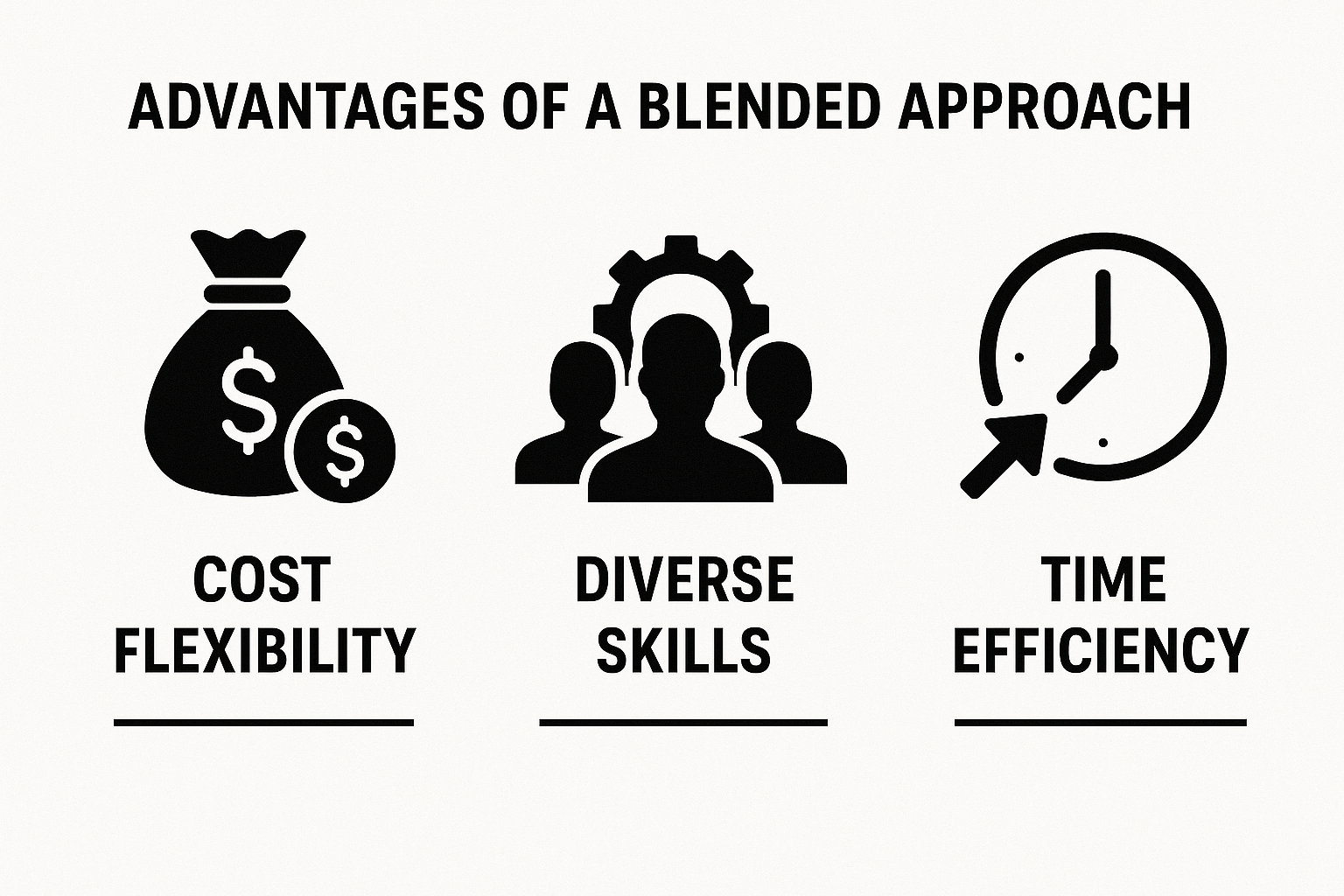
Advantages of a Blended Approach
- Cost Flexibility: Scale up for busy periods without permanent staff increases.
- Diverse Skills: Access specialists you might not afford full-time, like experts in sustainable design.
- Time Efficiency: Different time zones mean work continues around the clock, speeding up deadlines.
Of course, communication is vital. Use shared platforms for real-time updates and set clear expectations to avoid misunderstandings. In my chats with industry pros, this hybrid setup has turned potential cost overruns into consistent savings.
The Power of Outsourcing for BIM Efficiency
For companies that don’t need BIM constantly, outsourcing is a no-brainer. Why invest in infrastructure for sporadic use when you can tap experts on demand?
This approach lets you pay only for what you need – whether it’s a full model creation or targeted services like coordination checks. Benefits include avoiding software purchases altogether and gaining fresh perspectives from seasoned pros. It’s particularly useful for specialized tasks, where in-house skills might fall short.
Common scenarios for outsourcing:
- Project-Specific Needs: Bring in help for a one-time complex build, like a commercial space with intricate systems.
- Peak Load Management: Handle surges without hiring temps.
- Skill Gaps: Get advanced features, such as energy simulations, without training your crew.
Savings can reach 50% or more, as you dodge overhead like benefits or office space. Just ensure partners understand your standards and timelines to keep things on track.
Clash Detection: Preventing Expensive On-Site Fixes
One of BIM’s standout features for cost savings is clash detection. This scans the model for overlaps or conflicts between elements, like pipes running through walls or electrical lines clashing with HVAC.
Why is it a big deal? On-site fixes can cost thousands in labor and materials, plus delay penalties. By resolving issues virtually, you might save 15-20% on construction costs. It’s especially valuable in tight spaces, like urban renovations, where errors are harder to fix.
In practice, run detection during design reviews. Automated tools highlight problems with color codes or reports, making fixes straightforward. Regular checks – say, bi-weekly – keep the model clean and the budget intact.
Steps to Implement Clash Detection
- Set Up Rules: Define what counts as a clash, like minimum clearances.
- Run Scans: Use software to analyze models from all disciplines.
- Review and Resolve: Team huddles to decide fixes, updating the model accordingly.
This proactive habit has saved countless projects from budget blowouts.
5D BIM: Adding Cost Layers for Better Budgeting
Elevate your BIM game with 5D, which integrates cost data into the 3D model. This creates a dynamic system where changes in design instantly update expenses.
It’s fantastic for exploring “what if” scenarios – swap materials and see the budget shift in real time. This leads to more accurate estimates and fewer surprises, potentially trimming overruns by 10-15%.

Key elements include:
- Quantity Takeoffs: Pull exact amounts from the model for precise ordering.
- Schedule Linking: Tie costs to timelines for cash flow forecasting.
- Value Engineering: Test cheaper options without rebuilding models.
Teams using 5D often report shorter estimation times and tighter control over finances.
Harnessing AI in BIM for Predictive Savings
AI takes BIM analytics to the next level by sifting through data to forecast outcomes. It can predict cost variances based on historical trends or simulate risks like supply chain delays.
This tech automates tedious parts, like pattern recognition in models, freeing up time for creative problem-solving. Expect savings in labor and improved accuracy, with some setups reducing estimation errors by 20%.
Ways AI enhances BIM:
- Outcome Prediction: Flags potential overruns early.
- Data Analysis: Mines past projects for insights.
- Efficiency Boosts: Automates routine checks for faster workflows.
As AI evolves, it’s becoming more accessible, even for smaller firms via plug-ins.
Putting It All Together: Your Roadmap to Cost-Effective BIM
To get started, assess your current setup and identify quick wins, like adopting a free tool for a pilot project. Train key staff, blend teams as needed, and measure results against baselines.
Over time, layer in advanced features like AI. This gradual approach minimizes risks and maximizes returns, turning BIM into a core strength for your business.
Frequently Asked Questions
How much can I really save with cost-effective BIM?
Depending on project size, savings can range from 10-30% through reduced errors, better resource use, and fewer delays. It varies, but the focus on long-term efficiency often pays off quickly.
Is BIM only for large companies?
Not at all – small firms benefit too, especially with affordable tools and outsourcing. Start simple and scale as you grow.
What if my team isn’t tech-savvy?
Many BIM solutions are user-friendly, and you can begin with basic training or external help. The learning curve is worth it for the savings.
How do I measure BIM’s cost-effectiveness?
Track metrics like rework costs, project timelines, and material waste before and after implementation to see the impact.
Have a BIM Project? Talk To Us.
Contact UsOur Case Studies
We have handled 200+ BIM & VDC projects for commercial, industrial, and residential sectors.
Our work includes:
Formwork design automation
Our client from
California, USA
Suspended ceiling design automation
Our client from
New York, USA
Wall framing design automation
Our client from
California, USA