Have any questions? Contact us!
Join our team!
Request a free quote or consultation

Imagine trying to sell a client on a building design using just a napkin sketch. Good luck, right? As someone who’s spent years turning ideas into reality, I know 3D architectural modeling is the tool that bridges that gap. It’s not just about making pretty pictures – it’s about crafting digital versions of buildings you can explore, tweak, and perfect before construction starts. In 2026, with projects getting more complex and sustainability goals tightening, this tech is a must-have for architects, engineers, and contractors. Let’s break down what 3D architectural modeling is, how it works, its different approaches, and why it’s transforming the industry.
The Essence of 3D Architectural Modeling
At its heart, 3D architectural modeling is about creating a digital, three-dimensional version of a building or structure. Think of it as a virtual prototype you can spin around, zoom into, or even step inside. Unlike old-school 2D drawings, these models show depth, materials, and lighting, giving you a real sense of the space.
It’s more than visuals, though. These models let you test ideas, spot problems, and share plans with clients or teams in a way that’s instantly clear. They also power advanced systems like Building Information Modeling (BIM), where every wall or window carries data about costs or installation. It’s like having a blueprint that talks back, helping you make smarter decisions. In my experience, showing a client a virtual walkthrough can turn a vague nod into an enthusiastic yes.
How 3D Modeling Comes Together
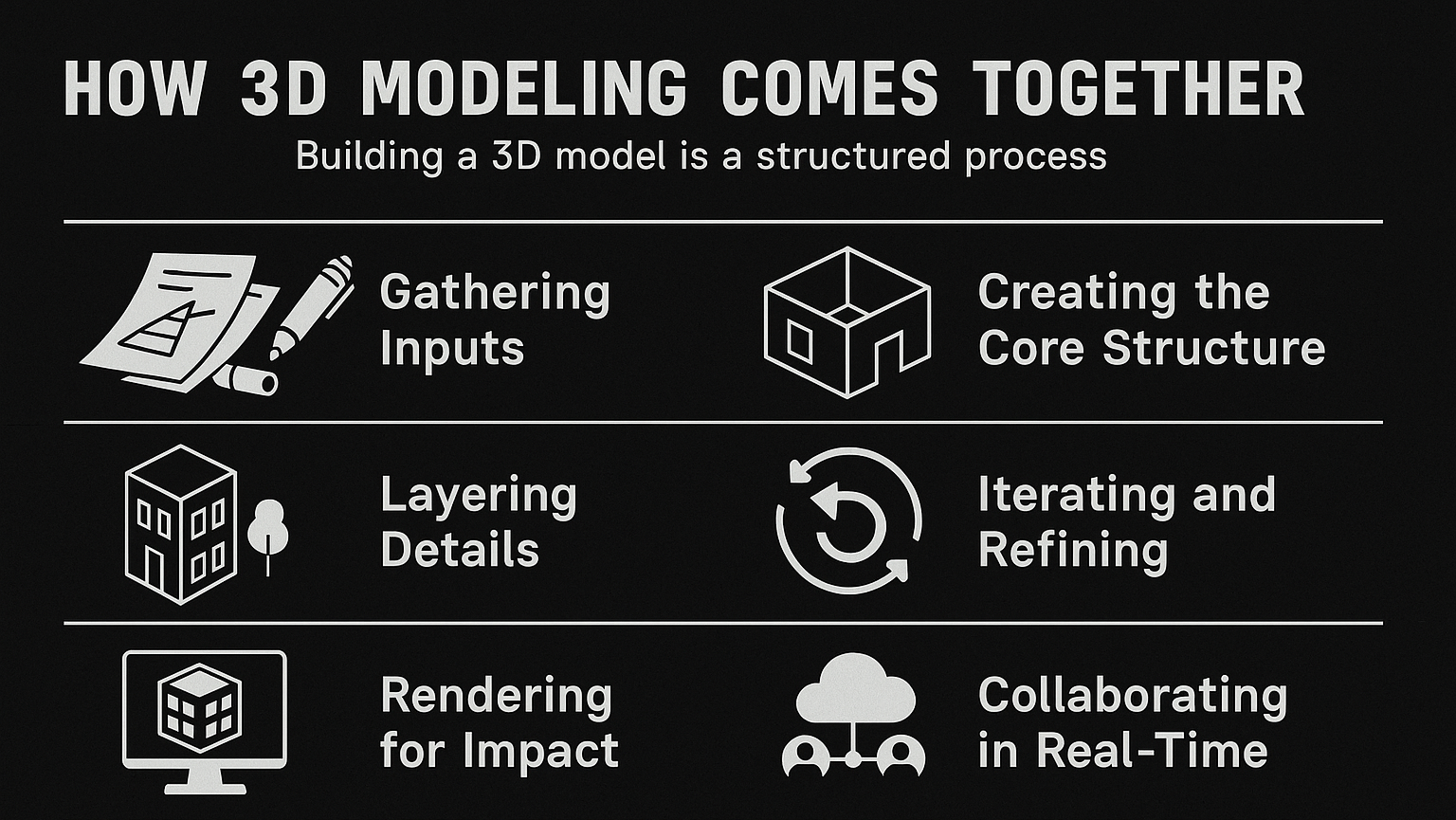
Building a 3D model is a structured process, blending creativity with precision. It’s not throwing shapes together randomly; it’s a deliberate workflow. Here’s how it typically unfolds:
- Gathering Inputs: Start with raw data – sketches, 2D floor plans, or laser scans of existing sites. This sets the foundation for the model.
- Creating the Core Structure: Using software, architects build the basic framework – think walls, floors, and roofs. It’s like laying out a digital skeleton.
- Layering Details: Add specifics like doors, windows, or structural elements. You can also include textures (brick, glass) and lighting to mimic real conditions.
- Iterating and Refining: Change a wall’s position, and the model updates instantly, showing impacts across the design. This catches errors early.
- Rendering for Impact: Turn the model into photorealistic images or videos, perfect for client pitches or marketing.
- Collaborating in Real-Time: Cloud-based tools let teams edit the model together, syncing changes instantly across locations.
I’ve seen this process save projects from disaster – like spotting a misplaced beam before it cost thousands to fix on-site. It’s about catching the small stuff before it becomes a big problem.
Powerkh’s 3D Modeling: Crafting Your Vision Digitally

Powerkh is a UK-based company offering 3D architectural modeling services, with additional offices in Ukraine and the USA. We create detailed digital models for architecture, engineering, and construction projects. Our 3D models integrate architectural, structural, and MEP components, helping clients visualize projects accurately before construction begins.
We use advanced modeling software to produce precise, data-driven representations that allow teams to identify potential issues early in the process. This approach helps reduce errors, improve coordination, and streamline workflows during both design and construction phases.
Our services are especially beneficial for complex projects that require collaboration across multiple disciplines. Our 3D models support better decision-making, ensuring that the construction process is efficient and stays aligned with the original design.
Key Highlights:
- UK-based company with offices in Ukraine and the USA
- Specializes in 3D architectural modeling for architecture, engineering, and construction projects
- Creates detailed, data-rich models that integrate architectural, structural, and MEP components
- Helps visualize projects accurately before construction starts
- Uses advanced modeling software to improve accuracy and reduce errors
- Supports better decision-making and coordination throughout the project lifecycle
Types of 3D Architectural Modeling
There’s no one-size-fits-all approach to 3D modeling. Different methods suit different goals, and knowing them helps you choose wisely. Let’s explore the main types.
Direct Modeling: Creative Freedom
Direct modeling is like sketching with digital tools. You shape simple forms – cubes, spheres, or cylinders – into complex designs without strict constraints. It’s perfect for early ideas or creative projects where flexibility matters.
Polygonal Modeling
This method builds objects using meshes of tiny polygons, like digital Lego blocks. You can go high-poly for super-detailed renders, ideal for stunning client visuals, but they take time to process. Low-poly models, with fewer polygons, render faster and work well for real-time uses like augmented reality (AR). The catch? Curved surfaces need lots of polygons to look smooth, which can tax your hardware.
Spline Modeling
Spline modeling uses 2D curves, like Bezier curves, to create smooth, flowing 3D shapes. It’s great for designs with lots of curves, like elegant facades or custom furniture. The downside is that texturing can be tricky unless you convert the model to a polygonal mesh. Tools like Blender or Maya make this approachable, and I’ve used them to whip up prototypes that clients loved for their sleek look.
Parametric Modeling: Precision with Rules
If direct modeling is freeform art, parametric modeling is engineering with a rulebook. You set parameters – like a column’s height or a roof’s slope – and the software adjusts the entire model when you tweak them. It’s about defining relationships between elements.
This approach powers parametricism, the bold, flowing style seen in iconic modern buildings. It’s not for quick sketches; it’s too structured. But for refining designs or testing technical feasibility, it’s unmatched. For example, adjusting one floor’s layout in a skyscraper updates everything, keeping the design practical. Tools like Rhino with Grasshopper let you script tasks, like optimizing for sunlight, which I’ve seen teams use to test dozens of eco-friendly layouts in a day. It’s precise, powerful, and perfect for complex projects.
BIM Modeling: Smart and Data-Driven
Building Information Modeling (BIM) takes 3D modeling to another level by embedding data into every piece. A window isn’t just a shape – it has specs on cost, material, or installation time. This makes it a go-to for planning, budgeting, and building.
BIM’s strengths include:
- Data-Rich Models: Calculate material needs or project timelines instantly.
- Clash Detection: Spot conflicts, like a pipe hitting a wall, before construction.
- Team Collaboration: Cloud tools sync changes across architects, engineers, and contractors.
- Green Design: Analyze energy use to meet sustainability goals.
In regions like Europe, BIM is often required for public projects. Tools like Revit or ArchiCAD make it accessible, and I’ve seen it reduce material waste by 20% by catching issues early. It’s not just a model – it’s a project’s brain.
Point Cloud Modeling: Mapping Reality
Point cloud modeling starts with the real world. Using 3D laser scanners, you capture a site as billions of data points, creating a “cloud.” Import that into software, and you can measure, edit, or turn it into a full model.
This is a lifesaver for renovations or historic preservation. Scan an old building, map its quirks, and plan upgrades without guesswork. It’s also great for interference checks or budgeting retrofits. Software like ReCap Pro handles the data, converting clouds to meshes or BIM models. In 2026, with scanners getting cheaper, it’s a go-to for adaptive reuse, cutting waste and ensuring accuracy.
Why 3D Modeling is a Game-Changer
Switching to 3D modeling isn’t just a trend – it delivers real benefits. Here’s what makes it worth your time:
- Vivid Visualization: See the final design from any angle, making it easier to pitch or refine.
- Early Problem-Solving: Catch errors like misaligned systems before they hit the site.
- Cost Efficiency: Optimize materials and reduce pricey last-minute changes.
- Better Collaboration: Share interactive models for instant team or client feedback.
- Marketing Edge: Photorealistic renders or virtual tours sell designs to investors.
- Sustainability Support: Simulate energy performance to build greener structures.
These aren’t just buzzwords. I’ve seen projects where early error detection saved 15% on budgets by avoiding rework. It’s tech that pays for itself.
Software Tools Leading the Way
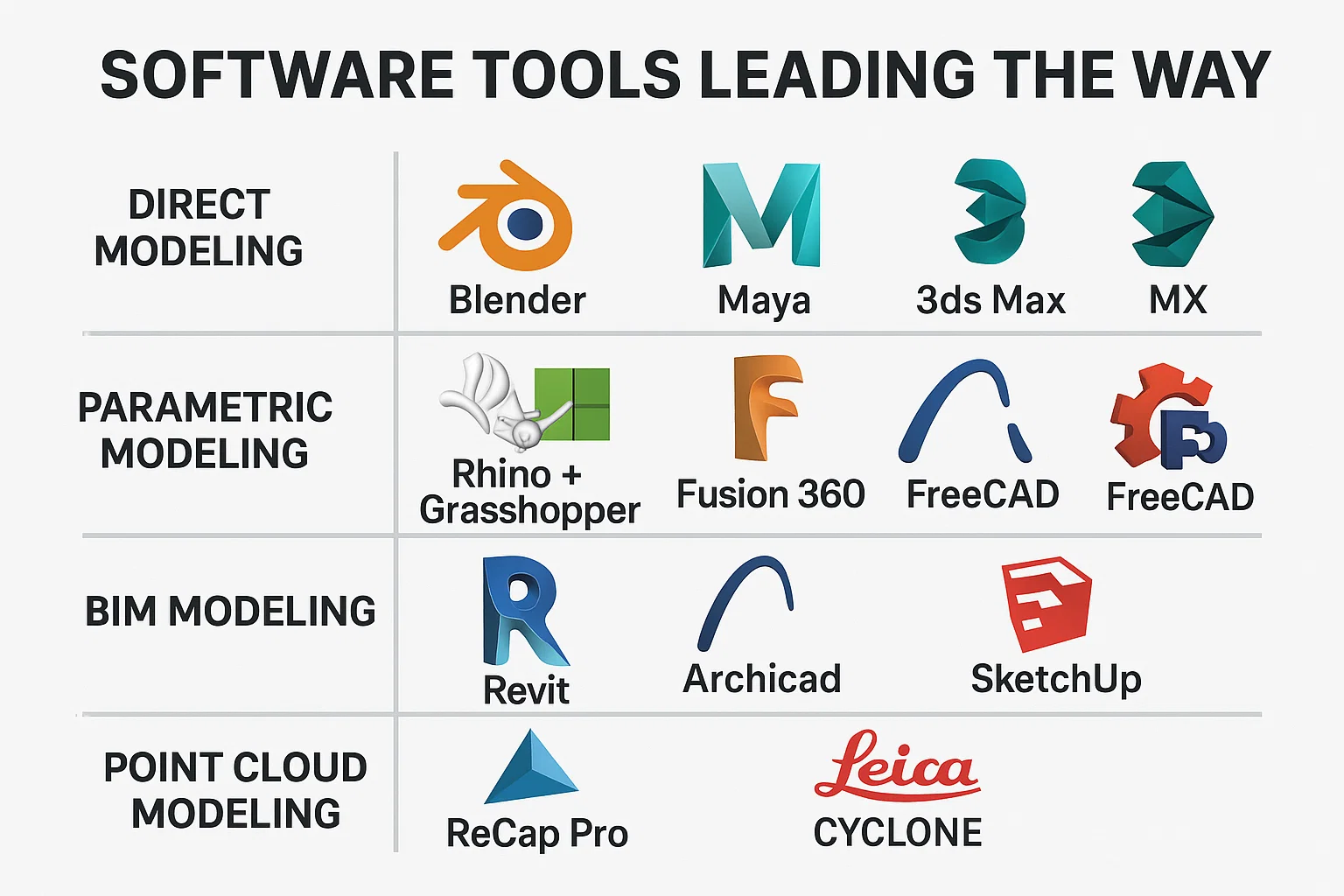
The right software is your ticket to success. Here’s a snapshot of 2026’s top picks:
- Direct Modeling: Blender (free, versatile), Maya (great for animation), 3ds Max (rendering pro).
- Parametric Modeling: Rhino with Grasshopper (scripting power), Fusion 360 (cloud-friendly), FreeCAD (budget-friendly).
- BIM Modeling: Revit (industry leader), ArchiCAD (intuitive), SketchUp (quick and simple).
- Point Cloud Modeling: ReCap Pro (BIM integration), Leica Cyclone (scanning accuracy).
Choose based on your needs – small projects might lean on SketchUp, while large ones demand Revit’s depth. Test demos to find what clicks for your team.
Where 3D Modeling Shines
This tech isn’t theoretical – it’s making waves now. Picture a hospital where BIM ensured plumbing and electrical systems didn’t clash, saving weeks of delays. Or a historic factory retrofit where point clouds revealed hidden cracks, guiding precise repairs. Even small homes benefit – clients love virtual tours showing how sunlight hits their living room.
In 2026, sustainability is a big driver. Models analyze energy use, helping buildings hit net-zero targets. For marketing, a slick render can win over a hesitant buyer faster than any speech. These are real wins, turning good designs into great projects.
Overcoming Common Hurdles
Adopting 3D modeling isn’t always smooth. Challenges include:
- Steep Learning Curve: Tools like BIM or parametric software take time to master.
- Hardware Demands: High-detail models need powerful computers, which aren’t cheap.
- Data Management: BIM’s detailed data can overwhelm small teams without clear workflows.
- Tool Compatibility: Mixing software (like Blender with Revit) can cause glitches.
Start small – try free tools like Blender, invest in training, and upgrade hardware gradually. I’ve seen teams go from struggling to thriving after a few focused courses. Plan ahead, and the transition gets easier.
The Future of 3D Modeling in 2026 and Beyond
This field is sprinting forward. AI-driven generative design now spits out optimized layouts based on goals like low emissions. AR and VR let clients “walk” models on-site via headsets. 3D printing turns designs into physical parts, speeding up fabrication.
Sustainability is the heartbeat. Models simulate a building’s lifecycle, from construction to demolition, ensuring eco-friendly choices. By 2030, expect digital twins – virtual models that update with real-world changes. It’s thrilling, but today’s tools already lay the groundwork.
Conclusion: Your Next Step in Design
3D architectural modeling is your bridge from vision to reality. Whether you’re sculpting with direct modeling, fine-tuning with parametric precision, or collaborating via BIM, it empowers smarter, faster, greener building. In 2026, with projects growing trickier and environmental rules tightening, it’s not just helpful – it’s critical. Try a tool, join a course, or start small with a demo. The future of design is here, and it starts with a model.
FAQs
How does 3D modeling differ from BIM?
3D modeling focuses on creating visual, three-dimensional designs. BIM is a subset that adds data – like costs or material specs – to each element, enabling planning, analysis, and collaboration beyond visuals.
Can beginners use 3D modeling software?
Yes, tools like Blender or SketchUp are beginner-friendly with free versions and tutorials. More advanced options like Revit require training but offer trial periods to ease you in.
How long does it take to build a 3D model?
It varies. A simple home model might take hours using direct modeling. Complex BIM models for large projects can take days or weeks, especially with detailed data and iterations.
Does 3D modeling support eco-friendly design?
Definitely. Models simulate energy use, material efficiency, or sunlight exposure. BIM and parametric tools, in particular, optimize for low carbon footprints or minimal waste.
Our Case Studies
We have handled 200+ BIM & VDC projects for commercial, industrial, and residential sectors.
Our work includes:
Formwork design automation
Our client from
California, USA
Suspended ceiling design automation
Our client from
New York, USA
Wall framing design automation
Our client from
California, USA


