Have any questions? Contact us!
Join our team!
Request a free quote or consultation

How Much Does Virtual Design and Construction (VDC) Cost and What Shapes the Price
Virtual Design and Construction (VDC) has become a central part of modern project delivery, bringing architects, engineers, and contractors into one shared process. While its benefits are clear – fewer errors, smoother collaboration, and better long-term outcomes – the cost of adopting VDC is often less straightforward. Expenses depend on project scale, software, team training, and the level of detail required. For some, it’s an investment in efficiency; for others, it’s a way to avoid costly mistakes later down the line. Understanding what drives these costs helps project teams budget more accurately and see the value behind the numbers.
Why Understanding VDC Costs Matters
Budget decisions in construction are rarely simple. Every choice affects timelines, resources, and ultimately, the quality of the final build. Virtual Design and Construction adds another layer to that equation, because it’s not just a tool you buy once and forget about. It’s a process that reshapes how a project is designed, coordinated, and delivered.
Knowing the real cost of VDC upfront helps project teams avoid surprises. It sets expectations on what needs to be invested in software, training, and ongoing coordination. At the same time, it makes it easier to see where the return comes from – fewer clashes during construction, faster approvals, and a smoother handover to facility management. In other words, understanding the price tag isn’t just about numbers; it’s about making sure the investment pays back through efficiency and reduced risk.
What Drives the Cost of VDC
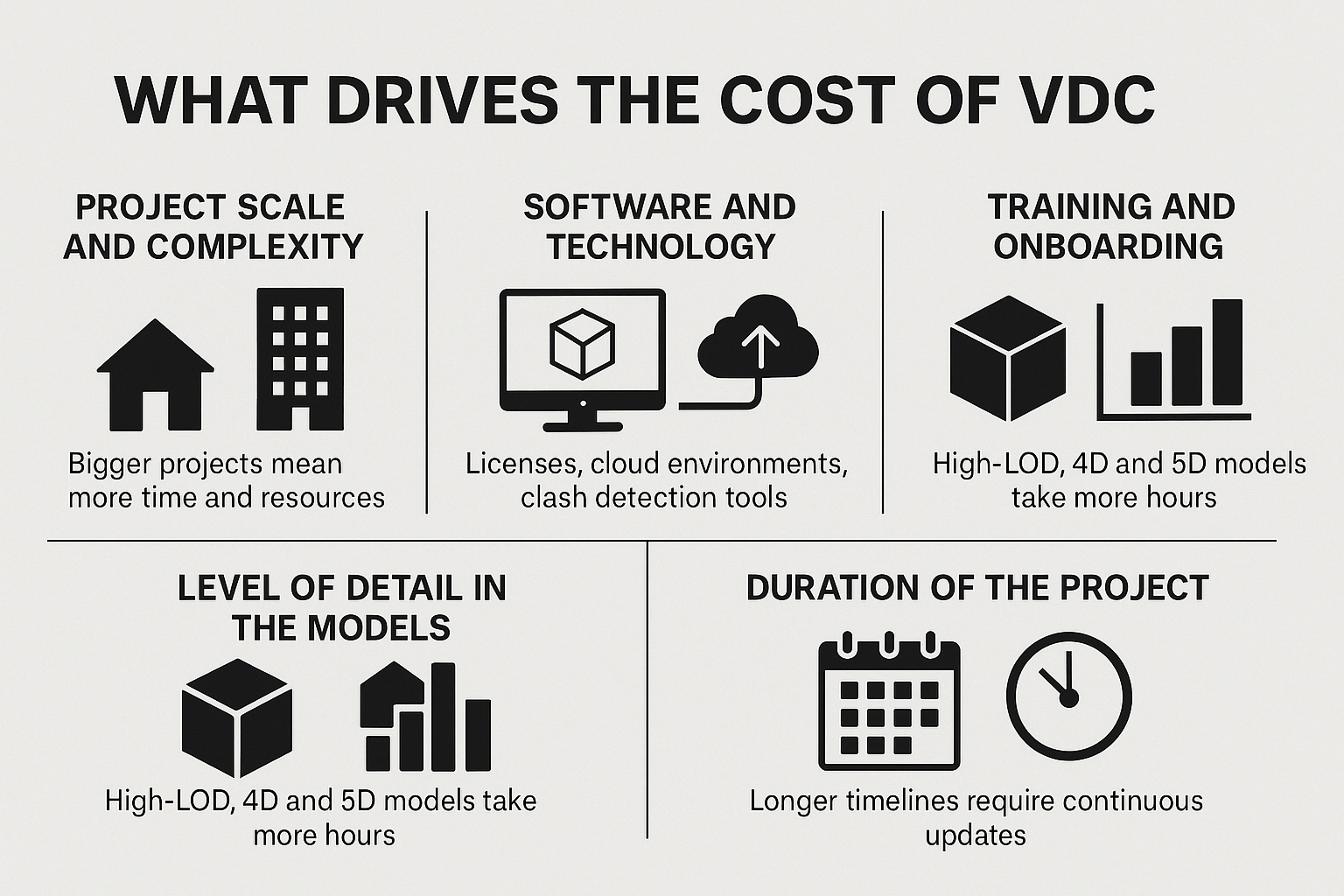
The cost of Virtual Design and Construction isn’t fixed – it shifts depending on how the project is set up and what the team expects to achieve. Some of the biggest drivers include:
- Project scale and complexity: A straightforward residential job may only need basic 3D coordination, while a large hospital or transport hub requires detailed modeling and input from multiple disciplines. Bigger projects simply demand more time, coordination, and resources.
- Software and technology: Licenses for BIM platforms, cloud environments, and clash detection tools vary widely. A small team might get by with a standard package, but enterprise-level setups with advanced simulations or digital twins quickly increase the bill.
- Training and onboarding: VDC tools only deliver value if people know how to use them. Workshops, certification programs, and ongoing support add to the initial spend but reduce delays and miscommunication later on.
- Level of detail in the models: A simple 3D visualization is inexpensive compared to a high-LOD model that integrates scheduling (4D) and costs (5D). The deeper the detail, the more hours go into creation and management.
- Duration of the project: A short-term build has a limited VDC footprint, while multi-year infrastructure projects need continuous updates, coordination, and support – all of which add up over time.
Powerkh: Advanced VDC Services for Smarter Project Delivery

At Powerkh, we are a UK-based company specializing in Virtual Design and Construction (VDC) services, with offices in the United States and Ukraine. We assist clients in adopting VDC technologies to streamline workflows and ensure efficient collaboration between architectural, structural, and MEP systems.
Our services include BIM modeling, BIM coordination, Scan to BIM, prefabrication, and structural engineering. We use advanced tools to deliver practical solutions for clash detection, generative design, and workflow automation. These services are designed to address project-specific needs while improving efficiency for architects, engineers, contractors, and on-site teams.
In our company, we use VDC principles to manage complex construction projects. By integrating advanced digital tools, we help clients make informed decisions, improve coordination, and deliver accurate project outcomes. Our work includes detailed shop drawings, prefabrication workflows, and automation processes tailored to meet project goals.
Breaking Down the Cost of Virtual Design and Construction
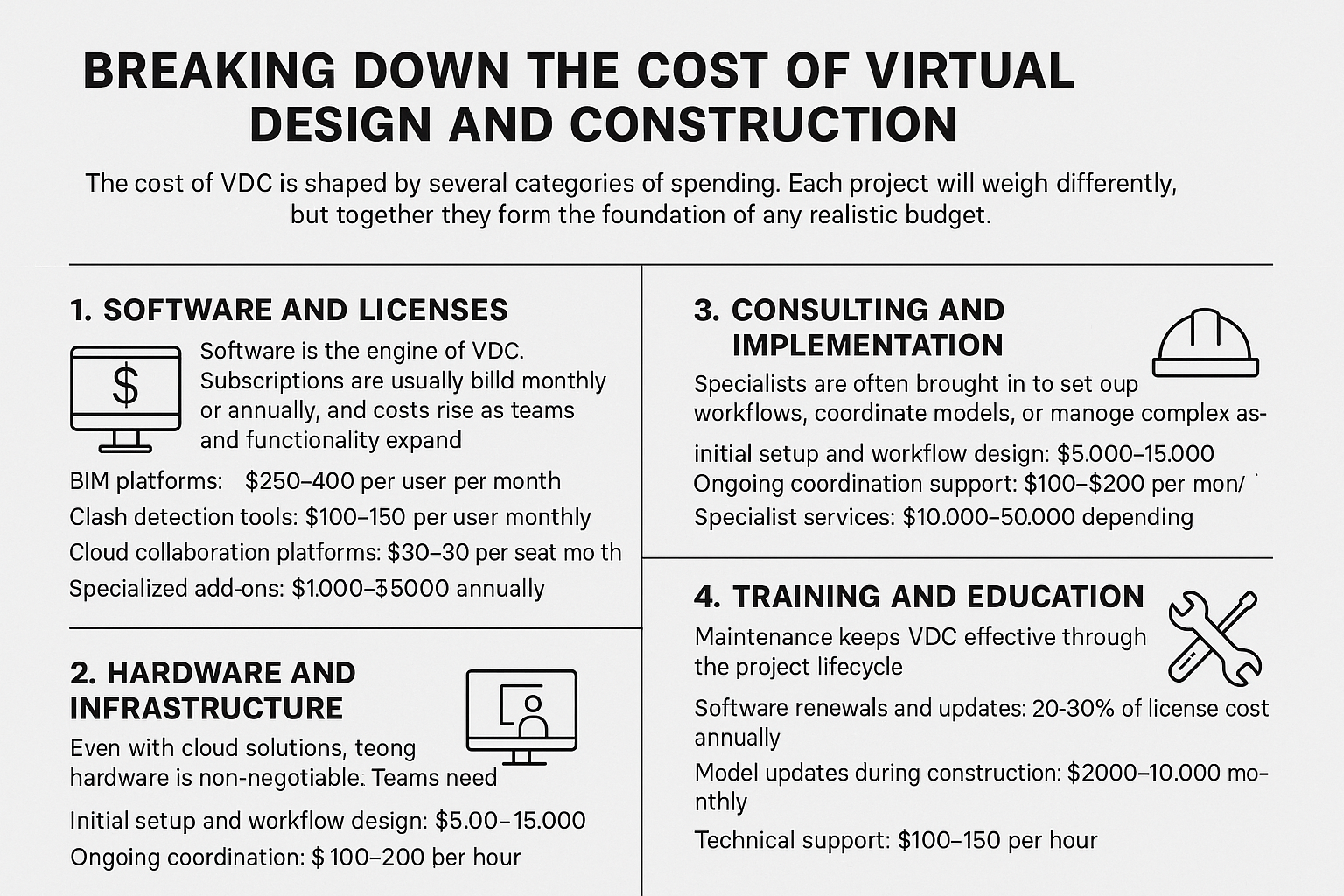
The cost of VDC is shaped by several categories of spending. Each project will weigh these differently, but together they form the foundation of any realistic budget.
1. Software and Licenses
Software is the engine of VDC. Subscriptions are usually billed monthly or annually, and costs rise as teams and functionality expand.
- BIM platforms: $250-$400 per user per month
- Clash detection tools: $100-$150 per user monthly
- Cloud collaboration platforms: $30-$80 per seat per month
- Specialized add-ons: $1,000-$5,000 annually
For small teams, annual software spending typically ranges between $10,000-$30,000, depending on the number of users and advanced features required. For larger projects with multiple disciplines, costs can exceed $50,000 per year.
2. Hardware and Infrastructure
Even with cloud solutions, strong hardware is non-negotiable. Teams need machines that can handle heavy 3D models and fast data exchange.
- High-performance workstations: $2,000-$4,000 per unit
- Servers and storage: $10,000-$25,000 for on-premise setups
- VR/AR headsets: $500-$1,500 per device
- Networking and internet: $100-$300 per month
A small setup usually costs $10,000-$20,000 upfront, while enterprise-level infrastructure can pass $50,000.
3. Consulting and Implementation
Specialists are often brought in to set up workflows, coordinate models, or manage complex phases. Their input prevents errors that could otherwise cause expensive rework.
- Initial setup and workflow design: $5,000-$15,000
- Ongoing coordination support: $100-$200 per hour, or $3,000-$5,000 per month
- Specialist services: $10,000-$50,000 depending on project scope
The investment may seem high, but most projects recover these costs by avoiding clashes and delays.
4. Training and Education
Without proper training, VDC tools rarely reach their potential. Budgeting for team education is critical.
- Basic training courses: $300-$1,000 per person
- Advanced certifications: $2,000-$5,000 per participant
- Custom team workshops: $5,000-$15,000
For mid-sized teams, training in the first year typically ranges $10,000-$35,000, depending on the complexity of the software and number of sessions.
5. Ongoing Support and Maintenance
Once VDC is in motion, maintenance keeps it effective through the project lifecycle.
- Software renewals and updates: 20-30% of license costs annually
- Model updates during construction: $2,000-$10,000 monthly
- Technical support: $100-$150 per hour
- Post-handover services: priced by scope, often included in coordination contracts
Ongoing costs average $15,000-$30,000 per year, though large infrastructure projects can climb much higher.
Why the Investment in VDC Pays Off
At first glance, the cost of VDC may feel like an added burden on the budget. But when you look at how it impacts the entire lifecycle of a project, the return becomes clear. The value isn’t only in smoother drawings or fancier models – it’s in fewer mistakes, faster decisions, and projects that stay on track.
- Fewer clashes and errors: Early detection of conflicts between structural, mechanical, and electrical systems prevents expensive rework on site. Fixing a clash in the model costs a fraction of fixing it during construction.
- Time savings across teams: Coordinated models speed up approvals, reduce back-and-forth communication, and keep everyone working with the same data. Projects move faster when the right information is always at hand.
- Better cost control: With 4D and 5D integration, schedules and budgets are tied directly to the model. This allows teams to test scenarios before committing resources, which helps avoid overruns.
- Improved collaboration: When architects, engineers, and contractors work from the same platform, there’s less room for miscommunication. Decisions are made earlier and with greater confidence.
- Sustainability gains: VDC makes it possible to test energy performance, material use, and environmental impact in the design stage. These insights support greener choices that benefit both clients and communities.
- Long-term facility value: A complete digital twin handed over at project close-out supports operations, maintenance, and even future expansions, extending the return far beyond construction.
In practice, these benefits often outweigh the upfront expense. A project that invests in VDC typically spends less on corrections, cuts down on wasted time, and delivers a final asset that’s more accurate and valuable.
The Costs You Don’t Always See
VDC delivers measurable benefits, but it also comes with less obvious expenses. These are not deal breakers, but if overlooked they can stretch budgets and timelines.
Learning curve
Introducing VDC into a workflow is not something that happens overnight. Even with user-friendly platforms, architects, engineers, and contractors need time to adjust to new processes. During this transition, productivity often dips – models take longer to build, coordination meetings run over, and people lean more heavily on support. Training sessions help shorten this phase, but it’s realistic to expect a few weeks, sometimes months, before teams reach full efficiency.
Integration with existing systems
Most construction firms already use their own mix of tools for project management, document storage, and communication. Plugging VDC platforms into that ecosystem is rarely seamless. Sometimes additional connectors or software bridges are required, and in more complex setups custom development may be necessary. These extra steps don’t just cost money – they also extend implementation time and require IT oversight.
Data management overhead
The strength of VDC lies in detailed, information-rich models. But the more detail you include, the more effort it takes to keep everything accurate. Each time a design changes, the model must be updated and validated to avoid discrepancies. During construction, this means continuous revisions, version tracking, and information checks. Without someone responsible for managing this flow, the model can quickly fall out of sync with reality.
Hardware limitations
Large 3D models and simulations put a real strain on computers. Teams working with outdated hardware may face slow load times, frequent crashes, or limited capability when collaborating in real time. This often leads to unexpected costs for upgrading workstations, boosting server capacity, or investing in cloud rendering solutions. While these upgrades improve long-term performance, they need to be factored into the budget from the start.
Ongoing coordination
Clash detection, model validation, and stakeholder alignment are not one-off tasks. They need to be repeated at each stage of design and construction. This continuous cycle ensures accuracy but also requires ongoing support – whether from an in-house VDC manager or an external consultant. Treating VDC as a one-time expense instead of a sustained process is one of the most common mistakes teams make when budgeting.
How to Estimate VDC Costs for Your Project
The best way to approach VDC budgeting is to start with the scope. What type of project are you running, and how much detail do you actually need? A small residential build may only call for basic modeling and coordination, while a large hospital or infrastructure project will require multi-disciplinary models, clash detection cycles, and possibly a full digital twin. The level of detail directly sets the baseline for cost.
From there, consider the people and tools involved. Software licenses, cloud collaboration platforms, and training sessions quickly add up, especially if multiple teams need access. Some projects also lean on outside consultants to set up workflows or run model checks – an expense that feels extra at the start but usually pays for itself by preventing errors later. And don’t forget the long game: models need to be maintained through construction and updated at handover, which means planning for ongoing coordination rather than treating VDC as a one-time purchase.
In practice, many firms create a layered budget: one portion for essential tools and hardware, another for training and consulting, and a final buffer for continuous updates. This approach gives stakeholders a realistic view of the investment and keeps expectations aligned with the complexity of the build.
Conclusion
The cost of Virtual Design and Construction isn’t a fixed figure. It shifts with the scope of the project, the tools you choose, and how much detail you want to capture in the model. A small build may get by with a modest budget, while a large infrastructure project can run into hundreds of thousands once consulting, training, and ongoing support are added in.
What matters is not just how much you spend but how wisely the budget is allocated. Money invested in software and training upfront often pays for itself later by reducing errors and keeping schedules on track. The same goes for consulting support or continuous model updates – costs that may feel optional at the start, but in reality, help prevent far more expensive problems down the line. VDC should be viewed less as an expense and more as an investment in smoother delivery and long-term project value.
FAQ
How much does VDC typically cost for a small project?
For a smaller residential or commercial build, the investment usually falls between $30,000 and $50,000. This covers basic software licenses, limited consulting support, and some training for the team.
Why do large projects cost so much more?
The bigger the project, the more stakeholders and data you have to coordinate. Large hospitals, airports, or infrastructure builds can require full digital twins, 4D scheduling, and continuous model updates. Costs in these cases often exceed $150,000 and can climb well above $300,000.
Is VDC the same as BIM?
No. BIM is the model itself, a digital representation of a building or system. VDC is the process of using that model – along with workflows and collaboration tools – to plan, coordinate, and deliver projects more efficiently.
Do I need to hire consultants for VDC?
Not always. Some companies build in-house expertise, but many bring in outside consultants at least for setup or critical stages. Consultants help ensure the process runs smoothly and prevent costly mistakes.
What hidden costs should I be ready for?
Training, hardware upgrades, and ongoing coordination are the most common ones. They aren’t always obvious at the start, but skipping them usually leads to bigger problems later.
Our Case Studies
We have handled 200+ BIM & VDC projects for commercial, industrial, and residential sectors.
Our work includes:
Formwork design automation
Our client from
California, USA
Suspended ceiling design automation
Our client from
New York, USA
Wall framing design automation
Our client from
California, USA


