Have any questions? Contact us!
Join our team!
Request a free quote or consultation

Virtual construction is the dry run your project needs before anyone sets foot on site. Done well, it saves time, cuts rework, and keeps decisions on track. The price, though, is not one number. It depends on how deep you go with modeling, which tools you use, who runs coordination, and how long the project lasts. In this guide, we break down the core cost buckets you should expect to see in a VDC plan, why totals jump on complex work, and how to build a budget that pays for itself through fewer clashes and faster approvals. No buzzwords, just the numbers that matter and the choices that move them.
Why Virtual Construction Costs Are Hard to Pin Down
Unlike buying software or renting equipment, virtual construction is not a fixed purchase. It is a process that changes with every project. A small office renovation may need only basic 3D modeling, while a hospital or transportation hub might require a full digital twin with scheduling, cost analysis, and round-the-clock coordination.
That is why budgets vary so widely. The main cost is not just in licenses or computers, but in the hours of skilled staff who set up models, run simulations, and update information as the design and build evolve. Understanding this early helps teams avoid sticker shock later.
The Main Drivers of Virtual Construction Costs
When estimating costs, it helps to break them down into the categories that shape every VDC budget. Each category scales with project scope.
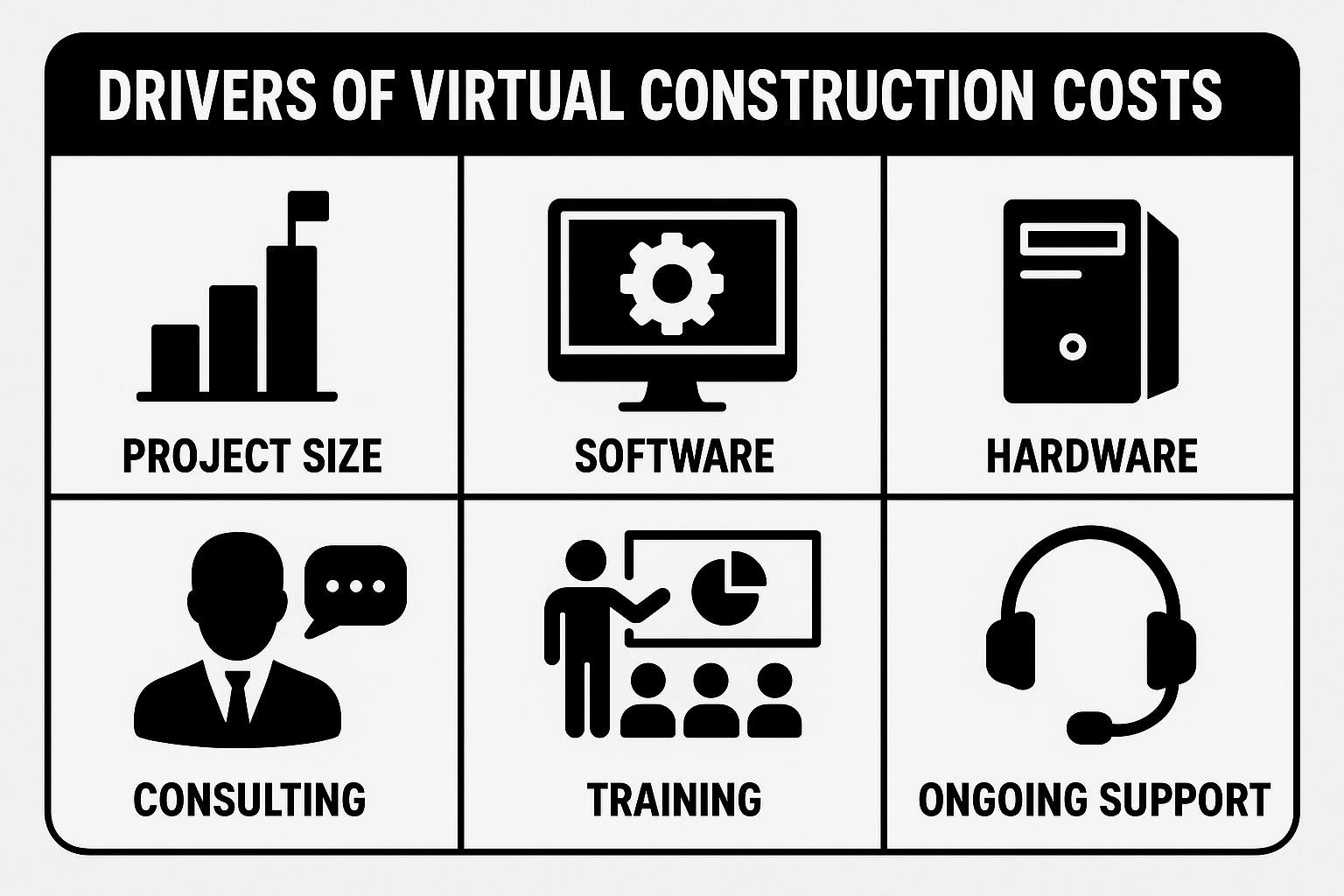
1. Project Size and Complexity
- Small residential or light commercial jobs often need only basic coordination models.
- Large hospitals, airports, and infrastructure projects require multiple disciplines working together, continuous updates, and higher levels of detail.
The bigger and more complex the project, the more hours, software seats, and coordination cycles are required.
2. Software and Licenses
VDC relies heavily on specialized software. Common expenses include:
- BIM platforms such as Revit or ArchiCAD: $250-$400 per user monthly
- Clash detection tools like Navisworks: $100-$150 per user monthly
- Cloud collaboration platforms: $30-$80 per seat monthly
- Add-ons for generative design, energy modeling, or fabrication workflows: $1,000-$5,000 annually
A small team might spend $10,000-$30,000 per year on licenses. Multi-disciplinary projects can easily cross $50,000 annually.
3. Hardware and Infrastructure
Models with millions of data points need strong machines and stable connections. Typical costs include:
- High-performance workstations: $2,000-$4,000 each
- On-premise servers or large cloud storage setups: $10,000-$25,000
- VR/AR headsets for immersive coordination: $500-$1,500 per unit
- Fast internet and networking: $100-$300 monthly
Small teams may budget $10,000-$20,000 up front, while larger enterprises invest $50,000 or more.
4. Consulting and Implementation
Many firms hire external experts to set up workflows, run clash detection cycles, or provide quality control. These costs often include:
- Workflow setup: $5,000-$15,000
- Ongoing coordination: $3,000-$5,000 per month or $100-$200 per hour
- Specialized services such as digital twin creation: $10,000-$50,000
While these costs look high, they often pay for themselves by preventing rework and delays.
5. Training and Education
Software is only as good as the people using it. Training is a critical but sometimes underestimated cost:
- Basic courses: $300-$1,000 per person
- Advanced certifications: $2,000-$5,000
- Custom team workshops: $5,000-$15,000
For a mid-sized team, first-year training can run $10,000-$35,000. It is money well spent if it avoids months of miscommunication.
6. Ongoing Support and Maintenance
Virtual construction is not set-and-forget. Costs extend into the project lifecycle:
- Software renewals: 20-30% of license costs each year
- Model updates: $2,000-$10,000 per month during construction
- Technical support: $100-$150 per hour
- Post-handover digital twin maintenance: priced case by case
Most projects spend $15,000-$30,000 annually on upkeep, with larger infrastructure builds running much higher.
Powerkh: Practical VDC and BIM Support When You Need It

At Powerkh, we help project teams move from flat drawings to coordinated models without slowing the job. Our focus is simple: make design clearer, coordination faster, and delivery more predictable. With 200+ BIM and VDC projects behind us across the US, UK, and Europe, we know how to fit digital workflows to real site constraints, not the other way around.
We build and manage coordinated BIM models, run clash detection, set up data standards, and keep information flowing between architects, engineers, contractors, and on-site teams. When needed, we step in with automation and scripting so routine tasks take minutes instead of hours. The outcome is fewer surprises, tighter schedules, and cleaner handovers.
Where We Add the Most Value
- Clear scope from the start: We define deliverables, LOD, and responsibilities so everyone knows what good looks like.
- Faster coordination cycles: We run structured clash reviews and track design changes so issues close, not circle back.
- Automation that saves time: Our scripts handle repetitive work like model checks, schedules, and sheet updates.
- Fabrication ready outputs: We prepare shop drawings and design-to-fabrication workflows for steel, rebar, precast, and facades.
- Scan to BIM that stays accurate: We convert point clouds into clean, usable models and as-built drawings.
- Stable communication: You get consistent updates, a single point of contact, and quick turnaround when scope shifts.
If you need a partner who can roll up sleeves, adapt to changing priorities, and keep coordination moving, we are ready to help.
How to Build a Realistic Virtual Construction Budget
Creating a solid budget for virtual construction is less about guessing numbers and more about building from the ground up. The process starts with scope, because everything else flows from it. Before talking about licenses or training, you need to be clear on what the project actually demands.
Key Questions to Ask at the Start:
- What level of detail is required? A simple coordination model is far less expensive than a full 4D or 5D setup with scheduling and cost data.
- How long will the model be in use? Short builds may only need support for a few months, while multi-year infrastructure projects require continuous updates.
- Which teams need access? The number of licenses scales directly with the number of stakeholders who need to work in the model.
- In-house or external help? Building your own VDC team is a long-term investment, while hiring consultants provides flexibility but adds recurring costs.
- How will training and support be handled? A budget that ignores education and ongoing support is almost guaranteed to run into problems later.
Once these questions are answered, you can start layering the budget. This layered approach makes the plan easier to explain to stakeholders and keeps surprises to a minimum.
Layer 1: Core Essentials
This is the foundation of any VDC budget. It includes the licenses for BIM platforms, clash detection software, and cloud collaboration tools. It also covers the purchase of workstations and storage capable of handling large models, as well as the minimum level of training required to make sure the team can actually use the tools effectively.
Layer 2: Process Support
The second layer focuses on smooth delivery. It usually involves bringing in consultants to design workflows and run quality checks, organizing workshops to align teams on standards, and scheduling regular clash detection and validation cycles to keep the project coordinated as it evolves.
Layer 3: Lifecycle Costs
The final layer addresses expenses that extend beyond initial setup. These include annual renewals and software upgrades, ongoing model updates throughout design and construction, and eventually digital twin or as-built handover support for operations and facility management.
The benefit of this structured method is clarity. Each layer makes it obvious where the money is going, which helps avoid both overpromising and underbudgeting. It also makes it easier to have transparent conversations with clients or executives. Instead of presenting one big number, you can show how the budget is distributed and what each part delivers in return.
In practice, teams that follow this layered method are less likely to face mid-project funding crises. They also have an easier time defending budgets, because the costs are tied directly to scope and outcomes rather than guesswork.
The Costs Teams Often Forget to Include
Budget planning for virtual construction often focuses on obvious line items like software licenses and hardware. But the reality is that several less visible costs show up once the work begins, and they can quietly push a project over budget if not addressed early.
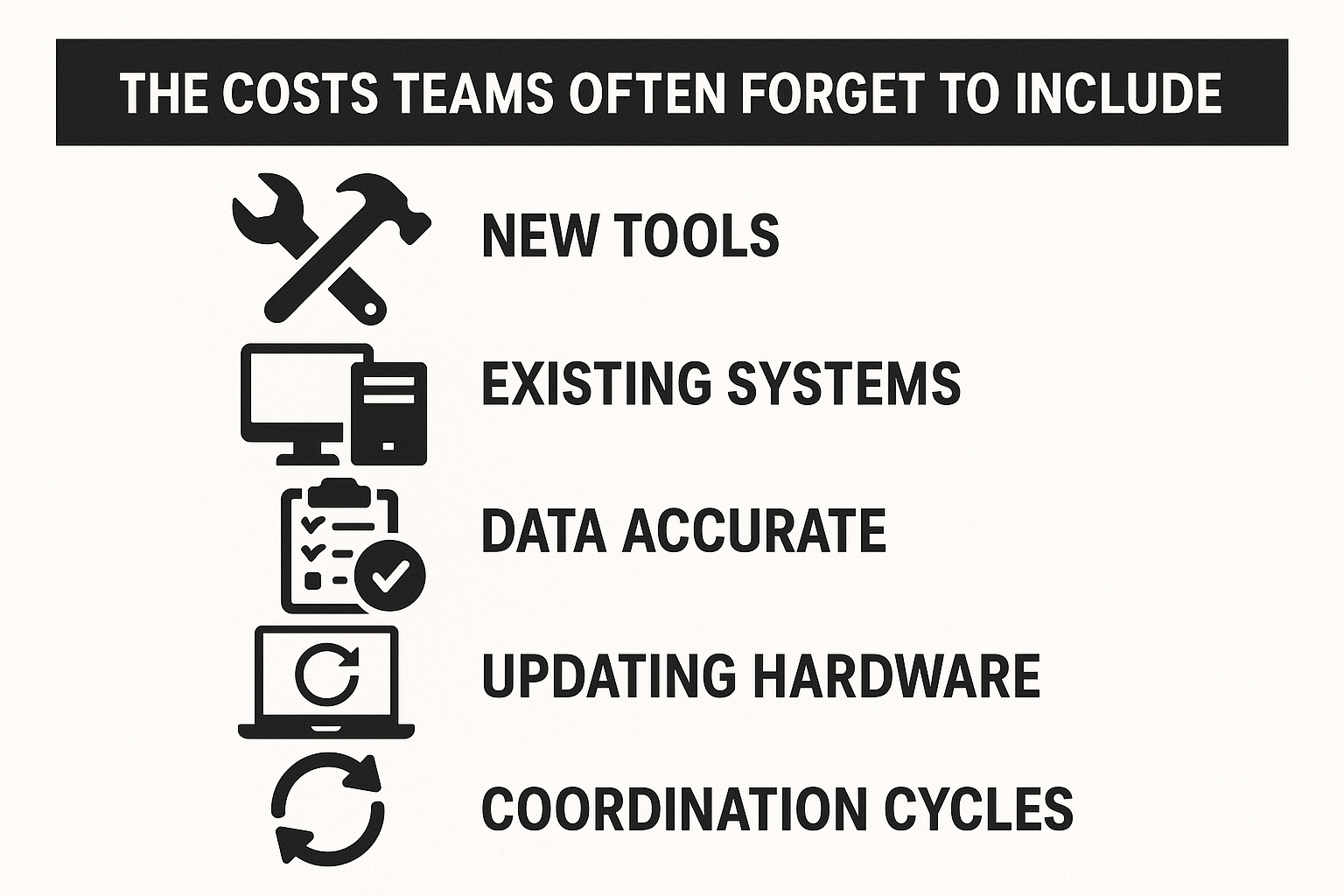
Adapting to New Tools
No matter how user-friendly the platform, teams need time to adjust. Productivity usually slows at first, with longer coordination meetings and heavier reliance on support. That learning curve can stretch weeks or months depending on experience levels.
Linking With Existing Systems
Most firms already run a mix of project management and file-sharing platforms. Getting VDC tools to work smoothly with that setup is rarely plug-and-play. Extra connectors, IT support, or even custom development may be required, which adds to the bill.
Keeping Data Accurate
Rich models come with a steady flow of updates. Every design tweak needs to be logged, verified, and kept in sync with the project record. Without someone actively managing versions and revisions, it is easy for models to drift out of alignment.
Updating Hardware
Heavy 3D models and simulations quickly expose the limits of older machines. Teams often discover too late that their computers cannot keep up, forcing unexpected upgrades to workstations, storage, or networking capacity.
Ongoing Coordination Cycles
Detecting clashes and validating models is not something done once and forgotten. It has to happen repeatedly at each design stage and throughout construction. Treating coordination as a one-off exercise almost guarantees problems later.
Individually these issues might seem minor, but together they can drain time and money. A realistic budget should account for them upfront so that the team can focus on the project rather than scrambling to cover hidden costs.
Regional Price Differences
Labor costs for virtual construction vary significantly around the world, and these differences can make or break a project budget. Industry benchmarks show clear regional ranges:
- United States: $40-$70 per hour for VDC experts
- United Kingdom: £25-£50 per hour
- Canada: CAD $40-$70 per hour
- Australia: AUD $30-$80 per hour
- India: $10-$30 per hour
At first glance, it may seem obvious to choose the lowest-cost option, but it is not always that simple. Lower rates in countries like India can deliver major savings, especially for projects that require large teams over extended periods.
Many firms find success with a hybrid approach: keeping key coordination roles or decision-makers closer to home while outsourcing modeling tasks or repetitive processes to lower-cost regions. This way, they benefit from both cost efficiency and strong local control.
Ultimately, regional price differences should be viewed as an opportunity to fine-tune budgets, not just cut costs. A thoughtful outsourcing strategy can unlock real savings, but only if supported by clear communication, reliable quality checks, and trust between all partners involved.
Why Virtual Construction Should Be Seen as an Investment
It can be easy to look at the price tag of virtual construction and think of it as an extra expense, something nice to have but not essential. In practice, it works more like insurance. By modeling a project in detail and running coordination cycles before construction begins, teams reduce the chance of costly surprises on site. A clash detected in a model might take an hour to fix, while the same issue discovered during installation could set back weeks of work and burn through thousands of dollars.
Virtual construction also adds value beyond preventing mistakes. Coordinated models give decision-makers a clearer picture earlier, which means fewer delays waiting for approvals or rework. They also allow teams to test different scenarios for schedule, cost, or energy performance, helping owners make smarter long-term choices. These are benefits that ripple far beyond the design phase and often continue into operations when a digital twin is handed over to facility managers.
So instead of focusing only on the upfront spend, a better question is: what is the cost of not using VDC? Missed clashes, extended timelines, unexpected change orders, and miscommunication all add up quickly. In most projects, the savings created by smoother delivery, tighter cost control, and stronger collaboration outweigh the investment many times over.
For that reason, the conversation should shift from “can we afford VDC?” to “can we afford to skip it?” In today’s construction environment, the latter is often the riskier bet.
Conclusion
Virtual construction costs are not fixed. They move with project scope, team size, and the level of detail you need. A small build might get by on $30,000, while a complex infrastructure project can top $300,000 once all software, consulting, training, and support are counted.
The key is to build a realistic budget that balances essentials, process support, and long-term costs. When planned well, virtual construction is not just another expense. It is a way to cut risk, keep teams aligned, and deliver a finished building that performs better from day one.
FAQ
How much does virtual construction usually cost?
Costs vary widely depending on project size and complexity. Small residential or commercial projects may cost $30,000-$50,000. Mid-sized builds such as schools or office buildings often range from $80,000-$150,000. Large-scale projects like hospitals, airports, or infrastructure can exceed $300,000 when ongoing updates and full digital twins are included.
What factors drive the cost the most?
The biggest cost drivers are project size, the level of detail required in the model, the number of software licenses, and whether outside consultants are needed. Hardware, training, and ongoing coordination also add significantly to the budget.
Are there hidden costs to watch out for?
Yes. Teams often underestimate the learning curve for new software, the effort needed to integrate VDC with existing systems, and the expense of keeping data up to date. Hardware upgrades and continuous clash detection cycles can also create unexpected costs.
Is VDC the same as BIM?
Not exactly. BIM refers to the digital model itself. VDC is the broader process that uses that model for planning, coordination, scheduling, and cost control across the project lifecycle.
Can outsourcing help reduce costs?
Outsourcing modeling or repetitive tasks to regions with lower labor costs, such as India, can save money. However, it requires strong communication, quality checks, and coordination across time zones to avoid issues.
Do small projects really need VDC?
For small builds, the scope of VDC can be limited to basic modeling and coordination. Even then, it can help prevent mistakes and speed up approvals. The investment may be smaller, but the benefits of reducing rework and miscommunication still apply.
Have a BIM Project? Talk To Us.
Contact UsOur Case Studies
We have handled 200+ BIM & VDC projects for commercial, industrial, and residential sectors.
Our work includes:
Formwork design automation
Our client from
California, USA
Suspended ceiling design automation
Our client from
New York, USA
Wall framing design automation
Our client from
California, USA