Have any questions? Contact us!
Join our team!
Request a free quote or consultation

Coordinating your mechanical, electrical, and plumbing systems in one model isn’t just about catching clashes – it’s about keeping the job on schedule and avoiding those nasty surprise costs later on. Clash detection gives project teams a chance to spot design issues early, before they turn into something expensive and time-consuming on site.
That said, there’s no single “set price.” The cost depends on how complex your project is, how much detail you need, and at what stage you decide to bring coordination into the mix. If you’re planning a budget or comparing quotes, it helps to know what typically goes into the numbers.
What Is MEP Clash Detection and Why It’s Important
At its core, MEP clash detection is about checking your building’s mechanical, electrical, and plumbing layouts against everything else in the model – before anyone starts building. The principle is simple: fix problems while they’re still digital, not after materials have been ordered and crews are on site.
Think of common issues like a duct running through a structural beam, a sprinkler head that doesn’t line up with the ceiling grid, or conduit packed so tight it blocks an access panel. These might look minor on a drawing, but once you’re on site they can stall work and throw schedules off.
Done properly, clash detection is like having a safety net for your design. It reduces rework, saves materials, and prevents those last-minute changes that frustrate everyone involved. More importantly, it brings all trades into alignment so teams aren’t tripping over each other in the field. Whether it’s a modest office block or a large-scale industrial facility, catching conflicts up front is one of the smartest ways to keep projects on time and within budget.
Powerkh’s MEP Coordination Process: From Detection to Resolution

Powerkh is a UK-based company with offices in Ukraine and the USA, specializing in MEP (Mechanical, Electrical, and Plumbing) clash detection services. We use Building Information Modeling (BIM) technology to identify and resolve conflicts between MEP systems early in the design phase, helping to avoid delays and costly adjustments during construction.
Our team creates detailed BIM models that integrate mechanical, electrical, and plumbing systems, enabling us to detect potential clashes or interferences. We employ both automated and manual methods for clash detection, ensuring that any issues are identified and resolved before construction begins.
In our company, we work directly with engineers, contractors, and other project stakeholders to resolve detected clashes efficiently. Our MEP clash detection services help improve coordination across teams, reduce risks, and streamline workflows, ultimately keeping projects on track and within budget.
Typical Cost Ranges for MEP Clash Detection
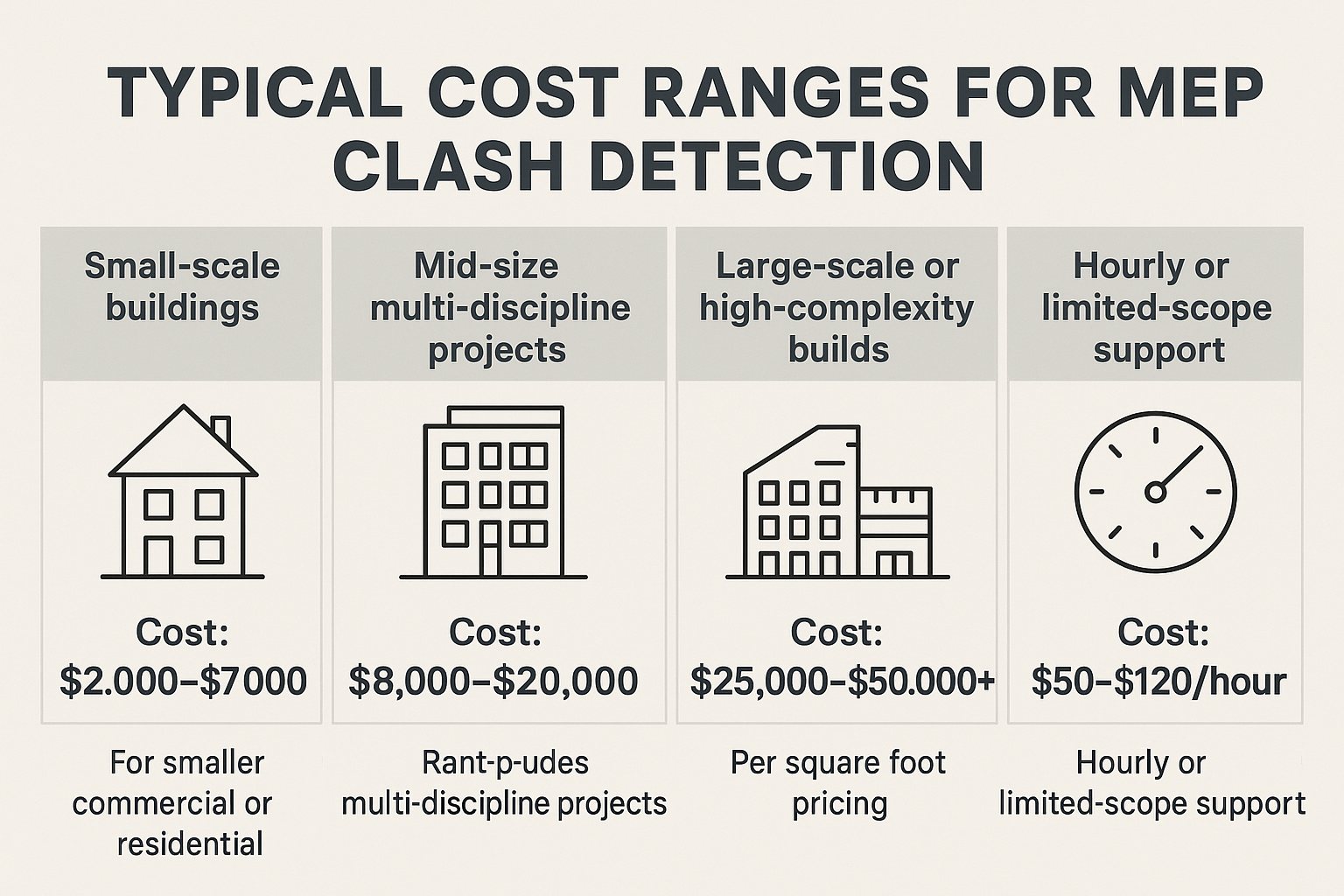
What you’ll actually pay for clash detection really depends on the size of the job, how complex the systems are, and how developed your model is when you hand it over. Here’s a look at the common pricing scenarios and what those numbers usually cover:
Small-scale buildings
For smaller commercial or residential projects, clash detection is usually pretty straightforward. There are fewer systems involved, so less coordination overall. It’s often done in the early design stages or as a quick single-discipline check.
- Cost: $2,000-$7,000
Mid-size multi-discipline projects
Once you’re dealing with HVAC, electrical, and plumbing across multiple levels, the work ramps up. These projects often need several rounds of coordination, full reporting, and time for revisions.
- Cost: $8,000-$20,000
Large-scale or high-complexity builds
Hospitals, airports, data centers – these are on another level. With dense system layouts and multiple trades all running at once, you’re looking at ongoing support, weekly meetings, and continuous coordination.
- Cost: $25,000-$50,000+
Per square foot pricing
Some projects are easier to price by floor area, especially when system layouts are fairly predictable. It keeps the scope flexible while still giving you a baseline cost.
- Cost: $0.10-$0.50 per sq ft
Hourly or limited-scope support
Sometimes teams only need a partial review, a single clash run, or quick input on a renovation project. In those cases, hourly billing makes sense.
- Cost: $50-$120/hour
What Drives the Price of Clash Detection
There’s no one-size-fits-all fee for clash detection, because no two projects are set up the same way. The price shifts with scope, detail, and the way your team plans to coordinate. Here are the factors that usually move the needle:
- Project complexity: A two-storey retail build is simple compared to a high-rise hospital with multiple consultants. More trades, more floors, more systems = more conflicts to resolve.
- Level of detail in the model: If your BIM model is already at LOD 300 (Level of Detail, indicating a high degree of model accuracy and completeness) or higher, the process goes faster. If it’s light, messy, or inconsistent, the team will need time to tidy it up before running checks.
- Number of disciplines: Running HVAC alone is one thing. Add electrical, plumbing, and fire protection, and suddenly four trades are competing for the same ceiling space.
- Frequency of coordination runs: Some projects only need one clash test near the end of design. Others require weekly checks throughout design development. More runs naturally mean more hours.
- Toolset and software: Coordination in Revit and Navisworks is fairly smooth. But if the project involves imports from CAD or IFC, expect extra cleanup and conversion work.
- Model handoff quality: Disorganized files, inconsistent naming, or poorly classified objects can all slow things down. A clean handoff saves hours.
- Geographic location or market rates: A team based in London or New York will usually cost more than one in a smaller city, simply due to higher labor and overhead costs.
What’s Included in the Price
When you pay for MEP clash detection, you’re not just buying a clash report with a few red boxes scattered across the model. There’s more going on behind the scenes. A typical service covers model integration, multiple rounds of testing, and detailed reporting. More importantly, it involves real coordination between trades so the issues aren’t just flagged – they’re actually resolved before anyone sets foot on site.
Most providers also take care of issue tracking, sit in on coordination meetings, and run a final model check to confirm everything’s been sorted. Depending on the scope, the package might also include setting up shared cloud environments, aligning LOD standards across teams, or even cleaning up messy models before detection starts. A lot of the value comes from having experienced BIM coordinators who keep things moving quietly in the background so the project doesn’t stall later.
Is MEP Clash Detection Worth the Cost?
If you’ve ever had to stop construction because a duct cut through a beam or a riser shaft didn’t line up, you already know the answer – it’s worth it. Clash detection seems optional until you’ve dealt with the cost of not doing it. The real payoff isn’t just catching design mistakes, it’s avoiding weeks of downtime, stacks of rework orders, and stressful redesigns that can drain both your budget and your patience.
Yes, the upfront fee is another line item, but compared to moving trades off-site, rescheduling deliveries, or ripping out newly installed systems, it’s small money. Teams that invest in proper coordination early almost always see fewer change orders and smoother site workflows. It may not be the flashiest part of BIM, but it’s often the reason a project finishes without drama. And in construction, that alone is a big win.
How to Keep Coordination Costs in Check
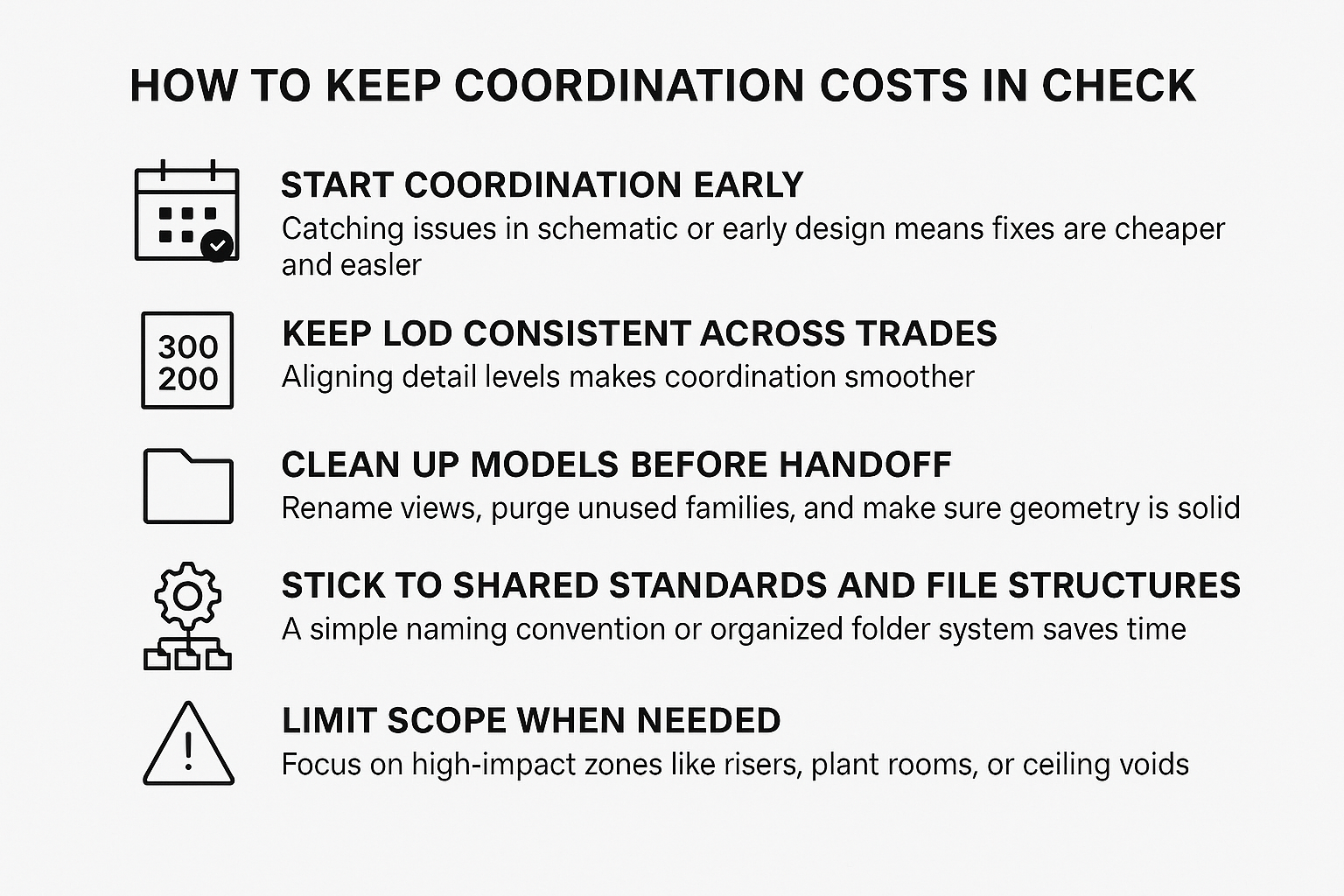
Clash detection doesn’t have to blow up your budget. In fact, a lot of the cost comes down to how well the models are set up before coordination starts. The cleaner the inputs, the less time is wasted fixing them later. If you want to keep costs under control, a few habits go a long way:
- Start coordination early: Catching issues in schematic or early design means fixes are cheaper and easier. Waiting until late stages makes everything harder (and more expensive) to untangle.
- Keep LOD consistent across trades: If one discipline is at LOD 300 and another is at 200, your reports will be messy and harder to manage. Aligning detail levels makes coordination smoother.
- Clean up models before handoff: Rename views, purge unused families, and make sure geometry is solid. A tidy model saves hours of prep.
- Stick to shared standards and file structures: A simple naming convention or organized folder system saves time over the entire project.
- Limit scope when needed: On a tight budget? Focus on high-impact zones like risers, plant rooms, or ceiling voids. Better to coordinate critical spaces properly than spread thin everywhere.
Conclusion
Clash detection isn’t just another expense – it’s a smart move that pays off when it matters most. Whether you’re dealing with a modest office block or a large industrial build, identifying problems early keeps the project predictable and far less stressful. Costs can range from a few thousand dollars to much more for complex builds, but it’s rarely wasted money. Most teams forget the fee pretty quickly – what they remember is how many hours (and headaches) it saved onsite. If the goal is fewer surprises during construction, it’s something worth planning for right from the start.
FAQ
How much does MEP clash detection usually cost?
It varies. Smaller projects may land between $2,000 and $7,000. Larger, complex builds can exceed $25,000. Some providers also price by square foot or hourly.
Is it better to pay for clash detection once or run it multiple times?
It depends on where you are in design. A one-off test can work if the model is nearly finished, but for active multi-trade projects, regular checks are more effective.
What software is typically used for MEP clash detection?
Navisworks (paired with Revit) is commonly used, though other tools like Trimble Connect or Solibri may also be employed. Some teams use BIM 360 or Autodesk Construction Cloud for cloud-based coordination and tracking.
Does clash detection catch every issue?
Not quite. It’s great for geometry clashes but won’t flag things like missing access zones or poor sequencing. That’s where experienced coordinators still make the difference.
Can I do clash detection in-house?
Yes, if your BIM team has the right tools and bandwidth. But it’s time-intensive, which is why many teams outsource – to free up their own resources.
When’s the right time to start clash detection?
Earlier than most people think. Running tests at LOD 200-300 helps catch routing issues before they’re locked in. Waiting until the end usually means more rework.
Is clash detection only useful on big projects?
Not at all. Even small jobs can benefit, especially when space is tight or trades are stacked in the same zones. Avoiding one major mistake usually pays for the service.
Our Case Studies
We have handled 200+ BIM & VDC projects for commercial, industrial, and residential sectors.
Our work includes:
Formwork design automation
Our client from
California, USA
Suspended ceiling design automation
Our client from
New York, USA
Wall framing design automation
Our client from
California, USA