Have any questions? Contact us!
Join our team!
Request a free quote or consultation

If you’re diving into a construction or architecture project, you’ve probably heard about BIM Execution Planning – or BEP for short. It’s the roadmap that keeps Building Information Modeling (BIM) from turning into a chaotic free-for-all. But let’s cut to the chase: one of the first questions I always get is, “How much is this going to cost me?” Having worked on projects big and small, I’ve seen BEP budgets swing from modest to jaw-dropping, depending on the job’s complexity. In this guide, I’m laying out the nitty-gritty on BEP costs, pulling from real-world insights to give you a clear picture of what to expect. We’ll cover average prices, what jacks them up, and how to make sure you’re spending wisely. My goal? To arm you with practical info so you can plan without breaking the bank – or your spirit. Let’s get into it!
Understanding the Baseline Cost of a BIM Execution Plan
So, what’s the typical price tag for a BEP? Based on industry patterns and my own experience piecing these together, you’re looking at a range of $3,000 to $15,000 for a standard plan. That’s the sweet spot for most projects, covering everything from a basic outline to a detailed document that aligns teams, tools, and timelines. It’s not just a stack of papers – it’s your project’s playbook for managing BIM data, ensuring everyone from architects to contractors is on the same wavelength.
For smaller projects, like a single-story office renovation, you might skate by on the low end, around $3,000 to $5,000. This usually gets you a straightforward BEP with core elements like roles and basic workflows. Step up to a mid-sized commercial build, and costs creep toward $8,000 to $12,000, reflecting more coordination and detail. For larger, more intricate projects – like a hospital or an infrastructure behemoth – you’re likely hitting the $12,000 to $15,000 mark, especially if you need specifics like detailed Level of Development (LOD) specs or quality control protocols. I recall a project where we kept costs around $4,500 by reusing a solid template, but that only worked because the team already knew BIM inside out.
This $3,000 to $15,000 range is considered “average” because it balances the effort of creating a plan that prevents costly missteps – like mismatched models or rework – against the resources needed to develop it. Spend $10,000 to avoid a $50,000 on-site fix? That’s a no-brainer in my book.
Powerkh's Insights on BIM Execution Planning Costs

Powerkh is a UK-based company providing comprehensive Building Information Modeling (BIM) services, focused on enhancing the design, planning, and construction phases of building and infrastructure projects. With offices in the UK, Ukraine, and the USA, we leverage our global presence to offer tailored BIM solutions that foster seamless collaboration across international teams. Our services include 3D modeling, clash detection, and data integration, all aimed at ensuring projects are completed with precision, efficiency, and minimal risk.
At Powerkh, we are committed to driving digital transformation within the construction industry. Our BIM solutions help clients streamline workflows, improve project outcomes, and enhance decision-making. By ensuring that all project data is up-to-date and easily accessible, we enable project teams to work more collaboratively and avoid costly errors throughout the project lifecycle.
With a focus on meeting diverse client needs across different regions, we are equipped to reduce delays, manage costs, and ensure successful project completion, no matter the scale or location.
Key Highlights:
- UK-based company with offices in Ukraine and the USA
- Specializes in Building Information Modeling (BIM) services
- Expertise in 3D modeling, clash detection, and data integration
- Supports digital transformation in the construction industry
- Focus on improving project accuracy, efficiency, and collaboration
- Tailored solutions for both small-scale and large, complex projects
- Dedicated to reducing costs, delays, and risks throughout the project lifecycle
What Drives BEP Costs? Breaking Down the Key Factors
BEP costs aren’t pulled out of thin air – they’re shaped by the project’s unique demands. Here’s a deep dive into the factors that can push your budget up, based on what I’ve seen in the field and industry reports.
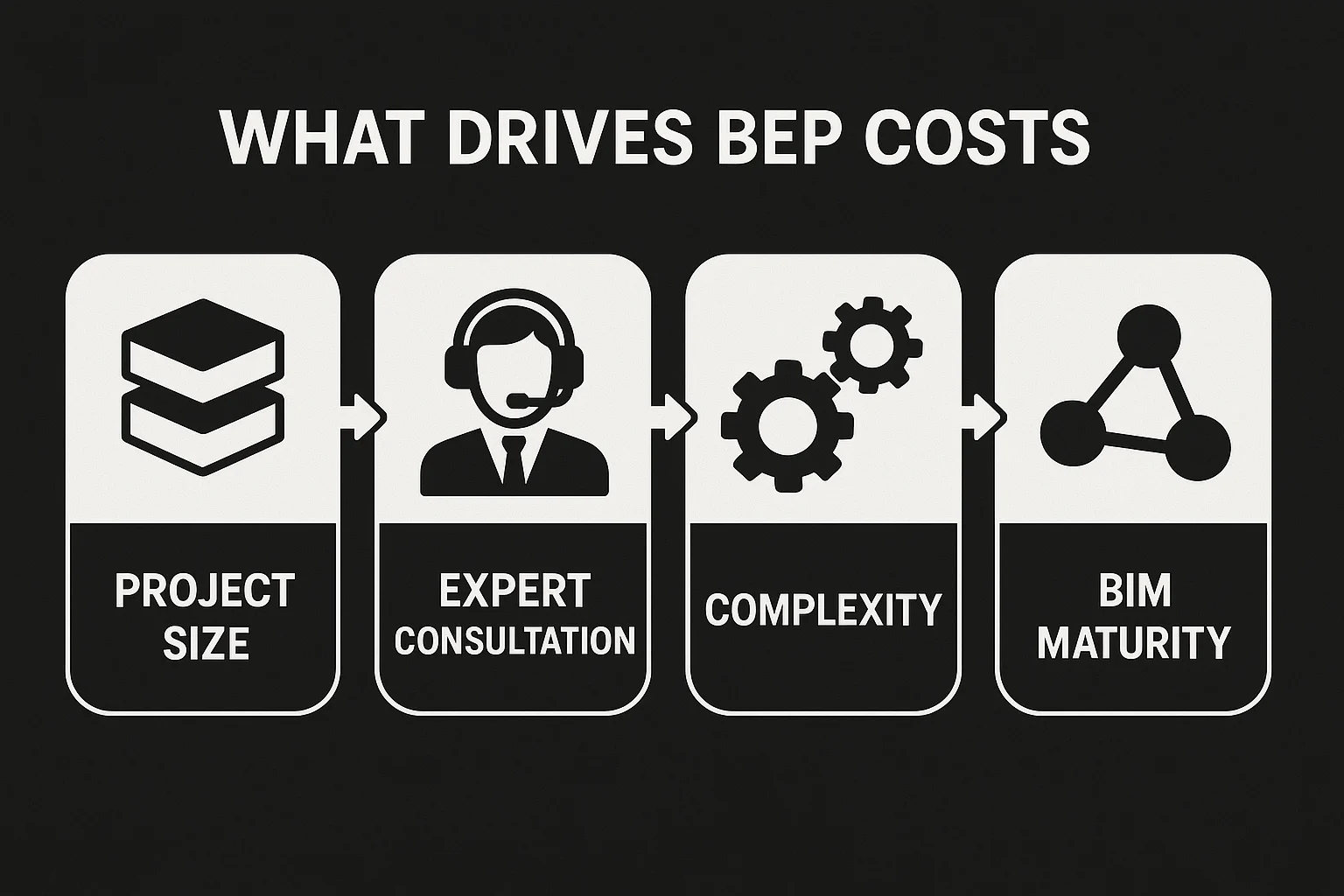
Project Size and Scope: Scale Dictates Spend
The size of your project is a major cost driver. A small renovation with a tight scope might only need a basic BEP, keeping costs around $3,000 to $5,000. But scale up to a multi-million-dollar project – like a sprawling campus or an $800 million infrastructure job – and you’re looking at $12,000 to $15,000 or more. Why? Bigger projects mean more stakeholders, phases, and data points to manage. A BEP for a massive build might need to cover everything from international team coordination to lifecycle data for facility management.
I’ve seen cases where a large project required a 65-page BEP, detailing every role, deliverable, and timeline. That kind of effort naturally costs more, as it takes hours of meetings and revisions to get it right. The payoff? Fewer delays and a smoother handover.
Expert Consultation: When You Need a BIM Pro
Not every team is BIM-ready, and that’s where consultants come in. Hiring a specialized BIM expert to guide your planning can add $5,000 to $50,000 to the bill, depending on the project’s complexity. For a basic review or template setup, you might pay $5,000 to $10,000. But for a deep dive – say, educating a client new to BIM or crafting a plan for “prescriptive BIM” with strict guidelines – costs can hit $30,000 to $50,000.
I remember a project where the client wanted a model for asset management post-construction. The consultant spent weeks in meetings, aligning expectations and defining data needs, which pushed costs toward the higher end. It’s pricey, but it can save you from costly errors if your team’s still learning the ropes.
Detail and Complexity: More Specificity, More Money
The level of detail in your BEP directly impacts its cost. A simple plan with general goals and roles might stay around $3,000 to $6,000. But if you need a comprehensive document – covering specific workflows, quality checks, or LOD from conceptual design (LOD 100) to as-built models (LOD 500) – expect to pay $10,000 to $15,000. These plans require more brainstorming, revisions, and coordination to nail down every detail.
For example, a BEP that includes a Master Information Delivery Plan (MIDP) or Task Information Delivery Plans (TIDPs) takes extra effort to map out deliverables and data flows. In one case, a team spent hours defining “conversation detection” protocols (a smarter take on clash detection) to manage expectations, which added to the planning time but paid off by avoiding unrealistic demands.
System Integration: The Tech Cost Curve
Integrating BIM tools with your existing systems can be a budget buster, especially for complex setups. If your BEP needs to tie BIM software (like Revit or BIM 360) into company databases or legacy systems, costs can climb to $100,000 or more. This covers things like custom configurations, testing, and ensuring data flows seamlessly across platforms.
Think about a project aiming for “integrated BIM,” where information is shared openly across the lifecycle. Setting up cloud storage, cybersecurity, or software versioning for that can get pricey. I’ve seen firms caught off guard by this, assuming it’s a minor add-on, but it’s a major factor if you’re bridging old and new tech.
BIM Maturity and Project Goals: Your Starting Point Matters
Your organization’s BIM experience – or lack thereof – plays a big role. If you’re at a basic level (say, “lonely BIM” with no object-based intelligence), your BEP might only cost $3,000 to $6,000, as it’s simpler. But if you’re pushing for “prescriptive” or “integrated” BIM, with deep stakeholder engagement and goals like record modeling, costs can hit $10,000 to $15,000, plus consulting fees.
Specific goals also drive costs. Want your BEP to support facility management or cost estimation? That means extra planning for data enrichment, which adds time and expense. I’ve noticed teams with low BIM maturity often underestimate this, leading to pricier revisions later.
Here’s a quick rundown of cost drivers:
- Project Size: Small jobs ($3,000-$5,000); large ones ($12,000-$15,000+).
- Consultants: $5,000-$10,000 for basic help; $30,000-$50,000 for complex guidance.
- Detail Level: Basic plans ($3,000-$6,000); detailed with MIDP/TIDP ($10,000-$15,000).
- Integration: Up to $100,000 for tying BIM into existing systems.
- Maturity/Goals: Basic BIM needs less; advanced goals add $2,000-$5,000 per feature.
Real-World Cost Snapshots from the Field
To ground this in reality, let’s look at how BEP costs play out in actual projects, based on cases I’ve studied.
Mega-Project Example
On an $800 million multi-disciplinary project, the BEP was a beast, costing around $12,000 to $15,000. This covered 40 hours of on-site meetings with architects, engineers, contractors, and a BIM consultant to align on goals like record modeling and asset management. Additional consulting fees likely hit $20,000-$30,000, as the team redefined clash detection as “conversation detection” to set realistic expectations. The high cost reflected the need for a 65-page plan covering every stakeholder and phase.
Mid-Sized Commercial Build
For a mid-sized office complex, the BEP cost about $7,000 to $10,000. The plan focused on standard elements like roles, workflows, and basic LOD specs (up to LOD 300). Since the team used a template and had some BIM experience, they skipped heavy consulting, keeping costs down. Adding facility management data bumped it up by $2,000, but it was worth it for long-term value.
Small Renovation Project
A school renovation kept things lean at $3,500-$5,000. The BEP covered basic data management and timelines, with minimal consultant input since the team was familiar with BIM. It was straightforward but still saved headaches by standardizing file naming and coordination.
These cases show how costs tie to scope, detail, and team readiness. A well-planned BEP, even at the high end, can prevent six-figure losses from errors.
How to Budget Wisely for Your BEP
Planning your BEP budget doesn’t have to feel like a shot in the dark. Here’s how to approach it, based on what I’ve learned works:
- Assess Your Scope Early: Is it a small job or a multi-phase giant? Small projects can stick to $3,000-$5,000; large ones need $12,000-$15,000.
- Gauge BIM Maturity: If your team’s new to BIM, budget $5,000-$10,000 for consulting to avoid rookie mistakes.
- Use Templates: Start with standards like AIA E202 to cut planning time and keep costs closer to $3,000-$6,000.
- Plan for Revisions: Add a 20-30% buffer for updates, as BEPs evolve post-contract or during phases.
- Shop for Consultants: Compare rates – some offer basic reviews for $5,000, while deep dives hit $30,000-$50,000.
- Account for Integration: If tying into existing systems, set aside up to $100,000 for complex setups.
- Track ROI: Measure savings like reduced RFIs or faster approvals to justify the spend.
One trick I’ve picked up: involve end-users like facility managers early to define goals, which can streamline planning and save on revisions. Also, standardize basics like file naming upfront to avoid costly rework.
The Hidden Value: Why BEP Costs Are Worth It
Spending $15,000 or more on a BEP might make you wince, but let’s talk payback. A solid plan cuts risks like miscommunication or rework, which can easily cost $50,000-$100,000 on-site. I’ve seen projects where catching a single clash – like HVAC ducting hitting a structural beam – saved more than the BEP’s cost.
Transparency is another win. A BEP aligns everyone, reducing stress and building trust. For “integrated BIM” projects, where data supports the entire lifecycle, savings can hit six figures by streamlining operations post-handover. It’s not just a cost – it’s an investment in getting it right.
Tips to Keep Costs in Check Without Cutting Corners
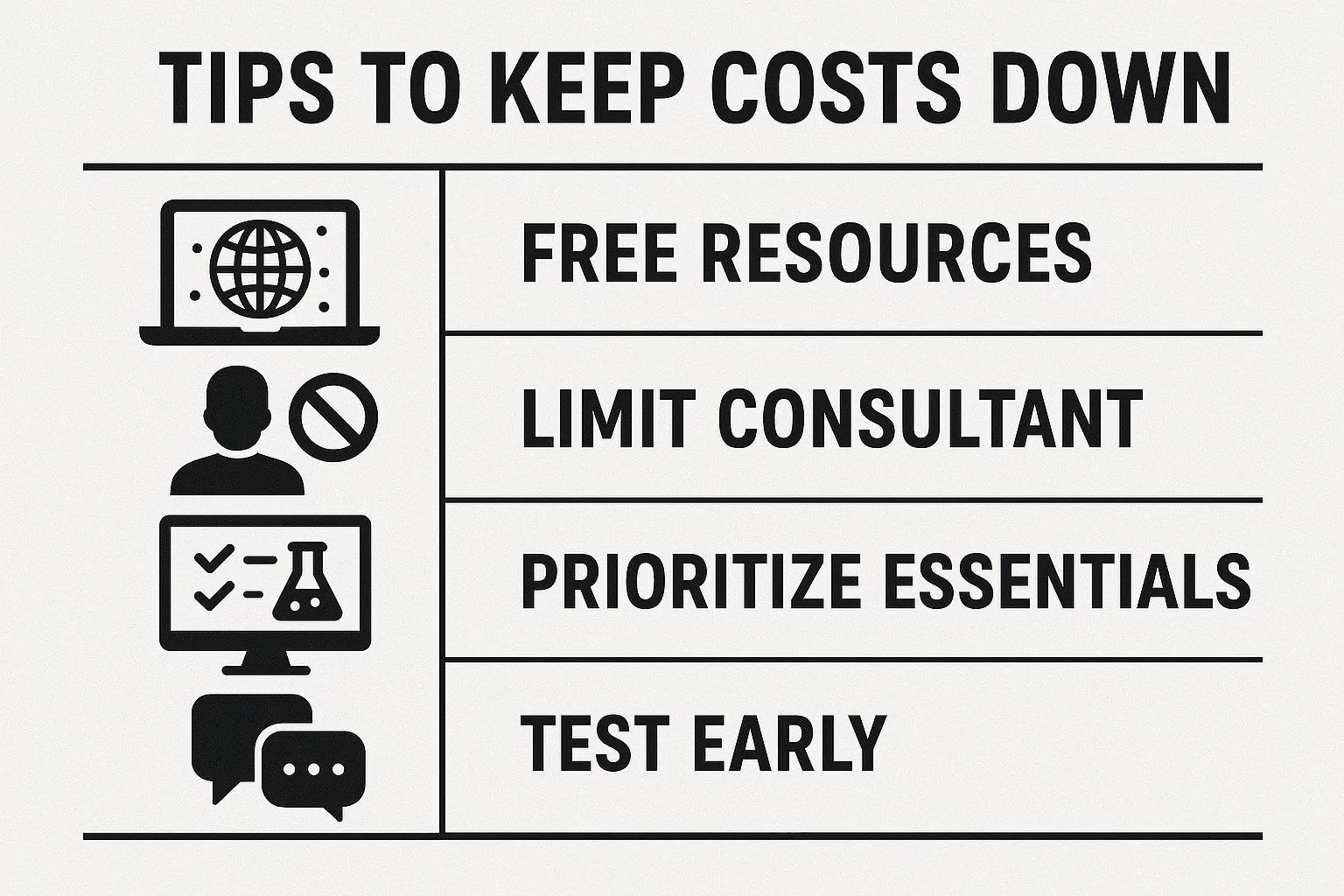
Nobody wants to overspend, so here are some ways to stay efficient:
- Leverage Free Resources: Use industry standards like Penn State BIM Uses or AIA E202 to kickstart your plan, saving $1,000-$2,000.
- Limit Consultant Scope: For simple projects, cap consulting at $5,000-$10,000 for reviews, not full builds.
- Prioritize Essentials: Focus on critical elements like roles and data management to keep costs closer to $3,000-$6,000.
- Test Early: Run a pilot to catch gaps before the plan balloons in cost.
- Communicate Constantly: Early stakeholder meetings, like the 40-hour sessions in big projects, prevent pricey revisions later.
Wrapping It Up: Budgeting for BEP Success
There you have it – a full breakdown of BIM Execution Planning costs. You’re looking at $3,000 to $15,000 for a standard BEP, with extras like $5,000-$50,000 for consultants and up to $100,000 for complex integrations. Costs depend on your project’s size, detail, and team readiness, but the value is clear: a good BEP saves time, money, and headaches. Start early, assess your needs, and don’t skimp on planning – it’s the foundation for a project that runs like clockwork. Got a build coming up? Budget smart, and you’ll see the payoff.
Frequently Asked Questions (FAQs)
1. What’s included in the $3,000-$15,000 BEP cost range?
This range covers creating a BEP with elements like project goals, roles, workflows, LOD specs, quality controls, and timelines. Lower costs ($3,000-$5,000) apply to simple plans for small projects; higher costs ($12,000-$15,000) are for detailed plans on complex builds.
2. Why do consultants add $5,000-$50,000 to BEP costs?
Consultants provide expertise for teams new to BIM or projects needing complex planning, like prescriptive or integrated BIM. Basic guidance (e.g., template reviews) costs $5,000-$10,000; in-depth work, like stakeholder education or clash detection strategies, can hit $30,000-$50,000.
3. When might BEP costs hit $100,000?
Costs can reach $100,000 if the BEP requires integrating BIM tools with existing systems, like linking Revit to company databases. This involves custom configurations, testing, and cybersecurity, especially for projects aiming for open, lifecycle-long data sharing.
4. Can I keep BEP costs low without sacrificing quality?
Yes! Use industry templates to save $1,000-$2,000, limit consultant scope for simple projects, and standardize basics like file naming early. Focus on essential elements and test the plan with a pilot to avoid costly revisions.
Our Case Studies
We have handled 200+ BIM & VDC projects for commercial, industrial, and residential sectors.
Our work includes:
Formwork design automation
Our client from
California, USA
Suspended ceiling design automation
Our client from
New York, USA
Wall framing design automation
Our client from
California, USA


