Have any questions? Contact us!
Join our team!
Request a free quote or consultation

Most coordination problems don’t start on site. They start quietly inside the model.
A BIM model can look fine at first glance and still be full of small issues that compound over time. Extra views nobody uses. Parameters that don’t match schedules. Links that drift out of alignment. None of these break a project on day one, but together they slow teams down, create clashes, and turn coordination meetings into firefighting sessions.
A BIM model health check is about ensuring your data is ready for the next level of complexity. At Powerkh, we don’t just check if a model opens; we audit its readiness for automated clash detection, parametric scaling, and even generative design workflows, ensuring the model remains an asset, not a bottleneck.
What a BIM Model Health Check Actually Is
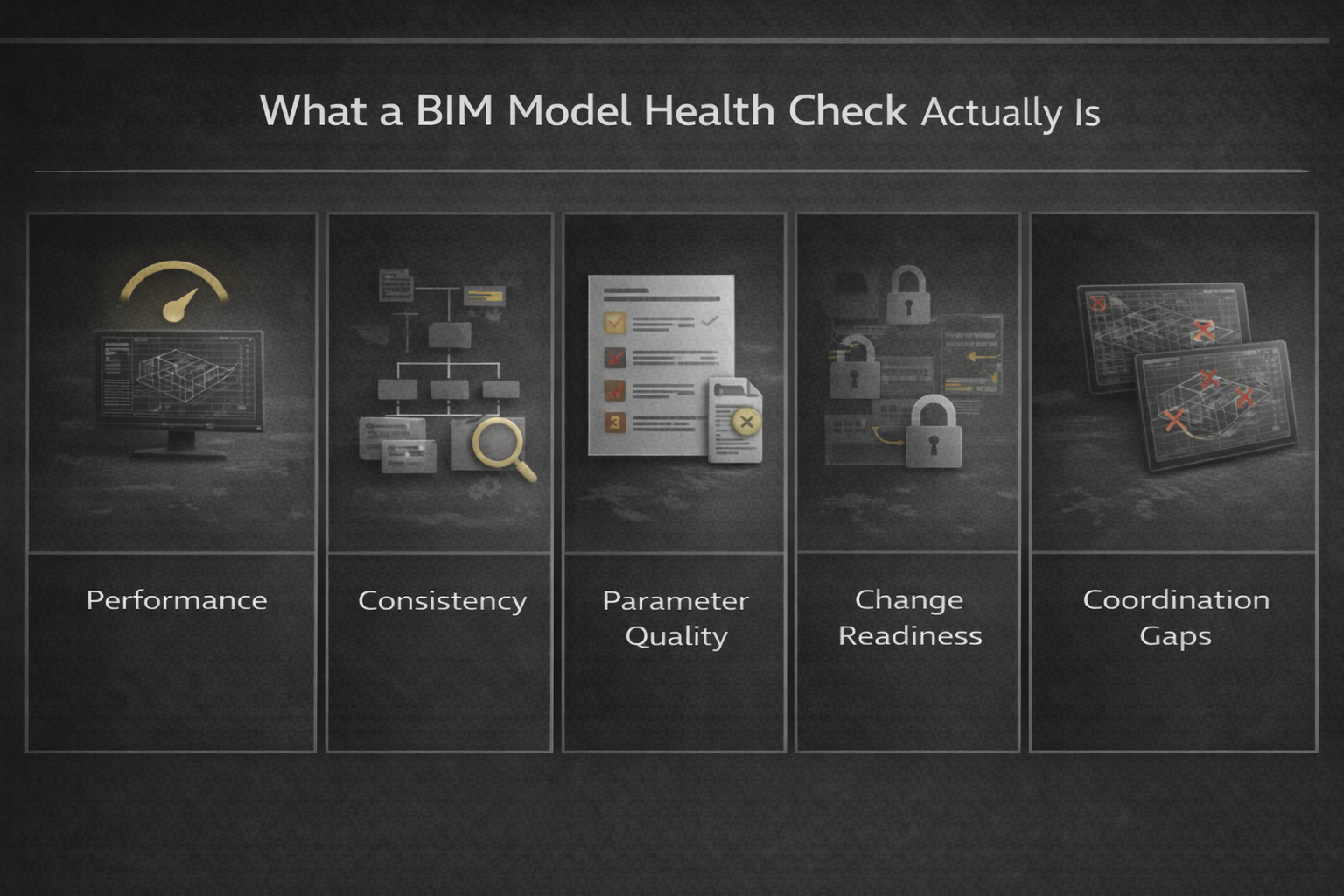
A BIM model health check is a structured review of how a model behaves, not just how it looks. It examines whether the model supports coordination, reporting, and change without friction.
It is different from clash detection. It is different from a standards audit. It sits in between design intent and delivery reality.
A proper health check answers three questions:
- Is the model performant enough to be worked on daily?
- Is information structured consistently enough to coordinate?
- Will future changes make things worse or remain manageable?
The checks below are grouped into five areas where coordination failures usually start.
From Design Intent To Construction Reality With Powerkh
At Powerkh, we treat a BIM model health check as an engineering task, not an administrative audit. Our work is built around design continuity. That means staying close to the original design intent, protecting it during coordination, and making sure it survives the transition from design to construction without being diluted or misinterpreted. A healthy model is one that teams can rely on when pressure is high and decisions matter.
As an international engineering-led digital construction consultancy with experience across 400+ projects in 11 countries, our reviews are grounded in how models must perform to survive real-world coordination pressure. We combine global BIM standards with practical insights from UK-specific delivery requirements.
We approach health checks as a fixed-scope review with clear outcomes. Each review results in a structured issue log, practical recommendations based on coordination risk, and a follow-up re-check to confirm improvements have actually landed. The focus is not on theoretical compliance, but on keeping models usable, coordinated, and resilient as they move through RIBA stages and into live construction.
Because we work as an engineering-led digital construction consultancy, our reviews are grounded in how models are really used on UK projects. We look at performance, structure, coordination readiness, and design-to-reality alignment, all with one goal in mind: helping teams make sure what’s designed is what gets built.
Category 1: File Performance and Stability Checks
1. File Size Versus Project Stage
File size alone does not tell the full story, but it is an early warning sign. A schematic model that already behaves like a detailed fabrication model is a red flag. Oversized files often indicate over-modeling, imported geometry, or excessive detail that does not support coordination at the current stage.
2. Load and Save Time Benchmarks
Slow load and save times quietly destroy productivity. A model that takes fifteen minutes to open discourages frequent syncing and increases the risk of conflicts. Measuring load and save times across different users and locations helps identify whether the issue is model-related or environment-related.
3. Frequency and Severity of Warnings
Warnings are not harmless. High warning counts correlate strongly with instability, broken constraints, and unreliable coordination. A health check looks at trends, not just totals. The same warning repeated hundreds of times usually points to a modeling approach issue.
4. Corruption Risk Indicators
Frequent crashes, unresolved errors, and failed synchronizations often indicate deeper structural problems. These issues rarely appear suddenly. A health check identifies whether the model is trending toward corruption before data loss occurs.
Category 2: Model Structure and Organization Checks
5. Naming Convention Consistency
Inconsistent naming makes coordination slower even when geometry is correct. Views, worksets, families, and links should follow a predictable logic. When naming breaks down, teams spend time searching instead of coordinating.
6. Workset Purpose and Discipline
Worksets are coordination tools, not dumping grounds. A health check verifies whether worksets are aligned with how the team actually works. Poor workset strategy leads to unnecessary element locking and coordination bottlenecks.
7. View Management Discipline
Hundreds of unused views increase file size and confusion. Health checks identify views that were created for one-off tasks and never cleaned up. Removing them improves both performance and clarity.
8. Template Compliance
Models that drift away from their original template accumulate inconsistencies. Line styles, object styles, and filters quietly diverge. A health check confirms whether the model still behaves like it belongs to the project environment it started in.
Category 3: BIM Content and Family Quality Checks
This category makes explicit what is often treated as a background concern: the health of a BIM model is heavily influenced by the quality of its content. Revit families sit at the center of performance, coordination, and data reliability. One of the core services at Powerkh is BIM Content development and management, focused specifically on robust, coordination-ready Revit families. Through model health checks and live project support, we see the same pattern repeatedly. When families are poorly built or inconsistently managed, even well-structured models become slow, unpredictable, and difficult to coordinate.
9. Family Weight and Geometry Efficiency
Over-detailed or heavy families are one of the most common causes of poor model performance. This check reviews how much geometry is being used to represent each element and whether that detail is appropriate for the project stage. Excessive polygon counts, unnecessary solid geometry, and modelled details that should be symbolic all contribute to larger file sizes and slower interactions. We focus on keeping families lightweight and purposeful, so they support coordination and documentation without becoming a performance burden.
10. Nested Family Structure and Control
Nested families can be powerful when used carefully, but uncontrolled nesting quickly becomes a problem. This check looks at how families are assembled and whether nesting serves a clear purpose. Poorly structured nesting increases file size, complicates parameter management, and makes coordination harder when elements need to be isolated or adjusted. Our focus is not on eliminating nesting, but on making sure it is intentional, limited, and predictable across the model.
11. Parameter Design and Consistency
Family parameters must align with shared parameters, schedules, and coordination workflows. This check verifies that parameters are named consistently, use the correct data types, and are applied as instance or type parameters where appropriate. Misaligned parameters are a common source of unreliable schedules and reporting errors. From our experience, strong parameter discipline is one of the simplest ways to improve data reliability without increasing modeling effort.
12. Approved Content Usage and Duplication
Multiple versions of the same family often enter a model quietly through imports, legacy content, or third-party libraries. Over time, this creates duplication and inconsistent data. This check identifies where similar families are being used in parallel, whether content comes from approved sources, and how unmanaged imports are affecting the model. Reducing duplication improves performance, simplifies coordination, and restores confidence in schedules across the project team.
Category 4: Data, Coordination And Linking Checks
Data integrity and coordination cannot be treated as separate concerns. In practice, most data problems surface during coordination, when schedules do not match geometry or linked models behave unpredictably. This category focuses on the points where information flow and coordination intersect.
13. Shared Parameter Governance
Shared parameters underpin reliable coordination and reporting. This check reviews whether shared parameters are duplicated, misnamed, or inconsistently applied across disciplines. Poor governance at this level leads to broken schedules and unreliable exports, even when geometry appears correct.
14. Schedule Reliability
Schedules should reflect what is actually in the model. This check tests schedules against known conditions to confirm that similar elements behave consistently and values are populated as expected. When schedules become unpredictable, teams lose trust in the model as a coordination tool.
15. Coordinates and Positioning
Mismanaged coordinates are a frequent source of coordination failures that are difficult to trace. This check confirms that internal origins, shared coordinates, and survey points are correctly set and consistently used across all linked models. Clear positioning is essential for spatial coordination and downstream construction workflows.
16. Link Strategy and Update Discipline
Links should be intentional and actively managed. This check reviews which links are required, how often they are updated, and whether outdated or redundant references are being used during coordination. Clear link discipline reduces false assumptions and helps teams coordinate against current information.
These checks are grouped together because data breakdowns rarely exist in isolation. They usually become visible when coordination pressure increases.
Category 5: Collaboration And Workflow Resilience Checks
This category focuses on whether the model can withstand real project conditions. Healthy models are not just technically correct, they remain usable when multiple people are working in parallel, changes arrive late, and information is incomplete.
17. Clash Detectability and Visibility
Some clashes exist because the model structure makes them hard to find. This check assesses whether elements are categorized correctly, geometry is clean, and clashes can be reliably isolated during coordination. A model that hides clashes creates false confidence.
18. Responsibility Boundaries Between Disciplines
Coordination failures often occur where responsibility is unclear. This check clarifies which elements belong to which discipline and whether those boundaries are respected consistently. Clear ownership reduces duplication and avoids gaps in coordination.
19. Worksharing and External Reference Management
Worksharing settings and external references play a major role in day-to-day collaboration. This check verifies that central and local file setups support the team’s working pattern and that CAD files, images, and external data are managed deliberately. Poor reference control increases file size and coordination risk.
20. Change Resilience
The final check looks forward. It asks whether the model structure can absorb future changes without cascading failures. Healthy models are resilient. They support revision, adjustment, and late design changes without becoming unstable or unmanageable.
This category ultimately tests whether the model can survive pressure, not just pass a review.
Why These Checks Prevent Coordination Failures
Coordination failures rarely come from one dramatic error. They come from friction. Slow models. Confusing structure. Unreliable data. Poor visibility into change.
These twenty checks target friction directly. They focus on how the model is used under real conditions, not how it looks in a controlled review.
When these issues are addressed early, coordination becomes calmer. Meetings are shorter. Clashes are clearer. Decisions are made with confidence instead of assumptions.
Packaging the Health Check as a Fixed-Scope Service
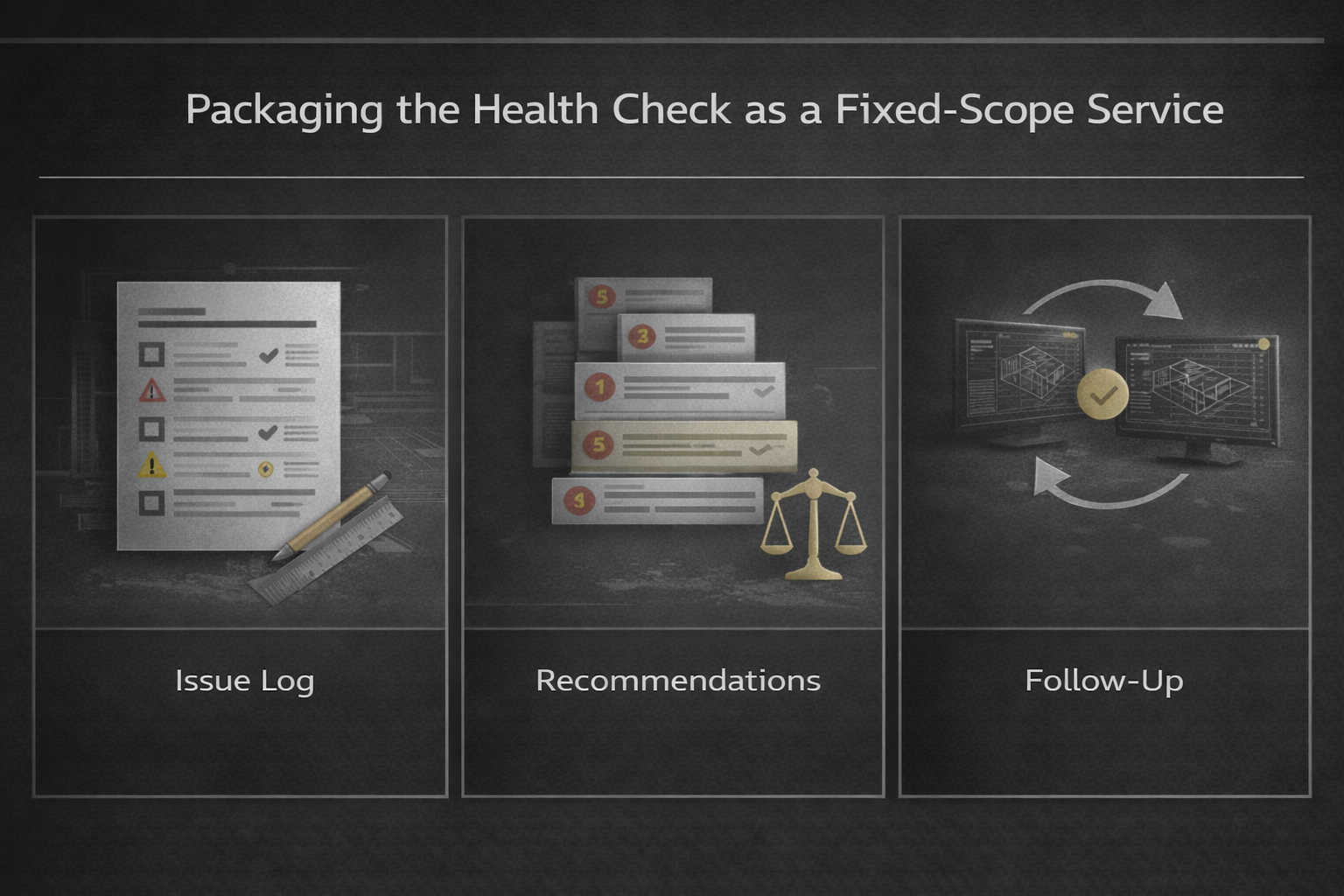
For a health check to be effective, it must be contained and actionable. Open-ended audits often stall because they generate too much information without prioritization.
A fixed-scope BIM model health check typically includes three deliverables.
Deliverable 1: Structured Issue Log
All findings are documented in a clear issue log. Each issue includes:
- Description
- Impact on coordination
- Severity
- Location or example
- Recommended action
Deliverable 2: Prioritized Recommendations
Not every issue should be fixed immediately. Recommendations are ranked based on coordination impact, effort, and project stage. This helps teams act without derailing delivery.
Deliverable 3: Re-Check After Implementation
A follow-up re-check confirms that actions were implemented correctly and did not introduce new issues. This step is critical and often skipped, which reduces the value of the original review.
When To Run A BIM Model Health Check
A BIM model health check delivers the most value when it is timed deliberately, not triggered by a visible failure. It works best ahead of major coordination milestones, after changes in the project team, or when the model starts to feel slower or harder to work with, even if no single issue stands out yet.
Running a health check before moving into construction or fabrication stages helps surface problems while they are still manageable. Once coordination has already broken down, options become limited and fixes tend to be more expensive and disruptive. At that point, teams are reacting instead of staying in control.
Final Thoughts
A BIM model health check is not about control. It is about clarity.
Healthy models support coordination quietly. Unhealthy ones demand attention and drain time. The difference is rarely visible in screenshots, but it is felt daily by the team.
These twenty checks focus on what actually matters when multiple disciplines rely on the same digital environment. They are practical, repeatable, and designed to prevent coordination failures before they surface on site.
When packaged as a fixed-scope review with clear deliverables and a re-check, a health check becomes a strategic tool rather than a one-off audit. That is where its real value lies.
Frequently Asked Questions
What is a BIM model health check?
A BIM model health check is a structured review of how a model performs, how information is organized, and how well it supports coordination. It looks beyond geometry to assess warnings, data consistency, links, workflows, and change readiness. The goal is to prevent coordination failures before they affect delivery.
How is a BIM model health check different from clash detection?
Clash detection focuses on geometry conflicts between disciplines. A health check looks at the broader picture: model performance, structure, data reliability, and collaboration setup. Many coordination failures happen even when clashes are technically resolved, which is why a health check complements, rather than replaces, clash detection.
When should a BIM model health check be done?
A health check is most effective when done proactively. Common trigger points include before major coordination milestones, after changes in the project team, when model performance starts to degrade, or before transitioning into construction or fabrication stages. Waiting until coordination breaks down usually increases cost and limits options.
How long does a BIM model health check take?
Most fixed-scope health checks are completed within a defined review window, depending on model size and complexity. The key is not speed alone, but clarity. A focused review with a clear issue log and recommendations is more valuable than an open-ended audit that drags on without resolution.
What are the typical deliverables of a BIM model health check?
A structured health check usually produces three outputs: a detailed issue log, a set of prioritized recommendations, and a follow-up re-check. Together, these ensure issues are clearly documented, actions are realistic, and improvements are verified rather than assumed.

Have a BIM Project? Talk To Us.
Contact UsOur Case Studies
We have handled 200+ BIM & VDC projects for commercial, industrial, and residential sectors.
Our work includes:
Formwork design automation
Our client from
California, USA
Suspended ceiling design automation
Our client from
New York, USA
Wall framing design automation
Our client from
California, USA