Have any questions? Contact us!
Join our team!
Request a free quote or consultation

Turning flat 2D drawings into detailed 3D models isn’t just about better visuals – it’s about improving accuracy, making collaboration easier, and cutting down on rework. Whether you’re dealing with scanned PDFs or legacy DWG files, the conversion process plays a key role in moving your project forward. But how much does it actually cost? The short answer: it depends. The long answer includes file quality, model complexity, software used, and whether you’re working with a freelancer or a professional team. Let’s break it down.
From Flat Files to Functional Models: What 2D to 3D CAD Conversion Really Means
At its core, 2D to 3D CAD conversion means rebuilding a drawing – not just flipping a format. You’re taking a flat representation like a floor plan, scanned blueprint, or schematic, and turning it into a structured 3D model that can be edited, measured, analyzed, and used across disciplines. That could mean modeling ductwork inside a hospital wing, translating old mechanical part diagrams into parametric assemblies, or building a full Revit model from a set of DWG files. The idea is to go from static lines to working geometry that fits into a broader project workflow.
The quality of the input often shapes how much manual work is involved. A clean CAD drawing converts faster. A faded scan with hand-written notes? That’ll need redrawing. Either way, the output isn’t just a 3D visual – it’s a usable model that supports coordination, prefabrication, or BIM integration. And that makes all the difference when you’re trying to avoid change orders later down the line.
Why Cost Isn’t Just a Number in 2D to 3D Conversion
Pricing for 2D to 3D CAD conversion isn’t arbitrary – it usually reflects the actual effort behind the scenes. When you see a wide cost range, it’s often tied to the quality of the input files, how much manual rework is needed, and what kind of deliverables are expected. A simple floor plan with clean linework might take a few hours to convert. A stack of faded PDFs from a 1990s project? That’s closer to a full redraw. Understanding the cost helps you budget smarter and avoid scope creep halfway through a job.
It also puts things into perspective. A higher rate doesn’t just buy you a 3D model – it buys you accuracy, less rework during coordination, and better integration with your BIM pipeline. If your model ends up driving fabrication or scheduling later on, even small conversion errors can snowball into costly delays. So the real question isn’t “what’s the cheapest option,” but “what’s the cost of getting it wrong?”
What Powerkh Brings to 2D to 3D Conversion Workflows

Powerkh is a UK-based company with additional offices in the USA and Ukraine. In our company, we provide BIM and VDC services for residential, commercial, and industrial construction projects. We have completed over 200 projects involving digital modeling, coordination, and construction documentation.
In our work, CAD to BIM conversion is a core service. We use Autodesk Revit to convert 2D CAD drawings into 3D BIM models, covering architectural, structural, and MEP elements. These models are developed to varying levels of detail, from LOD 100 to LOD 500. As part of the process, we run clash detection and prepare shop drawings when required.
Our team also handles scan to BIM using point cloud data, creates Revit families, develops automation scripts in tools like Dynamo, and produces structural detailing for prefabrication and fabrication. In our company, we support architects, engineers, contractors, and site teams with modeling and documentation needed at different stages of construction.
How Much Does 2D to 3D CAD Conversion Actually Cost?

The price of converting 2D drawings into 3D models isn’t fixed. It depends on what you’re handing over, what you need back, and how clean the process has to be. While some conversions are fairly straightforward, others involve hours of manual redrawing, layer structuring, and quality checks. Here’s how the cost usually breaks down.
Standard Price Ranges per Drawing
Most service providers follow pricing brackets based on location and file quality:
- $100-$500 per sheet: Typical range North American or EU-based specialists, depending on drawing complexity and manual rework
- $25-$150 per sheet: Common pricing for experienced offshore teams handling mid-level to complex drawings
- $10-$50 per sheet: For high-volume jobs with consistent, editable file types and minimal cleanup.
Basic conversions (like DWG to 3D AutoCAD) fall toward the lower end. Anything involving PDF scans, legacy paper drawings, or hand-drawn elements tends to push higher.
Hourly-Based CAD and BIM Modeling
For projects that aren’t suited to flat-rate pricing, teams often switch to hourly billing. That applies when there are a lot of unknowns up front or when the drawings need interpretation.
- $25-$60/hour: Typical for CAD drafters handling geometry translation and annotation
- $60-$90/hour: Standard for BIM specialists working with Revit, parametric objects, or LOD 400/500 deliverables
Hourly billing can be more transparent in complex projects, especially when input quality varies or scope changes midstream.
Bulk Orders and File Consistency
Ordering in bulk can lower the per-sheet price, but only if the files are similar. Mixed formats usually require more handling and cleanup time.
- Same-format orders: Easier to process and typically more affordable per unit
- Mixed-format submissions: Processed as separate groups, often at different rates
Sending in a folder with DWG, PDF, and TIF files together might feel efficient, but it adds time on the provider’s end – and cost on yours.
Additional Costs: Rush Jobs and Revisions
If you’re working against tight deadlines, expect to pay extra. Most providers offer rush services, but they come with increased rates to prioritize your files.
- Rush delivery: Often priced at 25-50% above standard rates, depending on timeframe
- Major revisions: Usually billed separately unless outlined in the initial scope
Quick changes after delivery may be fine, but structural edits or client-driven scope shifts can result in additional rounds of modeling.
What Really Drives the Cost of 2D to 3D CAD Conversion
There’s no flat rate that fits every CAD conversion job – and there shouldn’t be. Pricing reflects the actual work involved, and that work depends on several moving parts. Here’s what typically shifts the numbers up or down.
Input File Quality and Type
What you hand over at the start sets the tone for the entire job. A layered DWG file is much faster to work with than a blurry scan of a hand-drawn plan.
- Clean digital files: Require less prep, fewer assumptions, and lower costs
- Scans, PDFs, or old paper drawings: Usually need redrawing, which adds time and manual labor
- Mixed file types: Require sorting and different software approaches, which adds complexity
If the input is inconsistent or lacks detail, expect the provider to build more from scratch – and factor that into the price.
Drawing Complexity and Detail Level
Not every drawing is created equal. A basic floor plan without MEP layouts is very different from a multi-layered assembly or a construction set with section cuts and callouts.
- Simple geometry: Faster to convert and usually fine with standard tooling
- Detailed technical drawings: Require more modeling time, especially if components need to be broken out or referenced separately
- High LOD requirements: (e.g., LOD 400 or 500) raise the bar in terms of accuracy and component modeling
The more you need the model to do – from fabrication to clash detection – the more work goes in.
Software Requirements and Output Format
The tools used and the formats delivered can also shift pricing. Some file types are quick to generate; others take more time, especially if the output needs to match a specific platform or workflow.
- Common formats like DWG, DXF, or STEP: Usually included in base pricing
- Specialized outputs for Revit, SolidWorks, or IFC: Often require more configuration and quality checks
- BIM coordination-ready models: Need to meet stricter standards for layers, families, and data structure
If the model is part of a larger BIM environment, providers typically allocate time for setup, testing, and file validation.
Revisions, QA, and Collaboration Expectations
Project communication, approval loops, and quality assurance aren’t just overhead – they’re part of the work. A well-defined scope keeps things efficient. If things are evolving or undefined, that shows up in the quote.
- Fixed-scope projects: Easier to price and faster to deliver
- Open-ended or phased jobs: Require more project management and usually run on hourly rates
- QA expectations: Multi-stage reviews, clash checks, or compliance with specific standards all factor into delivery time
Clarity saves money. Vague requirements do the opposite.
Turnaround Time and Urgency
If you need it fast, the team has to re-prioritize. Urgency always affects pricing – not because of greed, but because it shifts how the project gets resourced.
- Standard delivery: 2-5 business days depending on scope
- Rush jobs: Usually billed at 1.25x to 1.5x the normal rate, depending on complexity
- Same-day or overnight: May not be realistic for detailed 3D work, but some providers offer partial delivery options
Speed is possible, but it usually comes at the cost of flexibility – and sometimes quality if corners get cut.
What You Actually Get From a 2D to 3D CAD Conversion
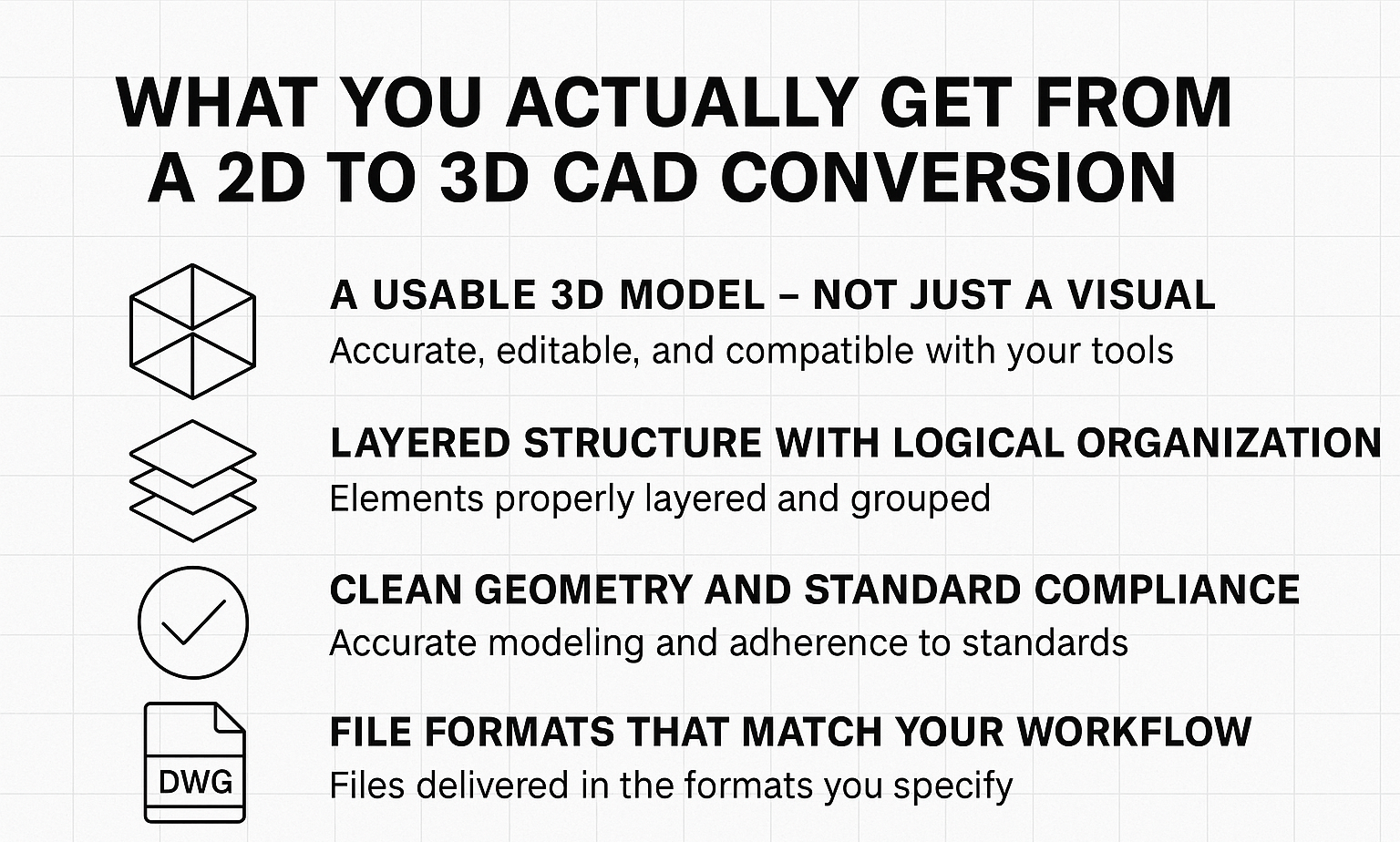
When done right, a 2D to 3D conversion isn’t just a prettier version of a drawing. You’re getting a structured, usable model that holds up in real project environments – not just in screenshots. Here’s what’s typically included when you work with a proper conversion team.
A Usable 3D Model – Not Just a Visual
The core deliverable is a working 3D model built from your original 2D files. It’s accurate, editable, and compatible with the tools your team is already using – whether that’s AutoCAD, Revit, SolidWorks, or something else. Linework gets translated into geometry, annotations into data, and flat views into something you can rotate, section, or run checks against.
Layered Structure With Logical Organization
Everything gets properly layered and grouped. Walls, pipes, furniture, mechanical components – each element goes into the right layer or category so it’s easy to isolate, modify, or schedule. That structure becomes important later if the model moves into BIM coordination or prefabrication.
Clean Geometry and Standard Compliance
Sloppy modeling causes headaches later. A good conversion service delivers models that are clean, accurate, and follow the standards you’d expect – correct units, logical snapping, closed volumes, and naming conventions that won’t break your workflow. No half-modeled walls. No floating lines.
File Formats That Match Your Workflow
Most providers will deliver in whatever format you specify up front. That could mean native files like RVT, DWG, or SLDPRT, or interchange formats like STEP or IFC. If you need multiple formats – for example, one for coordination and another for fabrication – that can usually be built into the scope.
Optional Add-Ons (If You Need Them)
Some services also offer extras like exploded views, section cuts, schedules, or rendered visuals. These are often useful for client presentations, construction sequencing, or coordination meetings – but they’re not always included by default. If you need them, ask early so they’re built into the workflow from the start.
Conclusion
2D to 3D CAD conversion isn’t just a checkbox task. It’s a foundational step in making your project buildable, coordinated, and future-proof. The cost isn’t just about time spent in software – it reflects the quality of the inputs, the complexity of the deliverables, and how closely the result needs to match real-world constraints. You can spend $25 for a fast redraw or $200 for something that integrates directly into your BIM workflow without surprises. One gives you a file; the other gives you certainty.
If the model is going to live beyond the design phase – into coordination, fabrication, or site installation – that’s where investing in proper conversion work starts to make sense. And if you’re working against deadlines or dealing with legacy data, partnering with someone who’s done it before makes a noticeable difference.
FAQ
How long does a typical 2D to 3D CAD conversion take?
The timeline depends on the size and clarity of input files. Clean floor plans may take 2-3 days, while large, complex, or low-quality inputs, such as faded scans or projects requiring LOD 400/500, can take 1-3 weeks, depending on the extent of redrawing or coordination needed
Is it cheaper to convert drawings in bulk?
Usually, yes – but only if the files are consistent. Ten clean DWGs will almost always cost less per sheet than a mixed set of JPG scans and PDFs. Providers still have to prep each type separately, which adds time.
What’s the difference between scanning and CAD conversion?
Scanning gives you an image. Conversion gives you an editable model. If you just scan a blueprint, you can’t measure or move anything in CAD. A real conversion rebuilds the geometry so it behaves like a native file.
Can I convert PDFs or old paper drawings into 3D?
You can – but expect more manual work. If the original is low resolution or poorly scanned, it often needs to be redrawn from scratch. That’s where the price starts to rise.
Our Case Studies
We have handled 200+ BIM & VDC projects for commercial, industrial, and residential sectors.
Our work includes:
Formwork design automation
Our client from
California, USA
Suspended ceiling design automation
Our client from
New York, USA
Wall framing design automation
Our client from
California, USA


