Have any questions? Contact us!
Join our team!
Request a free quote or consultation
I remember the first time I saw a flat blueprint turn into a 3D model that I could spin around on my screen – it felt like magic. 2D to 3D CAD conversion is exactly that: taking those old-school, two-dimensional sketches or technical drawings and breathing life into them as three-dimensional models using specialized software. It’s not just a tech trick; it’s a practical way to make designs clearer, catch mistakes early, and get everyone on the same page, whether you’re building a house or a car part. In this article, I’ll break down what this process is, why it matters, and how it’s changing the game for designers and engineers everywhere.
Understanding the Basics of 2D and 3D CAD
Before we jump into the conversion process, let’s lay the groundwork. If you’ve ever worked with CAD software, you know it’s the backbone of modern design. But 2D and 3D CAD are different beasts, and understanding them is key to appreciating the conversion process.
What Is 2D CAD?
2D CAD is all about creating flat, two-dimensional drawings. Picture a blueprint or a technical sketch with lines, shapes, and annotations. These drawings define the geometry, dimensions, and relationships of objects in a single plane – think length and width, but no depth. It’s the starting point for many designs, especially in architecture or engineering, where you need a clear layout before diving into details.
Key Features of 2D CAD:
- Represents objects in a flat, two-dimensional view.
- Focuses on precise measurements and annotations.
- Ideal for initial sketches, floor plans, or simple schematics.
- Easy to edit and share digitally, replacing manual drafting.
What Is 3D CAD?
Now, 3D CAD takes things to another level by adding depth. You’re no longer stuck with a flat view; you can create models with height, width, and depth, mimicking how objects exist in the real world. These models let you rotate, slice, and explore every angle, making them perfect for complex designs like machinery, buildings, or even organic shapes.
Key Features of 3D CAD:
- Creates three-dimensional models with full spatial relationships.
- Supports advanced features like surface modeling and assemblies.
- Enables simulations, such as stress tests or fit checks.
- Feeds directly into manufacturing processes like 3D printing or CNC machining.
The Role of Construction Geometry
One thing I’ve learned from countless projects is the importance of construction geometry during conversion. These are temporary lines, points, or shapes used to guide the creation of your 3D model. They help define alignments, constraints, and relationships, ensuring your model is accurate. Once the design is complete, you hide or remove them – they’re like the scaffolding that holds everything together while you build.
Why Convert from 2D to 3D?
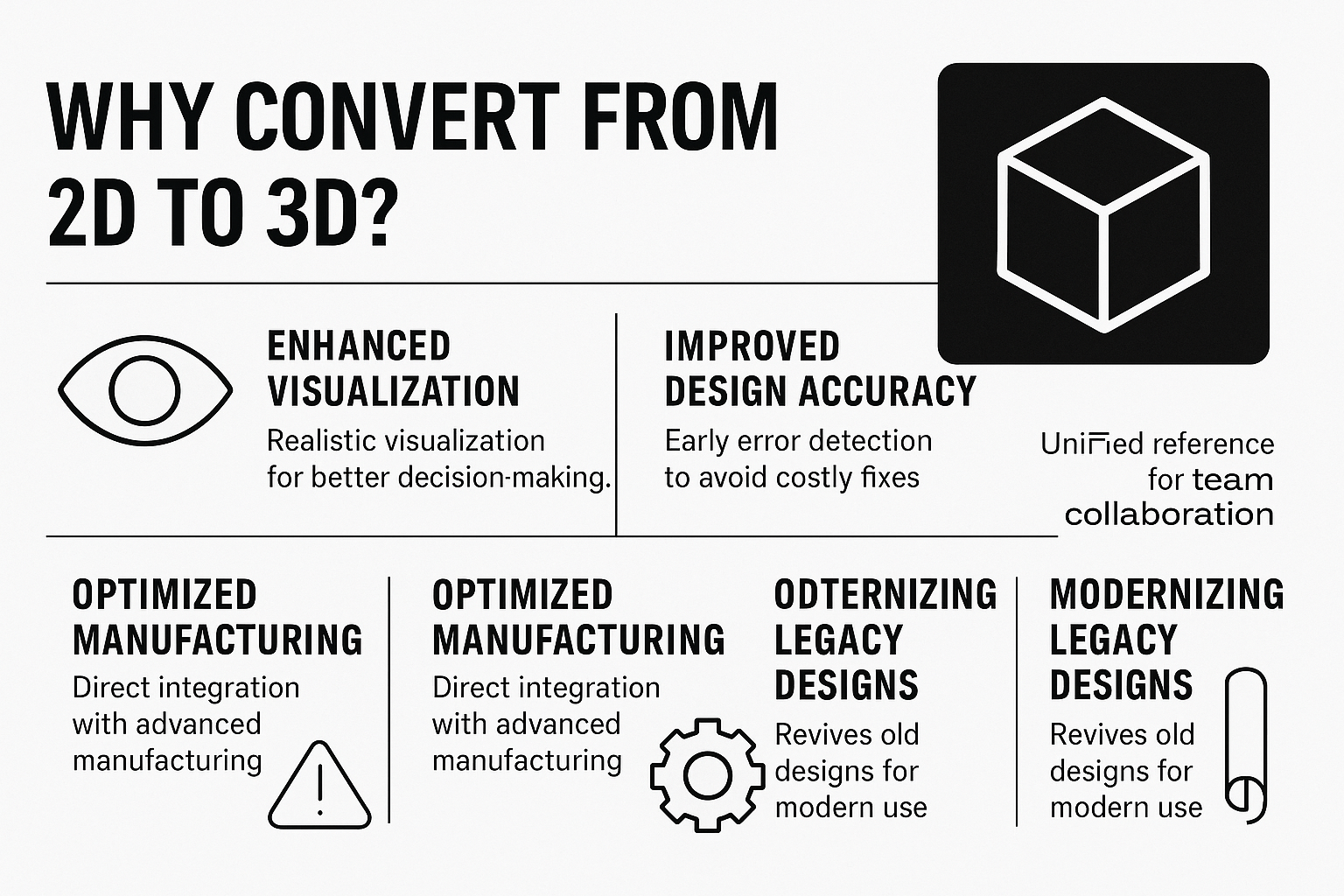
I’ve been asked plenty of times why bother with 3D when 2D has been the standard for so long. The answer boils down to one word: impact. Converting to 3D isn’t just about aesthetics; it transforms how you design, collaborate, and build. Here’s why it’s a big deal.
Enhanced Visualization
With 2D, you’re guessing how parts fit together based on multiple views. In 3D, you see the whole object in a realistic way. You can rotate it, zoom in, or even walk through a virtual building. This clarity helps designers and clients alike understand complex geometries without relying on imagination.
Improved Design Accuracy
Errors in 2D drawings can be hard to spot until construction starts – and that’s costly. 3D models let you test fits, check tolerances, and identify issues like misaligned parts early. For example, I’ve seen teams catch overlapping pipes in a 3D model, saving thousands in rework.
Streamlined Collaboration
A 3D model is a universal language. Whether it’s architects, engineers, or contractors, everyone can reference the same model. This reduces misunderstandings and keeps projects on track. I’ve worked on teams where sharing a 3D model cut meeting times in half because everyone could see the plan clearly.
Optimized Manufacturing
3D models are a manufacturer’s dream. They provide exact dimensions and geometries for processes like CNC machining or 3D printing. This precision reduces material waste and speeds up production. For instance, a 3D model of a mechanical part can go straight to a fabricator, no extra steps needed.
Modernizing Legacy Designs
Many companies have stacks of old 2D drawings – some on paper, others in outdated digital formats. Converting these to 3D brings them into modern workflows, making them easier to edit, integrate, or use with today’s tech like Building Information Modeling (BIM).
Key Benefits of Conversion:
- Realistic visualization for better decision-making.
- Early error detection to avoid costly fixes.
- Unified reference for team collaboration.
- Direct integration with advanced manufacturing.
- Revives old designs for modern use.
Powerkh's 2D to 3D Conversion Advantages

Powerkh is a company that is UK-based and specializes in assisting businesses with the transition from AutoCAD to Building Information Modeling (BIM). With offices in Ukraine, and the USA, we support organizations in adopting BIM technology to enhance their design and construction processes.
We provide services such as BIM modeling, data migration, and AutoCAD to BIM integration. Our team helps convert 2D AutoCAD drawings into 3D BIM models, improving project accuracy and efficiency. Our goal is to simplify the transition to BIM, optimizing workflows and reducing errors along the way.
In addition to BIM modeling, we also offer project management and consulting services, helping clients maximize the value of their BIM systems. We focus on delivering practical solutions that ensure a smooth adoption of BIM, enabling clients to fully leverage the technology.
Key Highlights:
- Offices in the UK, Ukraine, and the USA
- Specializes in AutoCAD to BIM transitions
- Expertise in BIM modeling, data migration, and integration
- Helps convert 2D AutoCAD drawings to 3D BIM models
- Focused on improving project accuracy and efficiency
- Offers project management and BIM consulting services
Tools and Software for 2D to 3D CAD Conversion
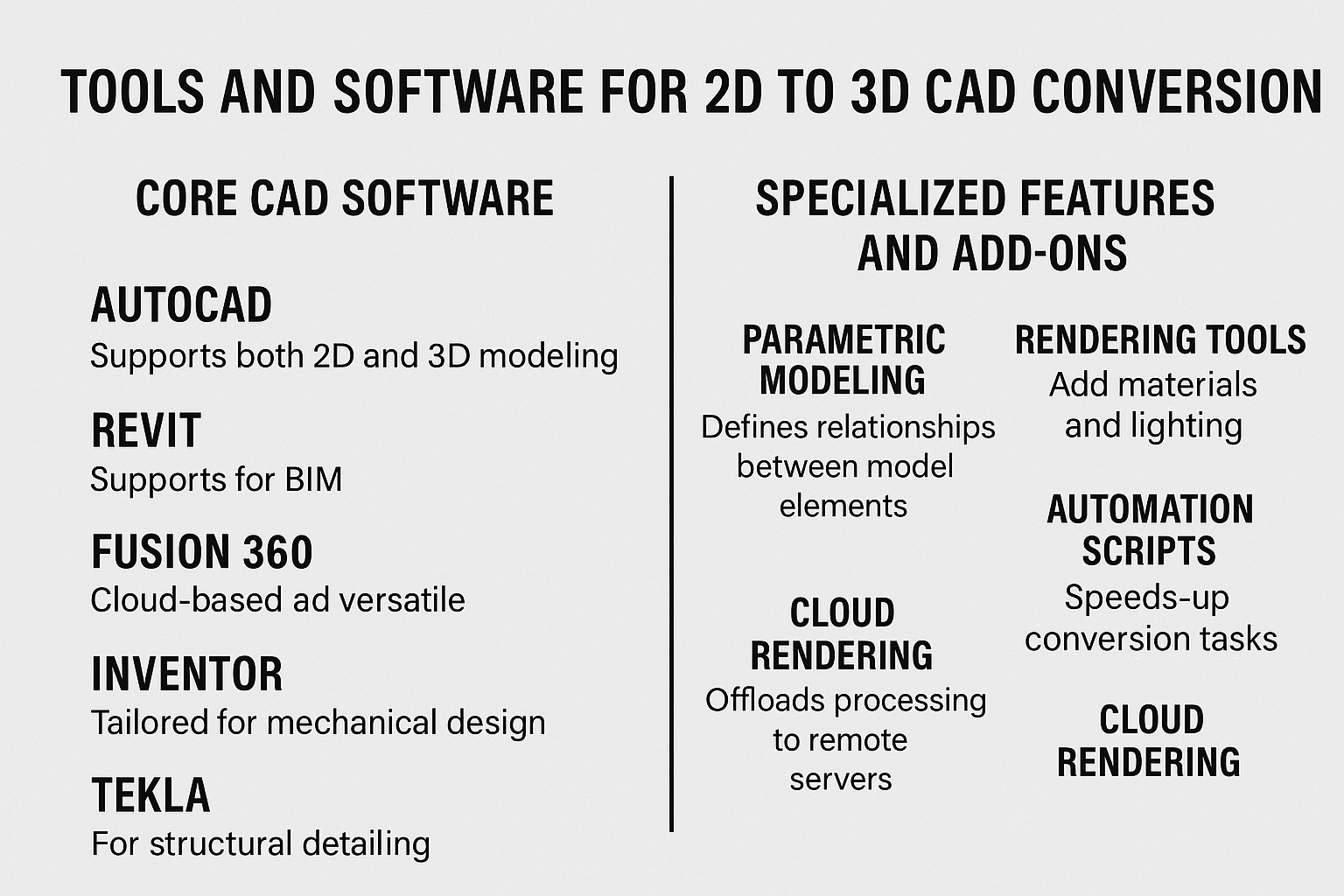
To pull off a conversion, you need the right tools. Over the years, I’ve worked with a range of CAD software, and each has its strengths. Here’s a rundown of the essentials and how they fit into the process.
Core CAD Software
The heavy hitters in this space include tools designed for both 2D and 3D workflows. Some let you import 2D drawings and build 3D models directly, while others specialize in specific tasks.
- AutoCAD: A staple for 2D drafting, it also supports 3D modeling. You can import a 2D DWG file and extrude shapes into solids.
- Revit: Perfect for BIM, it’s great for architectural and structural conversions, with parametric modeling that links all elements.
- Fusion 360: Cloud-based and versatile, ideal for collaborative teams and rendering photorealistic visuals.
- Inventor: Tailored for mechanical design, it excels at turning 2D engineering drawings into detailed 3D assemblies.
- Tekla: A go-to for structural detailing, especially for steel or concrete projects.
Specialized Features and Add-Ons
Beyond the base software, specific features make conversions smoother:
- Parametric Modeling: Defines relationships between elements, so changes in one part update the whole model.
- Rendering Tools: Add materials, lighting, and textures for realistic visuals, often built into tools like Fusion 360.
- Automation Scripts: Tools like Dynamo automate repetitive tasks, speeding up complex conversions.
- Cloud Rendering: Offloads processing to the cloud, freeing up your computer for other work.
Choosing the right tool depends on your project. For a small product design, Fusion 360 might be enough. For a skyscraper’s structural model, Tekla or Revit is better suited.
Step-by-Step Guide to 2D to 3D Conversion
Converting from 2D to 3D isn’t a one-click process – it takes care and attention. Here’s how it typically goes, based on projects I’ve tackled.
Prepare Your 2D Files
Start by cleaning up your 2D drawing to remove stray lines and fix any inconsistencies. Organizing layers makes importing smoother, and checking dimensions ensures everything is accurate from the get-go.
Import into 3D Software
Next, load the 2D file, like a DWG or DXF, into your chosen CAD tool. It’s critical to verify that all elements import correctly, with no missing lines or annotations, to avoid headaches later.
Create Base 3D Geometry
Now, transform those flat shapes into 3D solids using tools like extrude, revolve, or sweep. Add construction geometry to guide alignments and constraints, and for complex curves, rely on lofting or surface modeling to get the shapes just right.
Refine the Model
Refining the model means applying parametric constraints to link elements dynamically, so changes update seamlessly. Add details like fillets, chamfers, or textures, and test assemblies if your design involves multiple parts to ensure they fit together.
Simulate and Validate
Run clash detection to spot interferences, like overlapping pipes, and perform stress tests or fit checks for mechanical designs. Make adjustments as needed to confirm the model functions as intended.
Render and Export
Finally, create photorealistic renders for presentations to showcase your design. Export the model as shop drawings, fabrication files, or BIM-compatible formats, ready for the next phase.
Incorporating Scan-to-BIM for Existing Structures
For existing structures, incorporating scan-to-BIM with laser-scanned point clouds can boost accuracy by blending 2D data with real-world measurements, ensuring your 3D model reflects reality.
Applications Across Industries
2D to 3D conversion isn’t some niche trick – it’s a game-changer across multiple fields. From my experience, this process transforms how industries approach design, making ideas tangible and problems easier to spot. Here’s a closer look at where it shines.
- Architecture and Construction: Starting with 2D floor plans or elevations, conversion to 3D models brings buildings, interiors, and landscapes to life. It’s a must for urban planning or town development, letting you simulate everything from amenities to road networks for clearer project visions.
- Manufacturing and Product Design: 2D sketches evolve into 3D prototypes ready for testing or production. Whether it’s consumer gadgets or heavy machinery, 3D models ensure parts fit perfectly before any metal is cut, saving time and resources.
- Aerospace and Automotive: Precision is everything here. Converting 2D drawings to 3D ensures components like turbine blades or car chassis align flawlessly in complex systems, cutting down on assembly errors.
- MEP (Mechanical, Electrical, Plumbing): 3D models prevent clashes between pipes, ducts, or wiring in tight spaces like hospitals or factories. Converting 2D layouts to 3D catches issues early, avoiding costly installation fixes.
- Specialized Industries: In fields like pharmaceuticals, food processing, or textiles, 3D models simulate workflows to meet strict hygiene or efficiency standards. For instance, a 3D model of a processing plant can optimize material flow for better operations.
Tackling Challenges in Conversion
No process is flawless, and 2D to 3D conversion has its share of obstacles. I’ve run into these issues plenty of times, but with the right strategies, they’re totally manageable. Here’s how to address the most common challenges.
- File Compatibility Issues: Old or non-standard 2D files can import messily, dropping critical data. Stick to common formats like DWG or DXF and double-check imports right away to catch any missing elements.
- Precision Demands: 3D models require razor-sharp accuracy – small errors in 2D drawings can snowball into big problems. Lean on construction geometry and run iterative checks to spot mistakes early.
- Resource Intensity: 3D files are hefty, eating up processing power. Cloud-based tools can take the load off, keeping your system running smoothly while handling complex models.
- Team Coordination: Misaligned teams can lead to confusion over 2D or 3D changes. Use shared models and regular sync-ups through BIM platforms to ensure everyone stays on the same page.
Emerging Trends Shaping CAD Conversion
The CAD world is evolving, and conversion tech is no exception. Here are trends I’m seeing gain traction:
- BIM Automation: Scripts and generative design tools auto-create 3D models from 2D inputs, cutting manual work.
- Scan-to-BIM Integration: Laser scans produce point clouds that merge with 2D data for hyper-accurate models, especially for renovations.
- Prefabrication Workflows: 3D models feed directly into CNC machines, streamlining off-site fabrication.
- Sustainability Focus: 3D simulations optimize material use, reducing waste and supporting green design.
- Cloud Collaboration: Remote teams access and edit 3D models in real time, boosting global project efficiency.
These trends aren’t just cool – they’re practical, saving time and resources while pushing design boundaries.
Final Thoughts on 2D to 3D CAD Conversion
So, what’s the takeaway? 2D to 3D CAD conversion is more than a technical step; it’s a way to bring ideas to life with clarity and precision. Whether you’re designing a skyscraper, a car part, or a factory layout, this process cuts errors, boosts collaboration, and streamlines production. It’s not without challenges, but with the right tools and approach, those are just speed bumps. As someone who’s seen projects transform with 3D, I can say it’s worth the effort. If you’re still stuck in 2D, give it a shot – you might be surprised how much it changes your workflow for the better.
Frequently Asked Questions (FAQs)
What’s the main difference between 2D and 3D CAD conversion?
2D CAD conversion turns hand-drawn or digital sketches into flat, editable digital drawings, focusing on length and width. 3D CAD conversion creates three-dimensional models with depth, allowing rotation, simulation, and detailed visualization for more accurate and realistic designs.
Do I need special software for 2D to 3D conversion?
Yes, you’ll need CAD software capable of 3D modeling, like AutoCAD, Revit, Fusion 360, or Tekla. These tools let you import 2D files and build 3D models, often with features like parametric modeling or rendering to enhance the process.
How long does it take to convert a 2D drawing to 3D?
It depends on the complexity. A simple part might take a few hours, while a full building model could take days or weeks, especially if it involves assemblies, clash detection, or rendering. Automation tools can speed things up significantly.
Can 2D to 3D conversion help with existing buildings?
Absolutely. Using scan-to-BIM, you can combine 2D drawings with laser-scanned point clouds to create accurate 3D models of existing structures, perfect for renovations or retrofitting projects.
Our Case Studies
We have handled 200+ BIM & VDC projects for commercial, industrial, and residential sectors.
Our work includes:
Formwork design automation
Our client from
California, USA
Suspended ceiling design automation
Our client from
New York, USA
Wall framing design automation
Our client from
California, USA


